Artificial intelligence is no longer just an experimental playground; it has officially become the backbone of enterprise strategy. From what I’m seeing across operations, customer experience, finance, and product development, the burning question isn’t whether to use AI anymore. It’s about where to deploy it, how to govern it, and who takes ownership of the outcomes.
This fundamental shift has created a massive demand for a new kind of leadership model: the Fractional Chief AI Officer.
What Exactly is a Fractional Chief AI Officer?
In my view, a Fractional Chief AI Officer (FCAIO) is a senior executive who embeds with an organization on a part-time or contract basis to steer its AI agenda. This isn’t your traditional AI consultant who drops in for a single project and steps away. Instead, I see the FCAIO as someone who sits alongside the leadership team to map out priorities, draft a comprehensive AI roadmap, enforce governance, and ensure that AI initiatives actually drive business results.
Why I’m Seeing Companies Pivot to Fractional AI Leaders Over the past year, I’ve noticed a few key reasons why organizations are increasingly leaning into this model:
1. AI is Now a Top-Tier Leadership Priority AI is weaving itself into the very fabric of business operations, demanding clear executive ownership. Recent industry studies show massive spikes in companies appointing Chief AI Officers. Why? Because AI now dictates operating models, talent acquisition, risk management, and overall growth. (See IBM article link)
2. Strategy Can’t Be FragmentedToo often, I see tech teams owning the platforms, business units chasing scattered use cases, legal worrying about risk, and HR trying to manage adoption. Without a unified vision, companies end up with a tangled web of disconnected tools and duplicated investments that fail to create real value. A Fractional Chief AI Officer bridges these silos, uniting every department under one cohesive enterprise AI strategy.
3. Governance Must Precede Scale The deeper AI integrates into our workflows, the more critical governance becomes. Organizations need strict clarity on data privacy, model risk, responsible use, and human oversight. I always advise companies to establish an AI governance framework that sets clear guardrails before they scale, ensuring responsible and impactful deployment.
4. A Full-Time Hire Might Be Premature Not every organization is ready for a permanent, full-time Chief AI Officer on day one. You might still be figuring out your priorities, or the exact scope of the role might still be evolving. A fractional executive gives you the high-level strategic direction you need right now, while allowing you to maintain flexibility before committing to a permanent C-suite structure.
5. Boards Want Accountability for AI ROI With AI budgets expanding, boards are rightfully scrutinizing returns. Someone needs to decide which use cases deserve funding, whether a solution should be built or bought, and if the tech is actually delivering expected value. A Fractional Chief AI Officer provides that crucial accountability between AI ambition and execution.
What Does a Fractional Chief AI Officer Actually Do? When I look at the day-to-day responsibilities of this role, it comes down to a few critical areas:
Defining the Strategy: I always start with the business, not just the technology. It’s about identifying where AI can boost efficiency, customer experience, or innovation, and translating those opportunities into a prioritized roadmap.
Building Governance: Good governance shouldn’t be a roadblock; it should be a safe pathway. This means setting up policies, risk controls, and clear approval processes so teams have guidance on how AI should be used safely.
Prioritizing Use Cases: The possibilities with AI are endless, but which ones actually matter? It takes an experienced leader to filter out the noise and evaluate opportunities against business impact, feasibility, data readiness, and speed to value.
Aligning Vendors and Teams: There’s a vital need to bridge the gap between leadership and tech teams—challenging vendor proposals, evaluating platforms, and ensuring tech decisions support the wider strategy.
Building Internal Muscle: The end goal shouldn’t be permanent reliance on a fractional leader. A great FCAIO builds internal capabilities, educates leadership, and sets the stage for the company’s next phase of AI maturity.
The FCAIO vs. The AI Consultant: It’s About Ownership
I often get asked about the difference between a fractional officer and a traditional consultant. To me, it all boils down to ownership. An AI consultant solves a specific problem or recommends a solution. A Fractional Chief AI Officer operates closer to the executive team and takes ongoing responsibility for the company’s entire AI trajectory. If you just have one specific project, a consultant is fine. But if you are building an enterprise-wide AI operating model, you need the broader leadership of an FCAIO.
Looking Ahead As AI continues to transform every facet of how we work, organizations will need leaders who can tie technology decisions directly to business priorities and measurable value.
But that doesn’t mean you have to rush into a permanent C-suite appointment. From my perspective, a Fractional Chief AI Officer is the perfect, flexible solution to get the senior-level guidance you need, exactly at the stage when you need it most.
Five challenges of leading technology across multiple businesses—and where AI can help without taking over your judgment.
Picture the scene. You have just finished advising a client on why disconnected systems are slowing the business down. The conversation covered duplicated information, unclear ownership and the difficulty of getting a reliable picture of what is happening.
Then you return to your own work. You search your inbox for a vendor’s response, open another application for meeting notes, update a task list and try to remember whether you followed up with the CEO of your next client.
The irony is hard to miss.
As a fractional CIO, you are paid to make technology serve the business. But managing several businesses can leave you doing exactly the kind of manual coordination you are trying to eliminate for your clients.
The challenge is not simply having too many applications. It is keeping the reasoning, relationships and commitments behind your work connected as you move between clients. That is a more useful place to start the conversation about AI than asking how many tasks it can automate.
1. You are switching businesses, not just browser tabs
Consider moving from a client preparing for an acquisition to another trying to stabilize an unreliable business system. Both might need a technology roadmap, but their priorities, budgets and tolerance for disruption could be completely different.
Before you can offer useful advice, you need to get back inside that particular business. What has changed? What did the leadership team agree to? Which constraint shaped the recommendation? Is the person responsible still available to deliver it?
Microsoft’s 2025 research into the “infinite workday” documented how meetings, messages and email fragment working time. For a fractional CIO, there is another practical challenge to consider: the context may change entirely between those interruptions. Microsoft
A useful starting point is a brief, current view of each client: business objectives, active initiatives, key stakeholders, unresolved decisions and upcoming commitments. AI should help assemble that view from approved information, with a way to check where it came from.
The aim is to arrive ready to think, rather than spend the first part of every engagement remembering.
2. The decision gets recorded. The reasoning disappears.
Imagine finding a note that says, “We agreed to postpone the migration.”
That tells you what happened, but leaves the important questions unanswered. Was the delay caused by cost, business disruption, an unresolved dependency or a lack of internal capability? What would need to change before the decision should be revisited?
Without those details, a sensible decision can later look like indecision. A new executive asks why nothing has moved, and the discussion starts again.
Technology teams already have a useful discipline for this. Architectural decision records preserve the decision, its context and its consequences. AWS’s guidance specifically addresses the repeated debates that arise when decisions are made without their justification being properly documented. AWS Documentation
The same principle is worth applying to executive technology decisions. Record the business objective, the options considered, the important constraints, who approved the choice and what would trigger a review.
AI’s role should be to help capture and retrieve that reasoning—not invent a plausible explanation after the event. Where the rationale is missing, the right response is to flag the gap and ask.
For a fractional CIO, continuity means more than remembering that a conversation happened. It means being able to explain why the business chose its current path.
3. A good recommendation still needs someone to move it forward
Suppose a leadership meeting ends with agreement on a new approach to data governance. Everyone supports it. The summary is circulated.
Two weeks later, little has happened because nobody confirmed who would define ownership, who would review access or which decision needed to come back to the executive team.
A record of agreement is not the same as an executable plan.
This is where I would set a higher standard for meeting follow-through. Each meaningful commitment should have an owner, a next step and a date. Dependencies should be visible, and unresolved questions should remain unresolved—not be smoothed over in a confident-looking summary.
For the fractional CIO, the useful view between client sessions is therefore not simply “What meetings have I had?” It is “What moved, what is blocked and where is my intervention needed?”
That does not require becoming everybody’s project administrator. It requires a dependable way to maintain visibility without personally chasing every update. AI should help prepare actions and surface exceptions, while the people involved confirm the commitments.
The value is in keeping work moving between the moments when you are directly involved.
4. Research only matters when it fits the client
A comparison of five technology vendors can look impressive and still be almost useless.
Suppose the comparison favors a platform that requires implementation skills the client does not have. Or it overlooks the existing contract, the quality of the underlying data, or the disruption the business can tolerate this year.
The research may answer which platform has the strongest features. It has not answered which decision makes sense for this client.
Before asking AI to help evaluate an option, establish the decision criteria. What business problem are we solving? What must integrate? What resources are available? Which risks are acceptable, and what evidence would justify moving forward?
Then ask for a comparison against those criteria, with sources, dates and gaps clearly identified. A vendor’s claim should remain a vendor’s claim until it has been tested.
This is also where responsibility needs to be explicit. NIST’s AI risk framework emphasizes defining human roles and responsibilities in decision-making and AI oversight. For a material technology choice, I would keep approval with the CIO and the authorized client leaders. NIST AI Resource Center
Use AI to strengthen the preparation behind your judgment, not to make the judgment look unnecessary.
5. Your own practice needs attention too
There is one more business in the portfolio: yours.
When client delivery takes priority, a promising introduction can sit unanswered, a proposal can remain unfinished and a former client can go months without hearing from you. Each delay may seem reasonable at the time. Together, they can leave you with an uncomfortable gap when an engagement ends.
The answer is not to turn every relationship into an automated sales sequence. A referral partner deserves something more thoughtful than a message sent because a timer expired.
What helps is maintaining the context around those relationships. Why did the prospect get in touch? What problem were they trying to solve? What did you promise? When would another conversation be useful?
Treat your own pipeline as a leadership responsibility, with protected review time and clear next actions. AI can have a supporting role in preparation and reminders, but the relationship still needs your attention.
You should not have to rebuild your business-development process every time a client engagement finishes.
Where Sentia+ fits—and where it should not
These are the areas Sentia+ is designed to support. For fractional CIOs, it brings together client and relationship context, technology initiatives, meetings, research, email, tasks, follow-ups and the practice’s own pipeline. Its capabilities include meeting summaries and action items, research support, executive-level initiative tracking and prioritized next actions.
It is not a replacement for specialist cybersecurity, cloud, IT service management or engineering platforms. Its role is to help manage the executive work surrounding those systems: the conversations, priorities, commitments and follow-through. Sentia+
That distinction matters. A CIO should not need to replace a client’s operational systems simply to stay better informed and organized.
Nor should any AI platform be an excuse to skip the basics. Establish how information will be captured, what each client permits, who can access it and which actions need approval. Bringing work into a more convenient interface should never mean treating separate clients’ confidential information as interchangeable.
Apply your own advice to your own practice
You would challenge a client whose critical processes depended on one person remembering everything. It is worth applying the same test to your own working day.
Start with one recurring source of friction: preparing for executive meetings, retrieving the rationale behind decisions, tracking commitments or maintaining your own pipeline. Define what a better process should look like before adding automation.
Then judge the improvement by something useful. Does meeting preparation require less searching? Are commitments easier to track? Can you explain a decision without reconstructing the discussion? Are you protecting more time for the work clients hired you to do?
The objective is not to fill every recovered hour with another engagement. It is to create room for the judgment, challenge and sustained attention that make your involvement valuable.
Explore how Sentia+ supports that work on the Fractional CTOs and CIOs page. Sentia+
How much of your week is spent making technology decisions—and how much is spent reconstructing the context you need to make them?
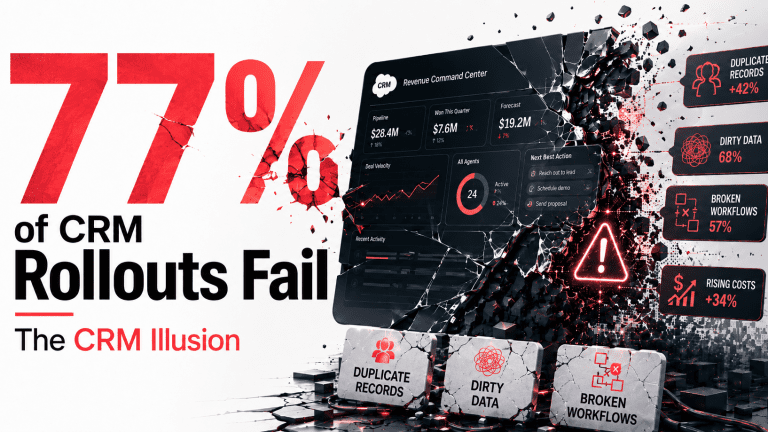
High Failure Rate: Valoir research indicates that 77% of enterprise B2B Agentforce implementations fail to deliver successful deployment, with only 31% remaining active past the six-month mark.
Data Hygiene Crisis: High operational failure rates stem directly from corrupted, duplicate legacy database records, which force cognitive engines to automate processing errors at machine speed.
Complex Cost Structures: Unpredictable total cost of ownership compounds rapidly through mandatory system bundles and metered transaction charges via Flex Credits, driving costs up to $2.00+ per multi-turn transaction.
Open-Source Migration: Enterprise architectures are transitioning toward database-agnostic “Systems of Action” and open runtimes like Google Agent Executor and Snowflake Natoma.
Scaled AI Operations: Scaling successfully requires moving away from seat-based software deployment to managing autonomous agents as structured virtual departments with dedicated profit-and-loss metrics.
The Outward Hype vs. The Audited Reality
Enterprise software buyers in Q2 2026 face a severe disconnect between massive marketing promises and audited deployment statistics. While vendors promise seamless digital workforces, independent market reports reveal a much more conservative adoption landscape. According toAd Graphics Research, only 12% of modern software transactions feature an agentic component, and a mere 6% of deals include paid licenses.
This operational gap is further highlighted by audited failure metrics. Data from the 2026 Valoir Salesforce AI Report indicates that 77% of B2B Agentforce deployments fail to achieve successful deployment, and only 31% remain active past the six-month mark. This reality has produced widespread hype fatigue among information technology executives.
A community survey of over 1,200 CRM practitioners by Salesforce Ben found that 50% believe the platform remains stuck in the hype stage. Only 11% of surveyed practitioners reported running these autonomous agents in active production environments. This operational instability has persisted despite iterative product updates.
The late April 2026 release of the Atlas Reasoning Engine v3 claimed a 40% reduction in inconsistent execution paths compared to previous versions. However, independent benchmark evaluations indicate that multi-step workflows still drift or fail in 18% of real-world production setups. This high rate of error highlights the structural limitations of native CRM agent architectures.
2. The B2B Data Graveyard Catch-22
The root cause of these high failure rates is not a limitation in model intelligence or cognitive processing power. Instead, deployments fail due to the legacy database architectures into which these agents are introduced. Traditional CRM platforms were built on a manual, reactive data entry model that inevitably generates duplicate records, stale fields, and broken validation rules.
When an autonomous agent is deployed over this unmaintained infrastructure, it encounters a classic data hygiene bottleneck. Because these platforms utilize Retrieval-Augmented Generation (RAG) to ground their decisions, a chaotic database forces the agent to make incorrect associations or hallucinate entirely. For example, activity capture tools regularly struggle to map inbound customer emails to the correct opportunity record when duplicate account fields exist.
Consequently, the decisional engine processes corrupted inputs, executes incorrect actions, and replicates operational errors at machine speed. This architectural mismatch highlights why throwing advanced software at a broken process simply automates failure. According to the (IBM Thought Leadership business value of Salesforce CRM), only 26% of enterprise leaders believe their customer data is in a state that can support agentic analysis.
The same report indicates that only 33% of AI initiatives are currently meeting their return on investment targets. Furthermore, 72% of these projects fail to scale across business units, and 20% stall or are abandoned completely. These outcomes occur because organizations attempt to run complex models over fragmented data silos.
To resolve this mismatch, enterprise architects must first learn how to (How to Eliminate Data Silos with Agentic AI) before initiating deployments. Aligning backend data structures with the precise requirements of RAG is a prerequisite for any scalable deployment. Without this baseline, the cognitive model remains functionally blind to the broader enterprise context.
3. The True Cost of Agentforce (The Sticker Shock Formula)
Unpredictable financial overhead represents another primary catalyst driving project cancellations. To help RevOps and information technology leaders calculate the true fiscal footprint of a native CRM rollout, the Total Cost of Ownership ($TCO$) of an enterprise deployment is modeled as:
$$TCO = \sum (S_B + D_C + A_L) + V_T$$
Where $S_B$ represents the base Sales or Service Cloud seat licenses, $D_C$ represents the mandatory Salesforce Data Cloud subscription, $A_L$ represents the add-on user licenses, and $V_T$ represents the variable transaction volume.
Base seat licenses ($S_B$) typically cost $175 to $350 per user monthly, while the mandatory Data Cloud subscription ($D_C$) requires a minimum commitment starting at $60,000 annually. The Agentforce add-on user licenses ($A_L$) add an additional $125 to $550 per user monthly depending on the enterprise tier. The variable transaction volume ($V_T$) is driven by the frequency of automated actions ($N_a$) and the metered price rate ($P_a$):
$$V_T = N_a \times P_a$$
Under standard metered structures, each action consumes 20 Flex Credits, establishing a base execution rate ($P_a$) of $0.10.
This credit math quickly compounds because standard real-world interactions require multiple sequential actions. For example, while a basic case-management step costs 60 credits ($0.30), a complex multi-turn knowledge search regularly exceeds 120 credits ($0.60) or even $2.00 per conversation. If an enterprise processes 40,000 automated actions monthly, these transaction charges add an unexpected $18,000 to $48,000 annually.
This lack of budget predictability forces CIOs to implement complex throttling strategies to prevent massive bill overruns. This unpredictable cost modeling has caused a significant shift in procurement preferences. Enterprise buyers are increasingly demanding outcome-based pricing models, similar to Intercom’s Fin charging per successful resolution.
To highlight the disparity, the following table contrasts the baseline licensing layers against actual consumption averages :
Licensing Tier & Variable Actions
Monthly Cost per User / Unit
Annual Base Commitment
Mandatory Dependencies & Variable Cost Drivers
Enterprise Base Seat ($S_B$)
$175 / user
$2,100 / user
Required prerequisite for any Agentforce deployment.
Unlimited Base Seat ($S_B$)
$350 / user
$4,200 / user
Includes advanced forecasting and predictive analytics features.
Data Cloud Starter ($D_C$)
Flat Annual Rate
$60,000
Required for real-time data ingestion and mapping.
Data Cloud Premium ($D_C$)
Flat Annual Rate
$175,000
High-profile enterprise package with advanced scaling.
Bundles CRM, Data Cloud credits, and unmetered agents.
Flex Credit Metered Action ($P_a$)
$0.10 / action
Variable Usage
Consumes 20 credits per single backend execution step.
Complex Multi-Turn Workflow
$0.60 to $2.00 / run
Variable Usage
Triggered by multi-step search, RAG loops, and external updates.
4. The Pivot to Open Orchestration and Headless Architectures
To bypass the steep pricing structures and database silos of single-vendor suites, modern GTM teams are shifting toward open, database-agnostic “Systems of Action”. This transition has accelerated due to significant infrastructure updates launched in late May and early June 2026. On May 25, 2026, Google introduced the open-source Google Agent Executor to support production-ready distributed agent deployment, durable execution, and secure sandboxing.
This runtime standard automatically ensures backend resilience, allowing long-running agent workflows to resume after disconnections or human-in-the-loop confirmations. By providing secure isolation, it prevents untrusted, generated code from compromising internal networks. To govern these workflows, Snowflake announced the acquisition of Snowflake Natoma in late May 2026.
Natoma operates as a central Model Context Protocol gateway, providing identity verification, access policies, and audit controls at the tool-call level. Furthermore, Snowflake introduced CoWork and Horizon Context to allow agents to query and reason over centralized enterprise data lakes in real time. This co-location of data, governance, and business definitions allows organizations to bypass the monolithic CRM execution layer entirely.
Simultaneously, Microsoft introduced Rayfin to transform Microsoft Fabric into an active application runtime, alongside Frontier Tuning. Frontier Tuning utilizes a managed Reinforcement Learning Environment to train models on real enterprise behavior, approval chains, and terminology. This continuous feedback loop allows agents to acquire organizational muscle memory safely within the tenant’s compliance boundaries.
These technical transformations demonstrate that the CRM is being relegated to a background storage layer, while real value has migrated to open, headless orchestration layers. Technology leaders must look beyond basic pilots and focus on building robust infrastructures. To establish this baseline, teams must actively transition from evaluating prototypes to implementing comprehensive strategy.
They must carefully analyze how to stop celebrating AI pilots and talk about AI operations to avoid scaling failures. By decoupling the application logic from the underlying storage, enterprises ensure long-term flexibility. This open approach mitigates vendor lock-in while providing strict control over computing budgets.
5. The Path to Scaled AI Operations
Restructuring a struggling agentic deployment requires a fundamental shift in both technical and organizational design. According to a study published in the (Harvard Research – Why you shouldn’t treat AI Agents like Employees), organizations must stop treating autonomous agents as basic software extensions or virtual employees. Anthropomorphizing these systems often reduces individual accountability, increases unnecessary escalations, and degrades review quality.
Instead, successful enterprises treat each agent as a structured virtual department. This model requires assigning a clear business owner, setting precise Key Performance Indicators, establishing inputs and outputs, and managing a dedicated P&L. On the technical front, teams must integrate advanced diagnostic frameworks to interpret agent decision-making paths.
Utilizing LIME (Local Interpretable Model-agnostic Explanations) and Neural Networks algorithms allows engineers to audit complex reasoning models and prevent operational drift. Furthermore,(Forrester Research – Test your AI Agents) recommends implementing strict agentic testing suites and red-teaming practices before deploying code to production. These testing suites utilize synthetic prompts to evaluate agent responses against a standardized “golden set” of ideal outcomes.
By combining rigorous testing, open orchestration layers, and a unified data foundation, enterprises can successfully scale past the pilot phase. The era of the monolithic, single-vendor CRM agent is giving way to secure, distributed execution environments. The enterprises that prioritize data readiness and structured operational governance will ultimately capture the true productivity gains of the agentic shift.
What is causing the high failure rate of Agentforce deployments in 2026?
The primary cause of the 77% Agentforce failure rate is poor underlying CRM data quality. Legacy databases are filled with duplicate accounts, stale opportunity pipelines, and unmaintained workflows. When autonomous agents rely on this uncleaned data for decision-making, they execute incorrect actions at machine speed, stalling multi-step workflows.
How much does Salesforce Agentforce actually cost to run?
A standard deployment costs upwards of $125 to $550 per user monthly, plus base CRM licenses of $175 to $350. Additionally, mandatory Data Cloud subscriptions cost up to $175,000 annually. On top of subscription fees, variable action costs are metered via Flex Credits at $0.10 per action.
What is the role of Data Cloud in agentic CRM workflows?
Salesforce Data Cloud serves as the foundational data harmonization layer for AI agents. It ingests and unifies fragmented enterprise customer data from external silos. This allows the execution layer to access structured and unstructured context, which is critical to grounding agent decisions and reducing hallucinations during execution.
What is the Google Agent Executor and why is it open source?
Google Agent Executor is an open-source runtime standard designed for production agent deployment, execution, and resumption. Google open-sourced the platform to provide developers with a highly resilient, sandboxed environment. This strategy builds developer adoption, shifting runtime infrastructure to Google Cloud services and the Gemini Enterprise Platform.
How does Snowflake’s Natoma acquisition impact agent governance?
The acquisition of Natoma integrates a central Model Context Protocol gateway directly into Snowflake. This allows enterprises to govern the exact API tool calls autonomous agents make to external SaaS applications. It shifts the data platform into a secure, centralized control plane for real-time agentic actions.
What is Microsoft’s Frontier Tuning and how does it optimize agents?
Microsoft’s Frontier Tuning is a managed reinforcement learning service that trains AI agents on real-world enterprise behaviors, workflows, and approval chains. Operating within the secure tenant compliance boundary, it teaches models how a business actually operates. This increases task completion rates without the overhead of manual data labeling.
Can organizations bypass native CRM agents using database-agnostic engines?
Yes, enterprises are increasingly bypassing native CRM agent runtimes in favor of database-agnostic Systems of Action. By leveraging platforms like Snowflake CoWork, Google Agent Executor, and open-source MCP networks, GTM teams can orchestrate workflows directly over centralized data lakes, relegating the CRM to a background record database.
What is the Data Graveyard in enterprise CRMs?
The CRM Data Graveyard refers to legacy databases cluttered with duplicate records, obsolete fields, and outdated pipelines. Because manual data entry is highly prone to human error, these systems accumulate massive technical debt. Deployed agents process this corrupted data, leading to severe operational drift.
What is the difference between an AI assistant and an AI agent?
An AI assistant simplifies tasks for users but relies on constant human prompts to proceed. Conversely, an autonomous AI agent plans, triggers, and completes multi-step workflows independently without human intervention. Agents possess the architectural capability to process complex loops and execute actions across disparate external systems.
How should enterprises restructure their teams to support autonomous agents?
Enterprises must treat autonomous agents as virtual departments rather than simple software features. Organizations should assign dedicated business owners, establish performance Key Performance Indicators, define clear input and output parameters, and manage operating budgets. This operational restructuring ensures agentic deployments align with tangible return on investment targets.
The CRM was supposed to help sellers sell. Instead, it became another job.
Most sales teams already have a CRM. Salesforce, HubSpot, Pipedrive, Insightly, Zoho, and similar platforms are everywhere. They store contacts, track opportunities, capture activities, and give managers a central place to inspect the pipeline.
That was the promise.
The reality is more painful.
For today’s CRM user, the system often creates almost as much friction as it solves. Sellers are asked to update records, type notes, log calls, copy and paste email details, research accounts, summarize meetings, create follow-up tasks, and keep opportunity data clean.
Managers then rely on that same manually maintained data to forecast revenue, inspect deals, and decide where to focus.
The result is predictable: sellers avoid the CRM, managers do not trust the data, RevOps teams spend too much time cleaning the system, and companies lose visibility into revenue risk.
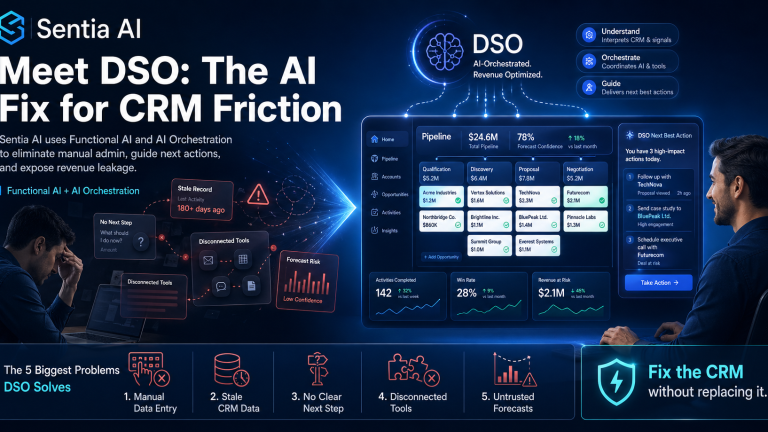
That is exactly the problem Sentia AI’s DSO is built to solve.
DSO is not another CRM. It is an AI revenue orchestration layer designed to fix the daily pain of using enterprise CRM systems like Salesforce, HubSpot, Pipedrive, and Insightly.
It uses Functional AI and AI orchestration to remove manual data entry, connect disconnected revenue activity, and tell sellers exactly what they need to do next.
“Salespeople should not spend their week maintaining software. DSO is designed to do the work around the CRM so sellers can focus on selling, managers can trust the data, and companies can stop leaking revenue through disconnected systems.”
— David Forder, CEO, Sentia AI
What Is DSO?
DSO is Sentia AI’s enterprise CRM fix for companies that already use Salesforce, HubSpot, Pipedrive, Insightly, or another CRM but still struggle with adoption, data quality, seller productivity, and revenue visibility.
Instead of forcing a company to rip out its CRM, DSO makes the existing CRM dramatically more useful.
It acts as an intelligent operating layer around the CRM, helping automate the work that sellers hate and managers need:
CRM data capture
Call and meeting intelligence
Email and activity context
Follow-up recommendations
Opportunity hygiene
Revenue risk detection
Sales prioritization
Next-best-action guidance
AI-generated outreach and updates
The core idea is simple:
Your CRM should not be a static database that your sales team has to feed manually. It should be an intelligent revenue system that helps the team know what to do next.
That is the promise of DSO.
The Five Biggest Problems DSO Solves for Today’s CRM User
1. CRM Users Are Drowning in Manual Data Entry
The most obvious CRM problem is also the most hated: manual data entry.
Sales reps are expected to keep every contact, company, deal, note, call, task, meeting, and follow-up updated. That sounds reasonable in theory. In practice, it becomes a massive productivity tax.
A seller finishes a call and then has to update the opportunity. They receive an email and then need to log it. They find a new contact and then need to add it. They have a meeting and then need to summarize it. They identify a next step and then need to create the task.
This is where CRM adoption starts to break.
Sellers do not hate revenue systems. They hate systems that make them do repetitive administrative work instead of helping them sell.
How DSO Removes the Problem
DSO uses Functional AI to automate the repetitive CRM work that slows sellers down.
Instead of asking users to manually maintain the CRM, DSO helps capture and organize revenue activity automatically. It can support workflows around contacts, accounts, opportunities, notes, meetings, emails, research, and follow-up actions.
The value is immediate: sellers get time back.
The CRM becomes less of a chore and more of a working revenue assistant.
SEO keywords: CRM automation, AI CRM assistant, eliminate manual data entry, CRM productivity, sales automation software.
2. CRM Data Is Incomplete, Stale, or Wrong
A CRM is only valuable if the data inside it is current and accurate.
But most CRM data is neither.
Contact records go out of date. Deal stages are not updated. Follow-up dates are missed. Meeting notes are incomplete. Important buying signals are buried in emails. Managers inspect pipeline data that may already be stale.
This creates a major business problem: revenue leaders are making decisions based on incomplete information.
That is not just a data issue. It is a revenue risk issue.
Bad CRM data causes bad forecasts, missed follow-ups, weak account strategy, and poor sales execution. It also forces RevOps teams to spend valuable time chasing reps, cleaning records, and trying to reconstruct what actually happened.
How DSO Removes the Problem
DSO helps turn CRM from a passive system of record into an active revenue operating system.
By orchestrating information across seller activity, DSO helps keep the CRM context richer, cleaner, and more useful. Instead of relying only on human memory and manual updates, DSO uses AI to surface what has changed, what matters, and what needs attention.
The result is better CRM hygiene without turning sellers into data-entry clerks.
For revenue leaders, that means more trustworthy pipeline visibility. For sellers, it means less admin. For RevOps, it means fewer cleanup cycles.
SEO keywords: CRM data quality, CRM hygiene, Salesforce data cleanup, HubSpot CRM automation, RevOps automation, pipeline visibility.
3. Sellers Do Not Know What to Do Next
Many CRM systems are good at storing what already happened.
They are much weaker at telling the seller what should happen next.
That creates one of the biggest hidden problems in sales execution: priority confusion.
A seller opens the CRM and sees a list of accounts, opportunities, tasks, contacts, and notes. But which deal is at risk? Which prospect needs attention today? Which account has gone quiet? Which follow-up should happen first? Which email should be sent? Which opportunity is missing a next step?
The CRM may contain the information, but it does not always translate that information into action.
That leaves sellers making judgment calls manually, often while under pressure and switching between email, calendar, meeting notes, LinkedIn, CRM records, and sales tools.
How DSO Removes the Problem
DSO uses AI orchestration to help sellers understand what matters now.
Instead of simply displaying records, DSO helps interpret revenue context and guide the next action. It can help sellers prioritize follow-ups, identify stale opportunities, generate outreach, summarize customer context, and recommend the next step.
This is the difference between ordinary AI and Functional AI.
Generic AI waits for the user to ask a question. Functional AI works inside the revenue workflow and helps the user move forward.
DSO is designed to answer the seller’s most important daily question:
“What should I do next to move revenue forward?”
That is why sellers want to use it. It saves time, reduces uncertainty, and makes the CRM feel useful instead of burdensome.
SEO keywords: next best action sales AI, AI sales assistant, sales prioritization software, CRM next step automation, revenue orchestration.
4. Sales Teams Are Trapped in Disconnected Tools
Modern revenue teams do not use one tool. They use many.
CRM. Email. Calendar. Meeting recorder. Sales engagement platform. LinkedIn. Spreadsheets. Call notes. AI writing tools. Forecasting tools. Business intelligence dashboards.
Each tool may be useful on its own. But together, they create a disconnected sales workflow.
This creates two major problems.
First, sellers constantly switch between applications. That slows them down.
Second, the information in each tool is trapped in a silo. The AI in one system does not understand the context from another system. The CRM may not know what happened in the meeting. The meeting tool may not understand the deal stage. The email system may contain buying signals that never reach the opportunity record.
This is where revenue leakage happens.
Not because teams lack tools, but because the tools do not operate together.
How DSO Removes the Problem
DSO is built around AI orchestration, not isolated AI features.
Many CRM and sales platforms now claim to have AI. But most AI features are limited to the data inside that specific product. The AI inside a CRM sees the CRM. The AI inside email sees the email. The AI inside a meeting tool sees the transcript.
The seller is still responsible for connecting the dots.
DSO is designed to connect the revenue workflow around the CRM.
It helps bring together the signals, context, and actions that matter so the seller and manager can operate from a more complete view of the customer and pipeline.
The outcome is not just tool consolidation. It is revenue orchestration.
SEO keywords: AI orchestration, revenue orchestration platform, CRM integration, sales workflow automation, disconnected sales tools, sales tech stack consolidation.
5. Managers Cannot Trust the Forecast
Every revenue leader knows the pain of the CRM forecast meeting.
The dashboard says one thing. The rep says another. The customer activity suggests something else. The opportunity has not been updated. The next step is vague. The close date may be optimistic. The manager has to interrogate the deal manually.
This is the executive-level cost of poor CRM usage.
When sellers do not update the CRM, managers lose visibility. When managers lose visibility, forecasts become guesses. When forecasts become guesses, companies make poor decisions about hiring, spending, cash flow, and growth.
This is not a CRM reporting problem. It is an operating problem.
How DSO Removes the Problem
DSO helps expose revenue risk earlier by improving the quality and usefulness of CRM context.
It helps identify where deals are stale, where activity does not match forecast confidence, where follow-up is missing, and where the next action is unclear.
That gives managers a better operating view of the pipeline.
Instead of asking, “Did the rep update Salesforce?” the business can ask, “What does the actual revenue activity tell us?”
That is a fundamentally better question.
DSO helps move the organization from CRM compliance to revenue intelligence.
Many companies are experimenting with ChatGPT, Claude, Gemini, Microsoft Copilot, Salesforce AI, HubSpot AI, and other AI tools.
These tools are powerful. But generic AI alone does not solve the CRM problem.
Why?
Because the CRM problem is not just a content-generation problem. It is a workflow problem.
Sellers do not simply need another place to ask questions. They need AI that understands the revenue process, operates around the CRM, captures the right data, recommends the next action, and reduces the daily administrative load.
That is where Functional AI matters.
Functional AI is AI designed to perform specific business functions inside real workflows.
For DSO, that means helping with the actual work of revenue execution:
Updating context
Reducing manual entry
Creating follow-up
Prioritizing activity
Surfacing risk
Improving pipeline hygiene
Helping sellers move deals forward
Generic AI can help write an email.
DSO helps understand why that email matters, who it should go to, what context should shape it, and what should happen after it is sent.
That is the difference.
Why Sellers Actually Want to Use DSO
Most CRM initiatives fail because they create value for management but extra work for sellers.
DSO flips that equation.
Sellers want to use DSO because it saves them time.
It reduces manual data entry.
It gives them clearer priorities.
It helps them prepare faster.
It helps them write better follow-ups.
It reduces app switching.
It makes customer context easier to access.
It helps them know what to do next.
When sellers get value first, adoption improves naturally.
That is the key to CRM transformation.
Do not force sellers to maintain the system. Give them a system that helps them win.
Why Sentia AI’s DSO Is the Answer
DSO is the answer because it addresses the real CRM problem.
The problem is not that companies picked the wrong CRM.
The problem is that the CRM became a static system of record in a dynamic revenue environment.
Salesforce, HubSpot, Pipedrive, Insightly, and other CRMs can store important data. But storage is not enough anymore.
Modern revenue teams need orchestration.
They need AI that helps capture the work, understand the context, prioritize the next action, and reduce the friction between seller activity and revenue visibility.
That is what DSO provides.
It fixes the CRM without forcing a rip-and-replace.
It saves sellers time without sacrificing data quality.
It helps managers trust the pipeline without interrogating every update.
It helps RevOps reduce manual cleanup and focus on revenue acceleration.
It turns CRM from a compliance burden into a high-velocity revenue system.
The future of CRM is not more fields, more dashboards, or more admin.
The future of CRM is Functional AI and AI orchestration.
And that is why Sentia AI’s DSO is the answer.
FAQ: Sentia AI DSO
What does DSO do?
DSO is Sentia AI’s enterprise CRM fix. It helps companies using Salesforce, HubSpot, Pipedrive, Insightly, and similar platforms reduce manual data entry, improve CRM data quality, guide sellers on next-best actions, and expose revenue leakage.
Is DSO a CRM replacement?
No. DSO is not designed as a rip-and-replace CRM. It is an AI orchestration layer that improves the value of the CRM a company already uses.
How does DSO help sales reps?
DSO saves sellers time by reducing CRM admin, improving follow-up, organizing customer context, and helping them know exactly what to do next.
How does DSO help sales managers?
DSO improves pipeline visibility, reduces reliance on manually updated CRM fields, and helps managers identify deal risk and revenue leakage earlier.
How is DSO different from generic AI tools?
Generic AI responds to prompts. DSO uses Functional AI inside the revenue workflow to help automate CRM-related tasks, orchestrate sales activity, and guide next-best actions.
Who should use DSO?
DSO is built for companies that already use enterprise CRMs like Salesforce, HubSpot, Pipedrive, or Insightly but struggle with adoption, data quality, seller productivity, revenue visibility, or CRM administration.
The CRM is no longer protected by a firewall and a good password policy. In 2026, the most dangerous threat actor targeting your revenue data isn’t a human—it’s an autonomous AI agent running continuous, real-time vulnerability scans against your entire sales stack. Project Glasswing, the joint security initiative from Apple, Google, and Microsoft, has crystallized a new doctrine for enterprise defense. This article explains what the A2A (AI-to-AI) attack surface actually looks like inside a modern CRM, why the C-suite is dangerously unprepared for it, and provides a concrete five-step framework for hardening your RevOps infrastructure today. Whether you’re a CTO building the perimeter or a CMO protecting your customer data, this is the briefing you need.
The sale used to be the most vulnerable moment in your business. Now it’s the infrastructure behind it.
When you connected your CRM to an A2A Sales ecosystem—letting AI agents negotiate, qualify, and close on your behalf—you did something most security teams didn’t notice: you opened your most sensitive commercial data to thousands of potential touchpoints, all of which can be probed by rival autonomous systems looking for gaps. Welcome to the era of AI-to-AI exploitation, and welcome to the reason Project Glasswing exists.
The Threat You Weren’t Briefed On
For the past decade, enterprise security has been built around a human attacker model. Someone clicks a phishing link. Someone injects malicious SQL. Someone’s credentials get stolen and resold on the dark web. The defenses—MFA, perimeter firewalls, SIEM dashboards—were built for that model.
That model is now secondary.
The primary threat in a fully agentic sales environment is an autonomous agent—an AI operating with a goal, a model, and persistence—systematically probing your CRM integrations for exploitable gaps. These agents don’t get tired. They don’t take weekends off. They don’t trigger brute-force lockout thresholds the way human attackers do, because they’re not brute-forcing; they’re reasoning through your API surface, your webhook configurations, and your permission structures to find the one path that lets them in.
This is the threat architecture Project Glasswing was designed to answer. And it should be the threat architecture your RevOps team is building against right now.
Project Glasswing is a joint initiative announced by Apple, Google, and Microsoft to establish a shared framework for defending AI-connected enterprise software against autonomous exploit agents. Named after the glasswing butterfly—whose transparent wings make it nearly invisible to predators—the project’s core thesis is that the best defense against an autonomous attacker is an autonomous defender.
The three pillars of the Glasswing doctrine map directly onto the CRM problem:
1. Transparency by design. Every agent-to-agent communication must be logged, attributed, and auditable in real time. Opacity is the attacker’s best friend.
2. Collaborative threat intelligence. No single organization’s security team can track the full surface area of the A2A economy. Glasswing proposes a shared immune system model—similar to the FBI’s InfraGard partnership framework—where threat patterns discovered by one participant’s AI defenses are anonymized and shared across the network.
3. Autonomous remediation with human override. The “Auto-Mode” layer doesn’t just detect; it acts. But every autonomous remediation generates a human-readable audit trail that any team member can review, question, or override.
For a technical deep-dive into how large enterprises are beginning to implement Glasswing-adjacent architectures, NIST’s AI Risk Management Framework provides the most rigorous public baseline available.
The Five-Layer A2A CRM Defense Framework
Here’s how to actually implement Glasswing principles in your RevOps stack. This isn’t theoretical—these are practical controls you can begin scoping this quarter.
Layer 1: Map Your A2A Attack Surface
You can’t defend what you haven’t mapped. Before any hardening work begins, your team needs a complete inventory of every point where an external AI agent can interact with your CRM. This includes:
All active API endpoints and their permission scopes
Every webhook integration pushing data in or out
Third-party AI enrichment services with CRM write access
Agent authentication tokens and their expiry/rotation schedules
Most enterprise CRMs—Salesforce, HubSpot, Microsoft Dynamics—have native integration audit tools that haven’t been configured to log AI-agent traffic specifically. That needs to change immediately. The OWASP API Security Top 10 remains the best public checklist for this audit, and it maps well to the autonomous agent threat model even though it predates A2A architectures.
Static patch cycles are dead. An autonomous exploit agent that finds a vulnerability at 2 AM on a Sunday has a 28-day window if your team runs monthly patches. Auto-Mode remediation—the core of the Glasswing technical stack—closes that window to near-zero.
In practice, this means deploying AI security monitoring that can:
Detect anomalous API call patterns consistent with automated probing
Automatically suspend a suspicious integration and flag it for human review
Quarantine a compromised data record without taking the entire CRM offline
Generate a forensic log of every action taken, auditable by your security team
This is particularly critical for teams that have integrated junior AI coding assistants into their RevOps tooling. The “AI coding gap“—the tendency of AI-assisted code to introduce subtle permission scope errors—is one of the primary vectors through which autonomous exploit agents find entry points. Auto-Mode catches the errors your developers didn’t know they made.
Layer 3: Build the Collaborative Immune System
The InfraGard model works because no regional FBI field office has a complete picture of national threat activity, but together they do. The same logic applies to the A2A sales floor.
If your organization is participating in an A2A ecosystem—and by 2026, most enterprise RevOps teams are—you need to be both a consumer and a contributor of threat intelligence. Practically, this means:
Participating in industry-specific ISAC (Information Sharing and Analysis Center) programs relevant to your sector, such as the Financial Services ISAC if you operate in fintech-adjacent markets
Establishing contractual data-sharing agreements with your A2A ecosystem partners around anonymized threat patterns
Deploying standardized threat taxonomy so that “autonomous probing of OAuth token endpoints” means the same thing to your system and your partner’s system
The Glasswing framework uses a shared schema for threat pattern reporting. Your security team should be fluent in it.
Layer 4: Fix Contextual Vulnerability Before a Buyer Bot Exploits It
This is the layer that most CTO briefings miss—and the one that CMOs should care deeply about.
An AI agent without full relationship context is a social engineering target. A buyer bot negotiating against your sales agent can extract unauthorized pricing concessions, probe for information about competing deals, or manipulate a context-limited agent into disclosing data it has no business sharing—not by hacking your systems, but by simply asking questions your agent isn’t equipped to contextualize correctly.
The fix is not purely technical. It requires:
Ensuring every sales agent has access to the full relationship graph before any negotiation begins
Building hard guardrails around what categories of information a sales agent can disclose or reference in autonomous negotiation
Running regular “red team” exercises where an internal buyer bot attempts social engineering against your own sales agents to identify context blind spots before an external agent does
Sentia.community’s analysis of the Forensic Vibe Audit framework is the best existing resource for structuring this kind of internal red-team exercise.
Layer 5: Create the RevOps Security Bridge Between CTO and CMO
The deepest organizational vulnerability isn’t technical—it’s the power struggle between the CTO’s security mandate and the CMO’s growth mandate. CTOs want to restrict agent access; CMOs want to expand it. Without a shared governance framework, both sides make unilateral decisions that leave gaps.
RevOps is uniquely positioned to own this bridge. The Multi-Agent System (MAS) architecture that handles your A2A sales operations should have a dual mandate baked into its governance model: experience optimization (CMO) and security compliance (CTO). Every agent deployment decision gets evaluated against both criteria before it ships.
Before your next board meeting, your team should be able to answer yes to all of the following:
Complete inventory of all A2A-facing API endpoints completed in the last 30 days
Auto-Mode remediation layer deployed and generating daily audit logs
At least one external threat intelligence sharing agreement in place
Sales agents restricted from disclosing defined categories of sensitive deal data
Internal buyer-bot red team exercise completed in the last quarter
Joint CTO/CMO governance framework documented and signed off
All AI coding assistant-generated integrations reviewed for scope permission errors
The AEO Score: Measuring What Actually Matters
Beyond vanity metrics, security investment in the A2A era needs to be measured differently. The framework that maps most cleanly onto both the Glasswing doctrine and the business case for CFOs is a security-adjusted ROI model: what is the cost of a single autonomous exploit event—customer data exposure, unauthorized discounting, competitive intelligence leak—versus the cost of the defense infrastructure preventing it?
In most enterprise CRM environments, a single undetected buyer-bot social engineering event that extracts pricing intelligence has a downstream competitive cost orders of magnitude higher than a full quarter’s security tooling budget. That’s the business case. Make it loudly, and make it to both sides of the C-suite.
FAQ
Q: What makes A2A attacks fundamentally different from traditional cybersecurity threats? A: Traditional attacks exploit technical vulnerabilities—unpatched software, weak credentials, injection flaws. A2A attacks can exploit contextual vulnerabilities—gaps in what your agent knows or understands—without ever touching your underlying infrastructure. An autonomous buyer bot doesn’t need to hack your CRM to extract competitive intelligence; it just needs to ask your sales agent the right sequence of questions.
Q: Does Project Glasswing apply to mid-market companies, or is this only enterprise-scale? A: The Glasswing doctrine applies to any organization participating in an A2A ecosystem, regardless of size. In fact, mid-market companies are often more exposed because they have fewer dedicated security resources while still connecting to the same A2A networks as enterprise players.
Q: How do we justify the security investment to a CMO who sees it as a barrier to growth? A: Frame it as relationship insurance. The CMO’s entire value proposition—experience orchestration, seamless customer journeys, context-rich interactions—collapses the moment a buyer bot social-engineers your sales agent into a data disclosure or an unauthorized discount. Security isn’t the barrier to the experience; it’s the foundation of it.
Q: What’s the first practical step a RevOps team can take this week? A: Run the API surface map audit described in Layer 1. Pull every active integration in your CRM, document its permission scope, and flag any integration with write access that hasn’t been reviewed in the last 60 days. That single exercise will surface more risk than most teams expect.
Q: How does the “Auto-Mode” layer interact with human security teams—does it replace them? A: No. Auto-Mode handles speed-of-machine threats that no human team can monitor at scale. But every automated action generates a human-readable log, and every significant remediation action requires human sign-off before it becomes permanent. Think of it as a highly capable first responder that stabilizes the situation while the specialists are en route.
Q: Is threat pattern sharing legally problematic under data privacy regulations? A: It can be if done carelessly. The Glasswing framework and ISAC participation models are designed around anonymized, schema-standardized threat data that strips all customer PII before sharing. Your legal team should review any sharing agreement, but the well-established InfraGard and ISAC models have navigated these requirements successfully for years.
Q: How do we evaluate whether our CRM vendor is Glasswing-compliant? A: Ask them directly for their A2A security architecture documentation, their Auto-Mode remediation capabilities, and their participation in any cross-vendor threat intelligence programs. Vendors who can’t answer these questions clearly are not yet operating at the security standard the A2A economy demands.
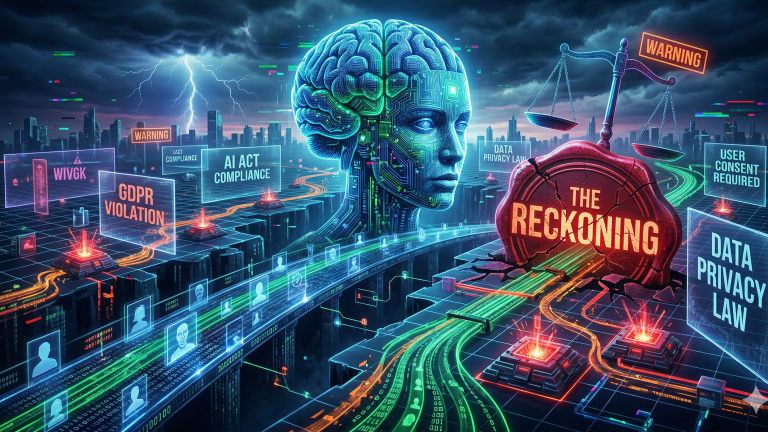
The “Consent Reckoning” of 2026 represents a critical inflection point for the global Artificial Intelligence industry. As organizations transition from pilot programs to production at scale, they must navigate a landscape where legacy data practices are no longer legally defensible.
Algorithmic Disgorgement: The Federal Trade Commission (FTC) is increasingly mandating “model deletion” for AI assets built on non-consensual data.
Regulatory Maturity: The EU AI Act becomes fully applicable in August 2026, imposing strict conformity assessments for high-risk RevOps systems.
Financial Scrutiny: Forrester predicts that enterprises will defer 25% of planned AI spend as CFO oversight demands clear, non-speculative ROI.
Architecture Shift: The rise of Privacy-First CRM and Data Lineage tools is essential to avoid the “legally toxic” classification of enterprise datasets.
Agentic Evolution: Agentic AI is replacing static automation, requiring autonomous systems that are both self-correcting and compliant.
Security Risks: Gartner forecasts that 40% of AI-related data breaches by 2027 will stem from cross-border Generative AI misuse.
The Rise of Legally Toxic AI
We have entered a “wild west” era of legislation where the biggest threat to any CRM strategy is not the technology—it is the legal fallout. For years, businesses have fed decades of customer data into Large Language Models (LLMs) without explicit consent for “AI processing.” This oversight has created a reservoir of “legally toxic” models that are now considered liabilities by regulatory bodies.
Most organizations assumed that broad “service improvement” clauses in legacy privacy policies covered the development of Neural Networks. However, 2026 regulators have clarified that training machine learning models is a distinct, high-risk activity requiring specific disclosure. Companies are discovering that their most valuable intellectual property may be one lawsuit away from a total deletion order.
The focus of the C-suite has shifted from data volume to data purity. Leaders must recognize that a model’s long-term value is tethered to its Data Lineage and the ethical provenance of its training sets. Organizations that continue to ignore these compliance boundaries are operating on borrowed time.
Algorithmic Disgorgement: The Nuclear Option
The most significant shift in enforcement is the rise of Algorithmic Disgorgement. This remedy requires companies to delete not only the illegally obtained data but also any weights and parameters derived from that data. The FTC has pioneered this approach as a way to strip firms of the competitive advantage gained through deceptive harvesting.
A landmark March 2026 settlement involving Match Group and OkCupid highlights the retroactive risk to legacy datasets. The FTC alleged that OkCupid shared nearly 3 million user photos and location tags with an outside firm, Clarifai, to train facial recognition software. Because this data transfer occurred without informing consumers, the resulting models were declared non-compliant.
Retraining a state-of-the-art model to satisfy a disgorgement order is often financially ruinous. While researchers are exploring Machine Unlearning to remove specific data influences, these techniques often cause Concept Drift, making the model’s performance unpredictable. This makes proactive compliance the only sustainable strategy for RevOps leaders.
The 2026 Regulatory Landscape
The EU AI Act is now the global benchmark for AI governance, having entered full applicability in August 2026. It classifies AI systems based on their potential for harm, with “high-risk” applications facing mandatory documentation and human oversight. This includes systems used for recruitment, lead scoring, and automated financial decisions.
In the United States, a complex patchwork of state laws like the CCPA and CPRA continues to evolve. California’s SB 351, effective January 1, 2026, has further fortified the “Corporate Practice of Medicine” doctrine. This law prohibits management platforms from using AI to exercise undue control over clinical decisions or diagnostic protocols.
Organizations must also account for the stand taken by global knowledge commons. Wikipedia has officially banned the use of LLMs for generating or rewriting article content to protect the neutrality of the human-led ecosystem. This move signals a broader trend where “scraped” data is becoming a significant legal and ethical liability.
The Market Correction and CFO Mandate
By early 2026, the era of experimental “AI Hype” has officially ended. Forrester reports that enterprises are deferring 25% of their planned AI spend into 2027 as they recalibrate for ROI. CEOs are now leaning on their CFOs to approve only those projects with measurable financial growth or efficiency gains.
Paradigm
2024 Innovation Era
2026 Financial Rigor
Approval Body
CTO / Innovation Lab
CFO / Chief Privacy Officer
Primary Metric
Token Speed / Accuracy
ROI / Net Revenue Retention
Risk Tolerance
“Move Fast, Break Things”
“Sovereign & Compliant”
This rigor is driving the adoption of “Neoclouds”—specialized cloud providers that focus on high-performance GPUs and sovereign AI. These platforms allow organizations to maintain strict control over where their data is processed and stored.
Agentic AI: Autonomous RevOps Workflows
The focus of 2026 has shifted from conversational chatbots to Agentic AI. Unlike static automation, an Agentic AI system can reason about a goal, plan a sequence of actions, and execute them across multiple systems. According to Gartner, 40% of enterprise applications will embed task-specific agents by the end of 2026.
These agents are particularly transformative for Revenue Operations. An agentic system doesn’t just flag a stalled deal; it analyzes sentiment, identifies missing stakeholders, and triggers a personalized re-engagement sequence. This autonomy allows RevOps teams to focus on relationship strategy while the AI handles high-velocity execution.
However, the autonomy of Agentic AI requires new governance frameworks. Organizations are implementing TRiSM (Trust, Risk, and Security Management) to ensure that agents operate within ethical guardrails. By 2026, enterprises using TRiSM controls are predicted to consume 50% less illegitimate or inaccurate information.
Privacy-First CRM and Data Lineage
To survive the “Consent Reckoning,” the transition to a Privacy-First CRM is mandatory. This architecture prioritizes transparent collection and auditable Data Lineage. It moves away from the “data lake” model toward a system where every customer record is tagged with its specific AI processing permissions.
Harvard Business Review notes that while 80% of leaders believe high-quality data is essential for AI, only 10% feel their organizations are “completely ready.” A compliant 2026 architecture must include:
Granular Consent Tagging: Distinguishing between data used for inference and data used for model training.
Differential Privacy: Adding mathematical noise to datasets to protect individual identities during analysis.
Sovereign Infrastructure: Ensuring that data for specific regions stays within those geographic and legal boundaries.
Strategy: Building Trustworthy AI
The goal for the next 24 months is the deployment of “Trustworthy AI” that serves as a sentinel for privacy rather than an intruder. Organizations must integrate privacy, cybersecurity, and AI governance into a single, unified enterprise risk structure. Siloing these disciplines is now considered a high-risk operational failure.
Senior leadership should prioritize the following:
Audit Legacy Models: Identify and mitigate risks in any model trained on data collected before 2024.
Update Vendor MSAs: Revise contracts to explicitly address AI training rights and the allocation of liability for model disgorgement.
Pivot to ROI-Centric AI: Stop funding speculative pilots; focus on agentic workflows that drive Net Revenue Retention (NRR).
Implement Explainability: Use tools like LIME or SHAP to ensure AI decisions are transparent and auditable.
As the era of volatility continues, the organizations that recalibrate their investments under tight legal scrutiny will be the only ones to thrive.
10-Part FAQ
1. What is “Algorithmic Disgorgement” and why is it dangerous?
Algorithmic disgorgement is a legal remedy where a regulator, like the FTC, forces a company to delete an AI model built on improperly obtained data. It is considered the “nuclear option” because it can destroy years of R&D and render your core product or operational system useless.
2. How does the EU AI Act impact U.S. SaaS companies in 2026?
If a U.S. company provides AI services to European citizens, it must comply with the EU AI Act. This involves categorizing the AI’s risk level and ensuring that “high-risk” systems—like those used in recruitment or financial scoring—meet strict transparency and security standards.
3. What makes an AI model “legally toxic”?
An AI model is “legally toxic” if it was trained using personal data without explicit, informed consent for that specific use. Legacy “service improvement” clauses are generally insufficient in 2026. If the training data is tainted, the model becomes a regulatory liability subject to deletion.
4. Why is Forrester predicting a 25% deferral in AI spending?
Enterprises are slowing down because they cannot link speculative AI pilots to actual financial growth. CFOs are now requiring strict ROI proof before approving new production deployments, leading to a market correction where “hype-based” spending is replaced by rigorous financial accountability.
5. What is the difference between standard automation and Agentic AI?
Standard automation follows rigid “if/then” rules. Agentic AI is autonomous and goal-oriented; it can reason about a task, plan its own steps, and adapt its behavior based on the outcomes it sees. It functions more like a digital employee than a script.
6. How can a Privacy-First CRM prevent model deletion orders?
A Privacy-First CRM provides clear “data lineage,” allowing you to prove exactly when and how consent was obtained for every piece of data in your model. This audit trail protects your AI assets from being declared “ill-gotten” during regulatory investigations or litigation.
7. Is it still safe to use web-scraped data for AI training?
Scraped data is increasingly risky. Platforms like Wikipedia have banned AI-generated content and prohibited LLMs from rewriting their articles to protect human scholarship. Using scraped data from platforms that have explicitly opted out can lead to “legally toxic” model designations.
8. What are the penalties for violating the EU AI Act?
Penalties for severe non-compliance can reach €35 million or up to 7% of a company’s annual global turnover, whichever is higher. Beyond fines, regulators can also ban the use of the AI system entirely within the European Union, leading to a total loss of market access.
9. What is “Machine Unlearning” and can it replace retraining?
Machine unlearning is a technical attempt to remove the influence of specific data from a trained model without a full retrain. However, it is still experimental and often leads to “Concept Drift,” where the model’s performance becomes unpredictable and potentially useless for business operations.
10. How should a CMO respond to the “Consent Reckoning”?
CMOs should immediately audit their data pipelines to identify any “toxic” legacy data. They must pivot to “clean,” first-party data strategies and work closely with legal and technical teams to ensure that all future AI initiatives are built on a foundation of explicit consent.
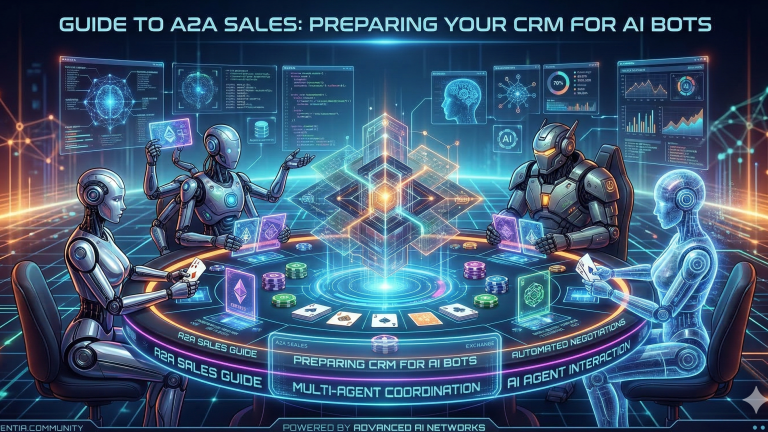
The landscape of B2B sales is undergoing a profound transformation, driven by the rapid emergence of autonomous AI agents. These intelligent bots are no longer confined to lead qualification or customer service; they are now capable of direct negotiation and procurement, fundamentally altering how deals are struck. This shift towards Agent-to-Agent (A2A) sales necessitates a radical re-evaluation of traditional CRM infrastructures, which were designed for human-centric processes. Without a CRM system specifically prepared for bot-to-bot interactions, companies risk being sidelined in an increasingly automated marketplace.
Preparing your CRM for A2A sales is not merely an upgrade; it is a strategic imperative that determines your future competitive viability. This readiness involves restructuring data, enabling robust API access, embedding negotiation logic, and ensuring real-time data synchronization. Companies that proactively adapt their CRM will gain a decisive advantage, enabling faster deal cycles, reduced costs, and consistent decision-making in an era where AI agents handle an increasing volume of complex transactions.
What Is A2A Sales and Why It Matters Now
A2A (Agent-to-Agent) sales refers to commercial transactions and negotiations conducted autonomously between AI agents representing different entities, such as a vendor’s sales bot and a buyer’s procurement bot. This model differs significantly from traditional B2B sales, which rely on human sales representatives interacting directly with human buyers. The shift is already underway, with Gartner forecasting that 40% of enterprise applications will embed task-specific AI agents by the end of 2026, a substantial increase from less than 5% in 2025 according to Joget.
Procurement AI agents are now autonomously evaluating vendors and negotiating terms, driven by economic imperatives for cost reduction, speed, and decision consistency. McKinsey reports that autonomous category agents can achieve 25–40% efficiency improvements in procurement processes as highlighted by AiCerts. This acceleration impacts sales cycles dramatically, with lead generation automation tools, including AI, achieving a 25% improvement in sales cycle time compared to manual processes per Monday.com’s analysis.
Examples of companies leveraging AI agents in vendor selection and contract negotiation are emerging. Coupa uses “Navi” agents integrated into ERP-tied spend suites for negotiations, with customers reportedly saving $15 billion according to AiCerts. SAP’s “Joule” agents are extending to bid analysis and contract workflows, while specialists like Keelvar deploy sourcing bots for logistics RFQs, covering 90% of tactical spend with reported 70% cycle time drops in pilot programs as noted by AiCerts. These developments signal a critical need for B2B sales organizations to prepare their CRM for bot-to-bot interactions.
Photo by Negative Space
The 4 Pillars of A2A-Ready CRM Architecture
Achieving A2A readiness in your CRM hinges on establishing four foundational pillars that enable seamless bot-to-bot interaction and autonomous deal-making. These pillars redefine the traditional CRM’s role from a human sales assistant to a central intelligence hub for AI agents.
Pillar 1: Machine-Readable Product Catalogs with Structured Pricing Data
Machine-readable product catalogs are essential for AI agents to understand and process product offerings without human interpretation. This involves standardizing product information and ensuring it is consumable by algorithms. Products with complete schema markup are 4.2x more likely to appear in Google Shopping results according to Almcorp, demonstrating the importance of structured data for machine visibility.
Key aspects include:
Standardizing product names, SKUs, and descriptions.
Implementing Schema.org markup for clear categorization.
Embedding detailed technical specifications and compatibility information.
Maintaining up-to-date inventory and capacity data feeds.
Pricing data must be meticulously structured, including clear discount rules, volume tiers, and geographical variations. This allows AI agents to query pricing, apply appropriate discounts, and construct accurate proposals autonomously. Outdated data confuses search engines and users, so accuracy is paramount per Atak Interactive.
Pillar 2: API-First Architecture That Allows Agent Access Without Human Gatekeeping
An API-first architecture ensures that your CRM’s functionalities and data are programmatically accessible to AI agents. This moves beyond traditional integrations designed for human-facing applications, prioritizing secure, machine-to-machine communication channels. APIs are critical to business strategy for 89% of enterprises per Postman’s 2024 API report, highlighting their foundational role.
Essential elements include:
Exposing well-documented and robust API endpoints for all critical sales data.
Implementing secure authentication and authorization protocols for bot access.
Designing APIs for efficiency, minimizing latency in data exchange.
Supporting webhooks and event-driven architecture for real-time updates.
This proactive API design eliminates the need for human intervention in data retrieval or action initiation, allowing agents to operate with maximum autonomy. A unified CRM API is particularly powerful for agentic workflows as noted by Truto.
Pillar 3: Automated Negotiation Parameters and Approval Workflows
Automated negotiation parameters and approval workflows encode your sales playbook directly into the CRM, enabling agents to negotiate within predefined boundaries. This transforms static sales policies into executable logic. By 2027, 50% of organizations will use AI-enabled contract negotiation tools according to Icertis.
Key components involve:
Defining acceptable price ranges, discount thresholds, and payment terms.
Establishing automated approval chains for deals exceeding certain parameters.
Creating constraint-based negotiation frameworks that agents follow.
Integrating with contract management and e-signature systems for autonomous deal closure.
This pillar ensures that all agent-conducted negotiations adhere to company policies, reducing risk and accelerating the sales cycle. The goal is to encode the sales playbook as executable logic rather than relying on human interpretation of PDF documents.
Pillar 4: Real-Time Data Accuracy and Synchronization Across Systems
Real-time data accuracy and synchronization are non-negotiable for autonomous deal-making. AI agents require the most current information on inventory, pricing, customer history, and market conditions to make optimal decisions. The data integration market, crucial for real-time synchronization, is valued at $15.18 billion in 2026 according to Integrate.io.
Critical aspects include:
Eliminating data silos between CRM, ERP, inventory, and other systems.
Implementing robust data validation and cleansing processes.
Ensuring instantaneous updates across all integrated platforms.
Leveraging streaming analytics for immediate insights relevant to negotiations.
Fragmented data prevents agents from accessing complete vendor profiles and can lead to erroneous proposals or missed opportunities. You cannot build autonomous operations on top of fragmented data according to LogicMonitor.
Traditional CRM vs A2A-Ready CRM: Key Differences
This table compares the fundamental architectural and operational differences between legacy CRM systems built for human sales teams and modern A2A-ready CRM systems designed for bot-to-bot negotiations. Understanding these differences is critical for planning your transformation roadmap.
Medium: Integration with CLM, template standardization.
Structuring Your CRM Data for Bot Consumption
Structuring your CRM data for bot consumption is the foundational step in enabling A2A sales, converting fragmented information into actionable intelligence for AI agents. This transition moves beyond human-readable notes to precisely defined, machine-interpretable data points.
Key steps include:
Converting Unstructured Notes: Utilize natural language processing (NLP) to extract key entities (e.g., product interests, budget, timeline, decision-makers) from unstructured human notes and map them to structured fields within the CRM.
Implementing Schema.org Markup: Adopt Schema.org standards for product information, services, and company profiles. This provides universally recognized semantic tags that AI agents can easily parse and understand. Products with complete schema markup are 4.2x more likely to appear in Google Shopping results according to Almcorp, highlighting the importance of this structure.
Creating Machine-Readable Pricing Matrices: Develop dynamic pricing matrices where every discount, volume tier, and special term is explicitly defined and linked to specific product or customer attributes. This allows agents to calculate prices accurately and apply rules consistently.
Eliminating Data Silos: Integrate your CRM with ERP, inventory management, customer support, and marketing automation systems to create a unified data fabric. This ensures agents have a holistic view of the customer and product landscape.
Data governance is paramount; establish clear rules for data entry, validation, and maintenance to ensure ongoing accuracy and reliability for AI agents. This process ensures that agents can operate with the same, or even greater, contextual understanding as a human sales representative.
Photo by Lukas Blazek
Building Negotiation Logic Into Your CRM Workflows
Building negotiation logic directly into your CRM workflows transforms your sales playbook from static guidelines into dynamic, executable programs for AI agents. This enables autonomous negotiation within predefined boundaries, empowering bots to make offers and counter-offers.
The process involves:
Setting Automated Approval Chains: Configure multi-level approval workflows that trigger based on specific deal parameters, such as discount percentage, contract length, or payment terms. For instance, a 15% discount might be auto-approved, while a 25% discount requires senior sales leadership approval.
Creating Dynamic Pricing Rules: Implement rule-based engines that allow agents to query and adjust pricing based on real-time factors like inventory levels, customer segment, deal size, or competitive intelligence. This moves beyond static price lists.
Implementing Constraint-Based Negotiation Frameworks: Define the “acceptable zone” for negotiations. This includes minimum acceptable margins, maximum concessions, and non-negotiable terms (e.g., legal clauses). Agents operate strictly within these guardrails.
Encoding Sales Playbooks as Executable Logic: Translate your sales strategies – objection handling, upselling opportunities, cross-selling prompts – into conditional logic that AI agents can execute. This shifts from human interpretation to automated action, ensuring consistent application of best practices.
This proactive approach allows AI agents to engage in complex negotiations, ensuring compliance with company policies while optimizing deal outcomes. Critically, these workflows must be auditable, providing clear logs of agent decisions and their underlying logic.
API and Integration Requirements for A2A Readiness
API and integration requirements for A2A readiness are centered on creating a highly interconnected and accessible CRM ecosystem that supports autonomous agent interactions. An API-first approach is fundamental, treating APIs as primary products that enable bot-to-bot communication.
Essential elements your CRM must provide include:
Exposing Key API Endpoints: Your CRM needs robust, well-documented APIs for querying product catalogs, retrieving customer histories, submitting proposals, and updating deal stages. These APIs must be performant and reliable for real-time interactions.
Implementing Secure Authentication Protocols: Bot-to-bot communications require stringent security. This includes OAuth 2.0 for token-based authentication, API keys with granular permissions, and mutual TLS for encrypted communication channels.
Integration with Contract Management (CLM) and E-signature Systems: For autonomous deal closure, AI agents must be able to generate, modify, and secure e-signatures for contracts directly through integrated CLM platforms. This streamlines the final stages of the sales cycle.
Real-Time Inventory and Capacity Data Feeds: Agents need instantaneous access to inventory levels, production capacity, and service availability to make accurate commitments and avoid overselling. This requires direct, low-latency integrations with ERP and supply chain systems.
By prioritizing these API and integration capabilities, you empower AI agents to operate seamlessly across your technology stack, enabling true end-to-end autonomous sales processes. The data integration market, valued at $15.18 billion in 2026, is projected to reach $30.27 billion by 2030, growing at a 12.1% CAGR according to Integrate.io, underscoring the importance of these integrations.
Photo by Leeloo The First
Testing and Validating Your A2A Sales Infrastructure
Testing and validating your A2A sales infrastructure is crucial to ensure reliability, security, and optimal performance before full deployment. This involves simulating bot negotiations and rigorously stress-testing your CRM setup under various scenarios.
Key steps for thorough validation include:
Simulating Agent Negotiations: Develop sophisticated testing environments that mimic real-world bot-to-bot interactions. This includes simulating both your sales agents and external procurement agents, running through various negotiation paths, and testing edge cases.
Monitoring Key Metrics: Track critical performance indicators such as response time, data accuracy in proposals, negotiation success rate within acceptable parameters, and the time taken for autonomous deal closure. Establish baselines and targets for these metrics.
Identifying Common Failure Modes: Pay close attention to instances where bots encounter unstructured or incomplete data, leading to errors or stalled negotiations. These are often indicators of data governance gaps or insufficient schema implementation.
Creating a Staged Rollout Plan: Begin with pilot programs involving low-value, tactical deals or specific product lines. Gradually expand A2A enablement to more complex scenarios, incorporating lessons learned from each stage. This phased approach minimizes risk and allows for iterative improvement.
Thorough testing not only identifies vulnerabilities but also refines your negotiation logic and data structures, building confidence in your autonomous sales capabilities. Gartner recommends a phased rollout, starting with tactical buying and expanding to strategic categories as suggested by AiCerts.
Photo by Leeloo The First
Case Study: How a $200M SaaS Company Reduced Sales Cycle by 67% with A2A-Ready CRM
A mid-market B2B SaaS company, specializing in supply chain optimization software with an average deal size of $75,000, faced challenges with lengthy sales cycles (averaging 90 days) and high sales rep overhead for quoting and negotiation. Their traditional CRM, Salesforce, was primarily used for human activity tracking and manual quote generation.
The company embarked on a CRM transformation journey to enable A2A sales. They initiated the RAPID A2A Readiness Framework:
Restructure Data: They invested 3 months in cleaning and standardizing their product catalog data, implementing Schema.org for all product features, and creating granular pricing matrices that accounted for volume discounts and regional variations.
API-Enable: Over 4 months, their RevOps team, in collaboration with engineering, developed a suite of secure, real-time APIs for their Salesforce instance. These APIs exposed product data, customer history, and deal parameters to their custom-built sales AI agents.
Parameters Encode: They spent 2 months defining and encoding negotiation logic directly into Salesforce workflows. This included automated approval thresholds for discounts (e.g., up to 10% auto-approved, 10-20% requiring management review), and constraint-based rules for contract terms.
Integrate Systems: A 3-month integration phase connected Salesforce with their ERP (SAP for inventory and billing) and their CLM system (DocuSign CLM). This provided real-time inventory checks and enabled autonomous contract generation and e-signature.
Deploy and Test: A 2-month pilot program focused on lower-value, standardized deals. They simulated thousands of bot-to-bot negotiations, identifying and rectifying data inconsistencies and logic flaws.
The results were transformative. The average sales cycle for deals under $100,000 plummeted from 90 days to 30 days, a 67% reduction. Win rates for bot-negotiated deals improved by 15% due to consistent, optimized proposals. The cost per acquisition for these deals dropped by 40% by reallocating human sales reps to more complex, strategic accounts. The company’s NRR rose from 95% to 112% in 6 months, as seen in similar SaaS growth examples.
Lessons learned included the critical importance of a dedicated data governance team and the need for continuous monitoring of agent performance. They also found that while AI handled initial negotiations, human oversight and intervention were still crucial for highly customized or strategic opportunities, shifting the human role to strategic partnership management.
Photo by RDNE Stock project
Conclusion: Your A2A Readiness Roadmap
The advent of A2A sales marks an irreversible shift in B2B commerce, demanding a proactive CRM transformation. Companies that fail to prepare their infrastructure for bot-to-bot negotiations risk significant competitive disadvantage, including slower sales cycles and an inability to participate in automated procurement processes. The RAPID A2A Readiness Framework offers a structured approach to this critical evolution.
Immediate actions should focus on data standardization, API development, and the encoding of sales logic into your CRM. The competitive advantage of being A2A-ready before your competitors is substantial, enabling faster deal velocity, lower costs, and enhanced decision consistency. As AI agents become ubiquitous in procurement and sales through 2026-2027, prioritizing this infrastructure over traditional sales headcount will be a defining factor for market leadership.
Key Takeaways
A2A sales, where AI agents negotiate autonomously, is rapidly becoming the standard in B2B, necessitating CRM adaptation.
The RAPID A2A Readiness Framework provides a structured, five-phase methodology for transforming traditional CRMs into bot-negotiation platforms.
Key pillars of A2A readiness include machine-readable product catalogs, API-first architecture, automated negotiation logic, and real-time data synchronization.
CRM data must be meticulously structured using standards like Schema.org to be consumable by AI agents.
Implementing automated approval chains and dynamic pricing rules within CRM workflows is crucial for autonomous negotiation.
Robust APIs and secure integrations with CLM and ERP systems are essential for end-to-end bot-to-bot deal closure.
Thorough testing and a phased rollout plan are vital to validate A2A infrastructure and mitigate risks.
Companies that embrace A2A readiness can significantly reduce sales cycles and improve win rates, reallocating human sales efforts to strategic roles.
Frequently Asked Questions
What is A2A sales and how is it different from regular B2B sales
A2A (Agent-to-Agent) sales involves autonomous AI agents conducting commercial transactions and negotiations directly with other AI agents, without human intervention. This differs from traditional B2B sales, which relies on human sales representatives interacting with human buyers, offering significantly faster deal cycles and enhanced decision consistency.
Do I need to completely replace my CRM to support A2A sales
No, a complete CRM replacement is often unnecessary. Most modern CRMs can be adapted for A2A sales through strategic enhancements like API layer development, extensive data restructuring, and robust integrations with other systems. The focus is on incremental transformation rather than a full overhaul.
How long does it take to make a CRM A2A-ready
The timeline for A2A CRM readiness varies based on current CRM maturity and company size, but typically ranges from 3-6 months for basic functionality to 9-12 months for comprehensive implementation. This includes phases for data cleansing, API development, logic encoding, and rigorous testing. Explore AI Revenue Team Orchestration Multi-Agent Systems Guide.
What are the biggest risks of not preparing for A2A sales
Companies that do not prepare for A2A sales face a significant competitive disadvantage, including an inability to participate in automated RFPs and procurement processes. This leads to longer sales cycles compared to A2A-ready competitors, increased cost per acquisition, and ultimately, market share loss as buyers increasingly use procurement agents.
Which CRM platforms are best for A2A sales
CRM platforms with strong, open API capabilities and flexible workflow automation engines are best suited for A2A sales, such as Salesforce, Microsoft Dynamics 365, and HubSpot. The key evaluation criteria should focus on the platform’s ability to integrate with other systems, support structured data, and allow for the encoding of complex negotiation logic. Explore integrating AI into your CRM.
How much does it cost to transform a CRM for A2A readiness
The cost of transforming a CRM for A2A readiness can range from $50,000 for smaller, less complex implementations to over $500,000 for large enterprises with extensive data and integration needs. This investment covers data cleansing, API development, workflow automation, and comprehensive testing phases.
Can small businesses benefit from A2A sales or is it only for enterprises
Small businesses can significantly benefit from A2A sales, often more so than enterprises, by leveraging autonomous agents to scale sales efforts without increasing headcount. Scaled-down approaches using readily available SaaS tools and focused automation for specific deal types can enable A2A capabilities even without large enterprise budgets. Explore AI-driven CRM workflows.
What happens to human sales teams when A2A sales becomes standard
Human sales teams will evolve from executing transactional deals to focusing on high-value activities such as strategic relationship building, complex deal structuring, and creative problem-solving that AI agents cannot yet handle. The role shifts from transaction execution to strategic partnership management and oversight of AI agent performance.
How do you measure success of A2A sales implementation
Success in A2A sales implementation is measured through key metrics such as deal velocity (time to close), negotiation success rate within acceptable parameters, cost per acquisition for bot-initiated deals, agent engagement rate, and the proportion of total revenue generated through autonomous transactions. Explore autonomous AI agents.
What security concerns exist with bot-to-bot negotiations
Security concerns for bot-to-bot negotiations include robust authentication of agents, ensuring data privacy during exchanges, validating contract authenticity, preventing fraud through malicious agent impersonation, and maintaining comprehensive audit trails of all negotiation steps. Specific protocols like OAuth 2.0, mutual TLS, and granular API permissions are crucial for securing these interactions.
Key Terms Glossary
A2A Sales: Commercial transactions and negotiations conducted autonomously between AI agents representing different entities. Explore Agentic AI.
API-First Architecture: A design approach where the primary method of interaction with a system is through its application programming interfaces, facilitating machine-to-machine communication.
Schema.org Markup: A collaborative, community-driven effort to create structured data schemas that can be added to web pages, making them easier for search engines and AI agents to understand.
Negotiation Logic: Predefined rules, parameters, and decision-making frameworks encoded into a CRM that guide AI agents in making offers, counter-offers, and concessions during sales discussions.
Data Silos: Isolated repositories of data that are not integrated with other systems, hindering a holistic view and preventing efficient data exchange for AI agents.
Agentic AI: Artificial intelligence systems capable of autonomous action, planning, and execution towards a goal, often involving multiple steps and interactions with other systems or agents.
Real-Time Data Synchronization: The process of instantly updating and aligning data across multiple systems, ensuring that AI agents always access the most current information for decision-making.
Contract Lifecycle Management (CLM): Software solutions that manage the entire lifecycle of contracts, from creation and negotiation to execution, storage, and renewal, often integrated with A2A systems for autonomous deal closure.
Revenue operations leaders and CROs often confront a pervasive challenge: disconnected customer data spread across numerous sales and marketing tools. This fragmentation, known as CRM data silos, isn’t merely an inconvenience; it represents a significant drag on revenue, stifling growth and obscuring valuable insights.
The solution in 2026 moves beyond traditional integrations to embrace agentic AI, a paradigm shift that promises autonomous, intelligent orchestration of your entire CRM ecosystem. This article outlines a step-by-step framework to leverage agentic AI for eliminating these costly data silos.
Agentic AI refers to artificial intelligence systems designed to act autonomously, make decisions, learn from their environment, and take proactive steps to achieve defined goals, often coordinating with other agents or systems.
The Big Problem Hiding in Your CRM Stack
The hidden cost of CRM data silos is far greater than most B2B companies realize. U.S. businesses lose approximately $3.1 trillion annually from poor data quality, with individual organizations facing $12.9–$15 million in losses per year, according to 2026 Gartner research. For a typical B2B company, this translates to annual revenue losses exceeding 10% directly tied to CRM data issues, impacting everything from lead quality to forecast accuracy.
Sales reps waste 27.3% of their time—over 500 hours per year—on invalid leads due to outdated or incomplete information. Furthermore, B2B contact data decays at 22.5% per year, meaning a significant portion of your CRM becomes obsolete annually if not actively managed. This constant decay, coupled with manual data entry burdens, results in missed deals, duplicated efforts, and a lack of reliable revenue intelligence.
Why Traditional CRM Integrations Create More Silos Than They Solve
Traditional CRM integrations, whether point-to-point API connections or basic iPaaS solutions, often fall into a trap that perpetuates data silos. Each new tool requires a custom connection, creating a brittle web of integrations that demands constant maintenance.
API changes, version updates, and schema modifications across an average of 10 sales and marketing tools lead to significant technical debt. A typical revenue team using 8-12 tools can easily have 30+ integration points, yet still confront data gaps and inconsistencies. This complexity prevents the seamless flow of information needed for AI Agent Orchestration. The inherent rigidity of rule-based integrations struggles to adapt to the dynamic nature of customer data and evolving business processes, leaving revenue leaders with a fragmented view of their customer base.
Step 1: Map Your Current Data Silo Landscape (The 3-Layer Audit)
Eliminating CRM data silos effectively begins with a comprehensive understanding of your current data environment. The 3-Layer Audit provides a structured framework to achieve this, moving from identification to quantification.
Layer 1: Identify Data Residency. Pinpoint precisely which customer data lives in which systems. This includes your CRM (e.g., Salesforce, HubSpot), marketing automation platforms, customer success tools, billing systems, and any other applications that touch customer information.
Layer 2: Document Manual Processes. Trace the manual processes your team currently uses to move data between these systems. This often involves spreadsheets, copy-pasting, or re-entering information, revealing critical points of inefficiency and potential error.
Layer 3: Calculate Actual Costs. Quantify the financial impact of these silos. Calculate the total hours per week spent on manual data reconciliation, data cleaning, and chasing missing information. Estimate missed revenue opportunities due to inaccurate forecasting or delayed follow-ups caused by poor data quality.
This audit creates a baseline, allowing you to measure the ROI of your agentic AI implementation and identify the highest-impact areas for initial deployment.
Photo by Markus Winkler
Step 2: Design Your Agentic AI Integration Architecture
Agentic AI integration moves beyond simple data transfers; it involves autonomous agents that actively sync, enrich, and reconcile data across systems. This dynamic approach differs significantly from traditional iPaaS or middleware solutions.
The core components include a robust data orchestration layer, specialized AI agents for each system or function, and intelligent conflict resolution logic. Unlike rigid rule-based systems, these agents learn patterns, adapt to changes, and make real-time decisions about data quality and flow. For instance, Salesforce’s Agentforce, built on Einstein AI, leverages such capabilities for autonomous lead scoring and service resolutions via Data Cloud, embedding AI agents directly into workflows.
Technical prerequisites include clean, accessible APIs for your existing tools, a centralized data lake or warehouse, and a platform capable of hosting and orchestrating these agents. Focus on platforms that offer enterprise-grade RAG (Retrieval Augmented Generation) and secure API access for robust and ethical Agentic AI operations.
Agentic AI Integration vs. Traditional CRM Integration Approaches
This table compares the key differences between agentic AI-powered integration and traditional methods (point-to-point APIs, iPaaS, and middleware) to help revenue leaders choose the right approach for eliminating data silos in 2026.
Dynamic, evolving ecosystems; continuous data quality; maximizing revenue intelligence
Traditional Point-to-Point APIs
Low (per connection)
Very High (brittle, breaks easily)
None (manual intervention)
Manual, ad-hoc
Very small, static stacks; minimal data sharing needs
iPaaS/Middleware Platforms
Moderate
Moderate (rule-based updates)
Basic (validation rules)
Rule-based; requires explicit configuration
Standardized, predictable workflows; connecting disparate legacy systems
Custom-Built Integration Layer
Very High
Very High (internal development)
Custom (as built)
Custom (as built)
Highly unique, complex needs; strong internal dev resources
Native CRM Integrations
Low
Low (vendor managed)
Basic (vendor-specific)
Vendor-defined
Basic data sync within a single vendor ecosystem
Photo by Field Engineer
Step 3: Implement Intelligent Data Orchestration Across Your Stack
Intelligent data orchestration is the operational heart of eliminating CRM data silos with agentic AI. It dictates how data flows and is managed across your entire revenue tech stack.
First, decide on your orchestration approach: will your CRM serve as the centralized hub, or will you adopt a distributed mesh where multiple sources of truth are reconciled by AI? Next, set up your initial agentic AI workflows. High-impact starting points include contact enrichment, intelligent duplicate detection, and cross-system activity logging.
Contact Enrichment: Agentic AI can autonomously pull missing contact details from external sources and update CRM records, ensuring your sales reps always have the most current information.
Duplicate Detection: AI agents continuously monitor for duplicate records across all connected systems, merging them intelligently based on predefined rules and learned patterns, reducing the 70% of CRM data that is outdated or inaccurate.
Cross-System Activity Logging: Automate the logging of customer interactions from marketing automation, customer service, and other tools directly into the relevant CRM records, providing a complete 360-degree view of the customer.
Configure autonomous data quality agents that continuously clean and standardize data without human intervention. This proactive approach tackles the 2.1% monthly decay rate of B2B contact data, ensuring high accuracy. Platforms like Salesforce’s Agentforce and HubSpot’s agentic capabilities offer robust frameworks for integrating AI into your CRM.
Step 4: Deploy Conflict Resolution and Data Governance Rules
In multi-system CRM environments, data conflicts are inevitable; agentic AI offers sophisticated resolution strategies. While human-defined rule-based hierarchies can determine which system “wins” for specific data fields, advanced agentic AI can leverage accuracy scores and recency to make more intelligent decisions.
Rule-Based Hierarchies: Define primary sources for specific data points (e.g., HR system for employee status, CRM for sales stage).
AI-Determined Accuracy: Agentic AI can assign accuracy scores to data points based on source reliability, verification status, and historical consistency, prioritizing the most trustworthy information. For example, a verified email address always takes priority over an unverified one regardless of recency.
Recency Wins: For volatile fields like job titles or phone numbers, the most recently updated value should take priority if both sources are equally reliable.
Automated alerts for data anomalies and quality issues are crucial for maintaining integrity. Establish clear governance policies that the AI enforces, including required fields, data retention, and access controls. This ensures that as your AI agents operate autonomously, they adhere to your organization’s data strategy and compliance needs, especially given that 76% of firms report AI governance lags usage.
Photo by Leeloo The First
Step 5: Scale and Optimize Your Unified Data Environment
Once your initial agentic AI workflows are live and stable, the next step is to scale and continuously optimize your unified data environment. This involves iteratively expanding the scope of your agentic AI orchestration layer.
Add additional systems and data sources, gradually bringing more of your revenue tech stack under intelligent orchestration. Train your AI agents on your specific business logic and data patterns, allowing them to become increasingly sophisticated in their decision-making and automation. This continuous learning is key to adapting to your evolving tech stack and business needs.
Measure the ROI of your efforts through key performance indicators such as time saved on manual data tasks, improvements in data accuracy, and the direct revenue impact from better insights and more efficient processes. Companies that unify data with AI see a 66% increase in revenue and a 15% increase in close rates within six months. The AI will learn and adapt, continuously improving the efficiency and accuracy of your data operations, moving you closer to AI-driven workflows in CRM where there is No Manual Data Entry Needed.
Photo by cyber2120
Key Takeaways
CRM data silos cost B2B companies millions annually in lost revenue and wasted productivity.
Traditional integrations are insufficient; agentic AI provides autonomous, intelligent data orchestration.
The 3-Layer Audit (data residency, manual processes, cost calculation) is crucial for identifying and quantifying silo impact.
Agentic AI integration involves autonomous agents for syncing, enriching, and reconciling data across systems.
Robust conflict resolution and data governance rules are essential for maintaining data integrity.
Scaling agentic AI leads to significant ROI, including time savings, improved data accuracy, and increased revenue.
Photo by Brett Sayles
Conclusion: From Data Chaos to Revenue Intelligence
The transition from manual data entry and fragmented silos to autonomous, intelligent data orchestration with agentic AI is not just an operational upgrade; it’s a strategic imperative for 2026. B2B companies can no longer afford the $12.9–$15 million annual cost of poor data quality. Agentic AI offers a path to predictable revenue by turning data chaos into actionable revenue intelligence.
By implementing the steps outlined—mapping your landscape, designing intelligent architecture, orchestrating data, and enforcing governance—you can transform your CRM into a unified, dynamic source of truth. This empowers your revenue teams with a complete customer view, enabling faster decisions, better customer experiences, and a clear competitive advantage.
Your next steps should begin with the 3-Layer Audit to quantify your current silo costs. Then, identify a high-impact integration to implement with agentic AI, demonstrating immediate value and building momentum for a fully unified data environment. The future of revenue operations is autonomous, intelligent, and unified. Explore CRM.
Frequently Asked Questions
What are CRM data silos and why do they matter for revenue teams
CRM data silos are isolated pockets of customer information trapped in separate systems, preventing a unified view of the customer. They matter for revenue teams because they lead to missed opportunities, poor customer experiences, inaccurate forecasting, and wasted sales/marketing spend, costing businesses millions annually.
How is agentic AI integration different from traditional CRM integrations
Agentic AI integration uses autonomous agents that actively monitor, sync, enrich, and reconcile data with intelligence, learning and adapting to data patterns. Traditional CRM integrations, conversely, rely on rigid, rule-based connections (like iPaaS or custom APIs) that require constant manual maintenance and struggle to handle dynamic data landscapes.
What is the average cost of CRM data silos for a B2B company
How long does it take to implement agentic AI integration for CRM
Initial setup for agentic AI integration can take 2-4 weeks, with the first high-impact workflows going live within 4-6 weeks. A full implementation across multiple systems typically ranges from 8-12 weeks, depending on the complexity of your existing tech stack and the depth of data cleansing required.
What CRM platforms work with agentic AI integration in 2026
Major CRM platforms with strong agentic AI support in 2026 include Salesforce (via Agentforce and Einstein AI), HubSpot (with its growing agentic capabilities), and Microsoft Dynamics. These platforms are building out native agentic frameworks or offering robust APIs that allow third-party agentic AI solutions to integrate seamlessly.
Do I need to replace my existing integrations to use agentic AI
You do not always need to replace your existing integrations to use agentic AI; it can often layer on top of or augment current systems. Agentic AI can leverage existing API connections to pull data, then apply its intelligence for enrichment, reconciliation, and autonomous workflows, though replacing brittle, high-maintenance integrations with agentic solutions is often beneficial in the long run.
How does agentic AI handle conflicting data across multiple systems
Agentic AI handles conflicting data by employing sophisticated conflict resolution logic, often combining rule-based hierarchies with AI-determined accuracy scores based on factors like source reliability, data recency, and historical consistency. For example, it might prioritize a recently verified email address from a sales engagement platform over an older, unverified one in the CRM.
What ROI can I expect from eliminating CRM data silos with AI
Is agentic AI integration secure for sensitive customer data
Yes, agentic AI integration can be highly secure for sensitive customer data when implemented with proper safeguards. Modern agentic platforms incorporate encryption, rigorous access controls, audit trails, and adhere to data governance policies, ensuring privacy and compliance. The AI itself can be configured to enforce these policies autonomously.
What technical skills does my team need to implement this
To implement agentic AI integration, your team needs basic CRM administration skills and a strong understanding of your current data flows. While deep coding expertise is not always required with modern low-code/no-code agentic platforms, an appreciation for data governance and the ability to configure AI agents based on business logic will be crucial.
Key Terms Glossary
CRM Data Silos: Isolated pockets of customer information stored in separate systems that prevent a unified view of the customer.
Agentic AI: Artificial intelligence systems capable of autonomous action, decision-making, and adaptive learning to achieve specific goals.
Data Orchestration Layer: A central component that manages and coordinates the flow, transformation, and synchronization of data between various systems.
Conflict Resolution Logic: A set of rules and AI-driven processes used to determine which data takes precedence when conflicting information appears across different systems.
Data Governance: The overarching framework of policies, processes, and standards that ensures the quality, integrity, security, and usability of an organization’s data.
Revenue Intelligence: The process of converting raw sales and marketing data into actionable insights that help forecast, manage, and increase revenue.
iPaaS: Integration Platform as a Service, a cloud-based platform that connects various applications and data sources, typically through predefined connectors and workflows.
Technical Debt: The long-term consequences of choosing an easy but suboptimal solution now instead of using a better approach that would take longer, often accumulating from complex, brittle integrations.
CRM context blindness—the gap between raw data and actionable intelligence—costs B2B firms millions in missed opportunities. This guide introduces the 4-Layer Context Recovery Framework (Temporal, Relational, Strategic, and Predictive) to transform disconnected logs into a decision-ready narrative. By implementing Minimum Viable Context (MVC), firms can reduce “time-to-context” to under 3 minutes and increase sales quota attainment by 43%.
Tired of Data Silo’s? How do you fix Data Silos with AI?
Your CRM holds a treasure trove of data, yet sales reps often find themselves staring at a screen full of disconnected facts, unsure of the true story or the next best action. This pervasive issue, which we call CRM context blindness, costs B2B companies with 20+ sales reps millions annually in wasted time and missed opportunities. It’s the difference between seeing 47 touchpoints on an account and understanding precisely why those touchpoints happened and what they mean for the deal’s progression.
This guide introduces the 4-Layer Context Recovery Framework, a systematic approach to transform your CRM from a data repository into a decision-ready intelligence engine. We’ll explore how to move beyond mere activity logging to unlock the full narrative behind every customer interaction, ensuring your revenue team operates with clarity and precision in 2026 and beyond.
What Is CRM Context Blindness? (And Why It’s Killing Your Revenue Team)
CRM context blindness is the critical gap between raw data capture and the actionable, decision-ready intelligence required for effective sales. It occurs when a CRM system displays individual data points, such as logged calls, emails, or notes, but fails to synthesize them into a coherent narrative that informs strategic action. Sales reps frequently ask, “What did we talk about last time?” even when activity logs are full, highlighting this profound lack of understanding.
This problem manifests in three distinct types:
Temporal Context Blindness: A lack of understanding about the chronological flow and sequence of events, making it hard to grasp the buyer’s journey over time.
Relational Context Blindness: An inability to map stakeholder influence, identify internal champions, or understand the complex web of relationships within an account.
Strategic Context Blindness: The failure to connect individual activities to the broader deal stage, buyer intent signals, or overall revenue risk, preventing reps from prioritizing effectively.
The ripple effect of context blindness is significant. It leads to longer ramp times for new reps, who struggle to get oriented on accounts, and contributes to inconsistent messaging across the sales team. Ultimately, this lack of clarity results in lost deals, particularly in late stages, because reps are unable to tailor their approach with precision.
What are The 5 Root Causes of Context Blindness in Modern CRMs?
Context blindness isn’t a flaw in the CRM itself, but rather a consequence of how data is captured, integrated, and presented within modern sales ecosystems. Addressing these root causes is essential for any effective recovery strategy.
Cause 1: Data silos across email, calls, meetings, and third-party tools with no unified timeline
Modern revenue teams use a multitude of tools: email platforms, dialers, meeting recorders, intent data providers, and more. Each of these generates valuable data, but too often, this information remains isolated within its native application. Without a unified timeline that aggregates and displays all interactions chronologically, reps must manually piece together the buyer’s journey, which is inefficient and prone to error.
Cause 2: Activity logging without sentiment, intent, or outcome capture
Many CRMs excel at tracking that an activity occurred (e.g., “Call logged,” “Email sent”). However, they frequently fail to capture the crucial metadata: the sentiment of the interaction, the buyer’s expressed intent, or the specific outcome of the touchpoint. Without this qualitative detail, an activity log becomes a mere checklist, offering little insight into the actual progress or health of a deal.
Cause 3: Lack of relationship mapping – CRM tracks contacts but not influence networks
Traditional CRMs are designed to manage individual contacts, but they often struggle to visualize the complex influence networks within a buying committee. They track who is a contact, but not who reports to whom, who influences the decision-maker, or who is the internal champion. This relational blindness leaves reps negotiating in the dark, unaware of critical power dynamics or potential roadblocks.
Cause 4: No automatic synthesis of scattered notes into actionable intelligence
Sales reps frequently take notes in various formats during calls, meetings, or internal discussions. These notes are often unstructured, inconsistent, and scattered across different fields or external documents. The CRM rarely synthesizes these disparate notes into a coherent, actionable summary, forcing reps to re-read lengthy transcripts or multiple entries to extract key information.
Cause 5: Mobile-first work reality vs desktop-designed CRM interfaces that hide context
While sales reps increasingly operate from mobile devices and on the go, many CRM interfaces remain optimized for desktop use. Critical contextual information, such as historical timelines, relationship maps, or deal health summaries, can be hard to access or is simply not visible on a mobile screen. This disconnect means reps often lack the necessary context precisely when they need it most: moments before a critical client interaction. 65% of salespeople using mobile CRM meet their sales quotas, compared to only 22% without it, emphasizing the importance of mobile access to context.
Photo by Yan Krukau
What is The 4-Layer Context Recovery Framework?
The 4-Layer Context Recovery Framework provides a structured methodology to systematically address context blindness, transforming raw data into decision-ready intelligence. Each layer builds upon the last, progressively enhancing the depth and actionability of the information available to your revenue team.
Layer 1 – Temporal Context: Creating unified timelines that show the full buyer journey in chronological order
The foundation of true context lies in understanding the sequence of events. Temporal context involves aggregating all customer interactions, regardless of their source (email, call, meeting, marketing touch), into a single, chronological timeline within the CRM. This unified view allows reps to quickly grasp the progression of a deal or account relationship. This is crucial as sales reps spend approximately 40% of their time searching for contacts or prospects.
Beyond individual contacts, relational context illuminates the human network behind every deal. This layer focuses on identifying key stakeholders, understanding their roles, mapping their influence on the buying decision, and pinpointing internal champions. By visualizing these relationships, reps can navigate complex organizational structures and multi-threaded engagements more effectively.
Layer 3 – Strategic Context: Connecting activities to deal stage, buyer intent signals, and revenue risk factors
Strategic context links individual interactions to the broader commercial objectives and risks. It helps reps understand why certain activities matter now, connecting them to the current deal stage, any observed buyer intent signals (e.g., website visits, content downloads), and potential revenue risk factors. This layer ensures every action is aligned with overall deal strategy.
Layer 4 – Predictive Context: Using AI to surface what matters now and recommend next best actions
The pinnacle of context recovery, predictive context leverages AI to analyze the enriched data from the previous layers. It proactively surfaces the most critical information, highlights potential deal risks or opportunities, and recommends the next best actions for the sales rep. This transforms the CRM from a passive record-keeping system into an active, intelligent co-pilot. 85% of reps using AI prospecting agents report freedom for higher-value work, underscoring AI’s role in this layer.
The 4-Layer Context Recovery Framework ensures that data isn’t just present, but intelligently organized and presented, enabling reps to make informed decisions and focus on selling.
Implementation Step 1: Audit Your Current Context Gaps
Before you can fix context blindness, you need to understand its specific manifestations within your organization. A targeted audit reveals where your CRM currently falls short.
The 30-minute context audit: have 5 reps review 3 accounts each and document what’s missing
Gather a representative group of 5 sales reps and ask each to review three active accounts in the CRM. For each account, they should spend no more than 10 minutes trying to answer critical questions:
What was the last meaningful interaction and its outcome?
Who are the key decision-makers and influencers?
What is the current deal status and the biggest blocker?
What is the next logical step, and why?
Have them document what information was missing, hard to find, or contradictory. This quick exercise provides immediate, qualitative insights into your context gaps.
Based on your audit, you can develop simple scoring metrics:
Temporal Clarity Score: How easily can a rep reconstruct the last 6 months of interactions chronologically? (e.g., 1-5 scale, 5 being effortless).
Relationship Visibility Score: How clearly can a rep identify the internal champion, economic buyer, and key influencers? (e.g., 1-5 scale).
Strategic Alignment Score: How well does the CRM link past activities to current deal stage, intent, and next steps? (e.g., 1-5 scale).
These scores provide a baseline to measure your improvement.
Common gaps discovered: email threads disconnected from opportunities, meeting outcomes not captured, champion changes invisible
Typical findings from such an audit include: email conversations living solely in inboxes, meeting notes being unstructured or incomplete, and vital changes in key contacts (e.g., a champion leaving the company) going unnoticed for too long. For instance, contact data decays after 90 days, making continuous updates critical.
Creating your context recovery priority map based on revenue impact
Prioritize your context recovery efforts based on their potential revenue impact. Focus first on gaps that directly hinder deal progression or lead to significant time waste. For example, if reps constantly miss critical meeting outcomes, that’s a higher priority than minor formatting inconsistencies.
Implementation Step 2: Establish Your Context Capture Standards
Solving context blindness requires a proactive approach to data capture. This means moving beyond mere activity logging to capturing the why and what’s next of every interaction.
The minimum viable context (MVC) for every customer interaction: who, what, why it matters, what’s next
Define a Minimum Viable Context (MVC) for every customer interaction. This isn’t about more fields, but about the right fields. For every logged activity (call, email, meeting), reps should quickly capture:
Who: Key participants and their roles.
What: A concise summary of the discussion.
Why it matters: Connection to deal stage, customer pain, or strategic goal.
What’s next: Clear next steps and owner.
This MVC ensures consistent, high-quality data that directly supports decision-making.
Designing context templates that reps will actually use (mobile-friendly, auto-populated where possible)
Templates are crucial for consistent data capture, but they must be designed with the rep in mind. They need to be:
The 3-field rule: sentiment, next action, and blockers – captured on every activity
Implement a “3-field rule” for every logged activity to capture critical qualitative data:
Sentiment: A quick rating (e.g., positive, neutral, negative) of the interaction.
Next Action: The precise next step required, with a due date and owner.
Blockers/Risks: Any obstacles identified or potential risks to the deal.
These three fields provide immediate context and enable better prioritization.
Training reps to think in stories, not just log activities
Shift the mindset from “logging an activity” to “telling the story of the customer interaction.” Train reps to articulate the narrative of a deal in their notes, focusing on progression, challenges, and key takeaways. This qualitative shift drastically improves the usefulness of CRM data.
How conversation intelligence tools automatically extract context from calls and meetings
Conversation intelligence (CI) platforms, like those offered by Sentia AI, automatically transcribe sales calls and meetings, then use AI to analyze the content. They can:
Using AI to generate account summaries that synthesize scattered data into coherent narratives
Advanced AI models can ingest all disparate data points related to an account—emails, call notes, meeting transcripts, support tickets, marketing interactions—and generate a concise, coherent account summary. This summary provides a snapshot of the account’s history, current status, and predicted next steps, eliminating the need for reps to sift through endless activity logs.
Implementing relationship intelligence that maps org charts and stakeholder influence automatically
Relationship intelligence tools, often powered by AI, can automatically build and update organizational charts based on email interactions, LinkedIn data, and other public sources. These tools identify key contacts, map their reporting lines, and even suggest potential champions or economic buyers. This automation provides the relational context needed for effective multi-threading in complex B2B sales. Selling to known contacts via relationship intelligence yields a 37% win rate vs. 19% for cold outreach.
Setting up smart alerts that surface context changes (new stakeholder, deal risk, competitor mention)
AI-driven context synthesis enables proactive alerting. These smart alerts notify reps and managers about critical context changes, such as:
A new decision-maker joining the account.
A sudden drop in engagement or sentiment.
A competitor being mentioned in a call.
A key champion leaving the company.
These real-time signals allow teams to act decisively and mitigate risks before they escalate.
Understanding the landscape of CRM context solutions is crucial for making informed investment decisions. The following table compares various approaches, from foundational manual standards to comprehensive AI-powered platforms like Sentia AI, highlighting their strengths, complexity, and typical costs.
Solution Type
Context Layers Addressed
Implementation Complexity
Best For
Typical Cost Range
Manual context templates and standards
Temporal (basic), Strategic (basic)
Low
Small teams, establishing foundational habits, low budget
Minimal (time investment)
Native CRM AI features (Salesforce Einstein, HubSpot AI)
B2B companies with 20+ reps seeking unified, AI-driven context across all layers without manual data entry, actionable insights, reduced tech complexity.
Custom, value-based (often competitive with combined standalone tools)
Full revenue operations platform with AI synthesis
Large enterprises needing end-to-end revenue management, forecasting, and deep analytics
$150-300+/user/month
Implementation Step 4: Create Context-Rich Dashboards and Views
Even with perfect data capture and AI synthesis, context remains blind if it’s not presented intuitively. Designing user-centric dashboards and views is critical for ensuring reps and managers can quickly access the intelligence they need.
Designing account views that prioritize context over raw data: timeline view, relationship map, deal health score
Traditional CRM account views often present a jumble of fields. Shift to context-first design, prioritizing:
Unified Timeline View: A chronological feed of all interactions, highlights, and key events.
Relationship Map: A visual representation of the account’s organizational structure and stakeholder influence.
Deal Health Score: An AI-generated score indicating the overall health and risk of the deal, based on all available context.
This allows reps to quickly grasp the narrative without digging through tabs.
Building rep-specific dashboards that answer ‘what needs my attention and why’
Reps need personalized dashboards that cut through the noise. These should answer: “What accounts or deals need my immediate attention, and why?” This could include:
Deals with recent negative sentiment changes.
Accounts where a key stakeholder has engaged with competitor content.
Opportunities stalled for a defined period.
Accounts where a champion has changed roles.
This proactive surfacing of critical context helps reps prioritize their efforts effectively.
Mobile context views: what a rep needs to see 5 minutes before a call
Given the mobile-first reality of sales, optimize context for on-the-go access. A mobile context view should deliver the absolute essentials a rep needs 5 minutes before a call:
Meeting agenda and participant details.
Last 3-5 key interactions and their outcomes.
Critical action items or risks to address.
Personalization notes (e.g., recent news about the company).
Manager context views: understanding deal status without interrogating reps
Sales managers also suffer from context blindness, often needing to interrogate reps to understand deal status. Manager-specific views should provide:
Overall pipeline health with context-driven risk indicators.
Team activity summaries linked to deal progression.
Early warnings of potential forecast inaccuracies.
Ability to drill down into specific deals for a quick contextual overview.
This empowers managers to coach proactively rather than reactively, and ensures forecast reviews are efficient and data-driven.
Photo by Lukas Blazek
The Context Blindness Recovery Metrics (What to Track)
Measuring the impact of your context recovery efforts is crucial. These metrics provide tangible proof of improvement and help refine your strategy.
Time-to-context: how long it takes a rep to get oriented on an account (target: under 3 minutes)
This metric quantifies the efficiency gain. Time-to-context measures how long it takes a rep to understand the current status, history, and next steps for an unfamiliar account or deal. The target is to reduce this to under 3 minutes, allowing reps to quickly pivot between accounts without extensive prep.
Context completeness score: percentage of opportunities with full temporal, relational, and strategic context
Develop a scoring system to assess the completeness of context for each opportunity. This could involve checking for:
A populated unified timeline.
Identified decision-makers and influencers.
Clear strategic alignment (deal stage, intent).
Track the percentage of opportunities that meet a “complete context” threshold.
Rep self-reported confidence: survey question ‘I have the context I need to advance this deal’ (target: 85%+ agree)
Qualitative feedback is vital. Regularly survey your sales team with questions like: “I have the context I need to confidently advance this deal.” Aim for 85%+ agreement as an indicator of successful context recovery.
Leading indicators: reduction in ‘catch me up’ meeting time, increase in personalized outreach, faster deal cycles
Observe leading indicators of improved context:
Reduced “catch me up” time: Fewer instances of reps needing extensive background from colleagues or managers.
Increased personalized outreach: Reps are able to tailor their messaging more effectively due to better context.
These operational shifts demonstrate that your team is working smarter, not just harder.
Real-World Results: 3 Companies That Fixed Context Blindness
The benefits of overcoming CRM context blindness are far-reaching, impacting everything from rep productivity to win rates. Here are examples of the tangible results companies are achieving.
Case 1: 120-person SaaS company reduced rep onboarding time by 40% with context-rich CRM views
A fast-growing SaaS company struggled with ramp times that stretched to 4-5 months. By implementing context-rich CRM views, including unified timelines and AI-generated account summaries, they reduced rep onboarding time by 40%. New hires could quickly grasp account histories and deal statuses, becoming productive much faster. AI-powered training tools have seen onboarding times drop from 90 days to just 48 days.
Case 2: Enterprise sales team increased win rate by 18% after implementing relationship mapping and AI synthesis
An enterprise sales organization faced challenges navigating complex buying committees with 10+ stakeholders. After deploying relationship intelligence tools and AI-driven synthesis to map influence networks and extract key insights from conversations, their win rate for enterprise deals increased by 18%. This was largely due to reps’ improved ability to multi-thread and engage the right stakeholders at the right time. Warm/relationship-led sales motions achieve 30-40% win rates.
Case 3: Sales ops leader cut forecast review meetings from 2 hours to 45 minutes with better context visibility
A sales operations leader was spending excessive time in forecast review meetings, often needing to probe reps for basic deal context. By implementing manager-specific dashboards that provided deal health scores, risk indicators, and quick contextual drill-downs, they reduced forecast review meeting times from 2 hours to 45 minutes. Managers had the context they needed upfront, allowing for more strategic discussions. CRM adoption boosts productivity for 94% of businesses.
Common success patterns among these examples include strong executive sponsorship for data quality, a phased rollout focusing on immediate rep value, and continuous feedback loops.
Photo by Leeloo The First
Avoiding the Context Theater Trap: What NOT to Do
While the pursuit of context is vital, it’s easy to fall into traps that create “context theater” – the illusion of progress without real impact. Avoid these common pitfalls.
Mistake 1: Adding more required fields that reps ignore (complexity without value)
The most common mistake is believing that more data fields automatically lead to more context. Overburdening reps with mandatory fields that don’t directly contribute to their selling efforts will lead to low adoption and poor data quality. Focus on quality over quantity, and prioritize fields that fuel AI synthesis or directly inform next steps.
Mistake 2: Buying tools without fixing underlying data quality and capture habits
New tools can amplify existing problems if the underlying data quality is poor or if capture habits are not addressed. A powerful conversation intelligence tool is useless if reps aren’t recording their calls or if the CRM data it feeds into is riddled with duplicates. Organizations lose $12.9 million annually on average due to poor data quality.
Mistake 3: Building context systems that only work on desktop when reps live on mobile
Mistake 4: Creating context for managers but not for the reps who need it most
While managers benefit from better context for forecasting and coaching, the primary users who need decision-ready intelligence are the reps on the front lines. If the system is built solely to make managers’ lives easier without providing immediate, tangible value to reps, adoption will suffer. Prioritize features that help reps sell more effectively.
Photo by Kindel Media
Key Takeaways
CRM context blindness costs millions in inefficiency and missed opportunities by presenting data without a clear narrative.
The 4-Layer Context Recovery Framework (Temporal, Relational, Strategic, Predictive) systematically transforms raw data into decision-ready intelligence.
Auditing current context gaps and establishing minimum viable context (MVC) standards are critical first steps.
AI-powered tools, including conversation intelligence and relationship intelligence, automate context synthesis and proactive alerting.
Context-rich dashboards and mobile-optimized views are essential for intuitive access to intelligence for both reps and managers.
Measuring time-to-context, completeness scores, and rep confidence validates the success of context recovery efforts.
Avoiding common pitfalls like adding too many fields or ignoring mobile usability is crucial for successful adoption.
Conclusion: From Data Overload to Decision Clarity
CRM context blindness is a pervasive, yet entirely fixable, challenge for B2B revenue teams in 2026. The shift from simply logging data to orchestrating decision-ready intelligence is no longer optional; it is a competitive imperative. By embracing a structured approach like the 4-Layer Context Recovery Framework, organizations can systematically dismantle data silos, enrich activity logs with qualitative insights, map complex relationship networks, and leverage AI to predict next best actions.
Starting with a targeted audit, establishing clear context capture standards, and strategically deploying AI-powered synthesis tools delivers measurable results—from reduced rep onboarding times to increased win rates and more accurate forecasts. The ultimate goal is to empower every rep with the precise, personalized, and proactive intelligence they need to excel, transforming CRM from a data dump into the ultimate competitive advantage.
Frequently Asked Questions
What is context blindness in a CRM and why does it matter?
Context blindness in a CRM is the gap between having raw data and understanding its meaning for actionable decisions. It matters because reps struggle to quickly understand account status, next steps, or relationship dynamics despite extensive activity logs, leading to wasted time, missed opportunities, and inconsistent messaging.
How do I know if my CRM has a context blindness problem?
You can identify context blindness if reps spend 10+ minutes getting oriented before calls, frequently ask colleagues to “catch me up,” managers can’t assess deal health without direct interrogation, or new reps take over 90 days to become fully productive. A 30-minute audit where reps review accounts for missing context can quickly confirm this. Explore Crm.
What causes context blindness in CRMs like Salesforce and HubSpot?
Context blindness is caused by several factors: data silos across various sales tools, activity logging that lacks sentiment or outcome capture, the absence of detailed relationship mapping, a lack of automatic synthesis for scattered notes, and CRM interfaces not optimized for mobile-first work. It stems from how the CRM is configured and used, not an inherent flaw in the platforms themselves. Explore integrating AI into your CRM.
What is the 4-Layer Context Recovery Framework?
The 4-Layer Context Recovery Framework is a systematic approach to fixing context blindness, comprising Temporal Context (unified timelines), Relational Context (stakeholder mapping), Strategic Context (connecting activities to deal stage and intent), and Predictive Context (AI-recommended actions). These layers work together to transform disconnected data into actionable intelligence. Explore AI-driven workflows in CRM.
How long does it take to fix context blindness in a CRM?
Fixing context blindness is a phased process: an initial audit typically takes 1-2 weeks, establishing standards and templates requires 2-4 weeks, AI tool implementation can take 4-8 weeks, and full adoption typically spans 3-6 months. However, quick wins like improved dashboards and basic templates can yield results within 30 days. Explore AI-powered data hygiene in CRM.
What tools do I need to add context to my CRM?
To add context to your CRM, you can start with better native CRM configuration and enhanced data capture standards. Consider conversation intelligence tools for call/meeting synthesis, relationship intelligence for organizational mapping, and integrated platforms like Sentia AI for orchestrated context across all layers. Refer to the CRM Context Solutions Comparison table for a detailed breakdown. Explore AI-enhanced CRM software use cases.
How much does it cost to implement CRM context solutions?
The cost to implement CRM context solutions varies: manual process improvements are low-cost (time investment), native CRM AI features typically range from $50-150/user/month, standalone tools cost $75-200/user/month, and integrated platforms like Sentia AI are custom or $100-300+/user/month. ROI usually justifies the investment within 6-12 months through significant productivity gains. Explore boosting user adoption in CRM systems.
Will adding more context slow down my sales team?
No, a well-implemented context system should accelerate your sales team, not slow it down. Bad context systems create friction, but good ones save time by making information readily accessible. Strategies like the 3-field rule, Minimum Viable Context (MVC), mobile-friendly interfaces, and AI auto-population minimize manual entry and ensure essential context is captured efficiently. Explore the future of CRM with AI.
How do I get sales reps to actually capture context in the CRM?
To ensure reps capture context, demonstrate immediate value by showing how it improves their own call prep and win rates. Make the process easy with mobile-friendly, auto-populated templates, and leverage AI to auto-capture information whenever possible. Tie context capture to outcomes reps care about, such as shorter deal cycles, and ensure leadership models the desired behavior. Explore Salesforce AI-powered sales innovations.
What metrics should I track to measure context blindness improvement?
To measure improvement, track “time-to-context” (aim for under 3 minutes per account), a “context completeness score” for opportunities, and rep self-reported confidence (target 85%+ agreement on having needed context). Also monitor leading indicators like reduced “catch me up” meeting time, an increase in personalized outreach, and faster deal cycles. Explore future of CRM in Salesforce.
Key Terms Glossary
Context Blindness: The inability of CRM users to derive actionable insights and a clear narrative from disparate data points within the system.
Temporal Context: Understanding the chronological sequence and flow of all interactions within a customer’s journey.
Relational Context: Mapping the influence, roles, and connections of stakeholders within a customer’s organization.
Strategic Context: Connecting individual sales activities to the broader deal stage, buyer intent signals, and overall revenue objectives.
Predictive Context: Leveraging AI to proactively surface critical information and recommend next best actions based on analyzed data.
Minimum Viable Context (MVC): The essential, concise information captured for every customer interaction to ensure foundational context without over-burdening reps.
Conversation Intelligence (CI): AI-powered tools that analyze spoken or written conversations to extract key insights, sentiment, and action items.
Relationship Intelligence (RI): Software that automatically identifies and maps organizational structures and stakeholder influence networks for B2B sales.
Data silos across CRM, ERP, and AI apps cost enterprises $12.9M annually. This guide introduces the Three-Layer Sync Framework (Identity Resolution, Attribute Sync, Intelligence Propagation) to unify fragmented data. By choosing the right architecture—from iPaaS to Reverse ETL—firms can eliminate the “AI Circle of Sorrow,” achieving a real-time, 360-degree customer view that powers predictive revenue intelligence.
How do I complete CRM market research?
Selecting the right CRM has always been a critical decision for sales organizations, but the advent of AI has fundamentally reshaped this process. Traditional feature checklists are no longer sufficient; today’s sales leaders must evaluate platforms based on advanced AI capabilities that drive revenue and efficiency.
This comprehensive guide is designed for B2B sales leaders and RevOps professionals at companies with 20-200 employees who are evaluating their first AI-powered CRM or considering a migration from a legacy platform, with annual CRM budgets of $50K-$500K. We’ll walk through a strategic framework to ensure your investment delivers tangible results.
The core challenge is that many traditional CRM selection frameworks fail to account for the nuances of AI. This oversight is a major contributor to the alarmingly high CRM implementation failure rates, which remain between 47% and over 70% in 2026, with poor user adoption and misalignment frequently cited as reasons per Apparate.
What makes AI-powered CRM selection fundamentally different from legacy platform evaluation is the shift from merely managing data to leveraging it for predictive and autonomous actions. This guide introduces the Sentia’s CRM Orchestration & Performance Evaluation (S.C.O.P.E.) Framework, a proprietary 6-step methodology that prioritizes AI-specific use cases and strategic alignment over a simple feature comparison.
Photo by Edmond Dantès
Step 1: How can you Define Your AI-Specific Use Cases Before Platform Features?
The critical mistake many organizations make is choosing a CRM first, then trying to retrofit AI use cases later. This often leads to underutilized features and disappointing ROI, as AI capabilities are designed to solve specific business problems, not just exist as abstract functionalities.
To avoid this, begin by mapping your sales process to concrete AI capabilities. This involves identifying manual tasks, decision points, and areas where predictive insights or automation could significantly improve outcomes.
The 5 non-negotiable AI use cases every sales team needs in 2026 are:
Predictive Lead Scoring: AI analyzes historical data to rank leads by their likelihood to convert, allowing sales reps to prioritize high-potential prospects.
Automated Data Entry & Enrichment: AI automatically captures information from emails, calendars, and other sources, and enriches contact details, drastically reducing administrative burden. Sales reps spend up to 3.4 hours a week on manual CRM data entry, a task automation can reduce by up to 70%.
Next-Best-Action Recommendations: AI suggests optimal actions for reps based on deal stage, customer interaction history, and likelihood of success.
AI-Powered Forecasting: AI analyzes pipeline data, historical performance, and external factors to provide more accurate revenue predictions.
Conversational Intelligence Integration: AI transcribes and analyzes sales calls, identifying key topics, sentiment, and coaching opportunities, while automating call summaries and follow-ups.
A worksheet approach is highly effective here: document current manual tasks, identify the pain points, and then articulate how AI should eliminate or significantly streamline these processes. This foundational step ensures your CRM choice is driven by strategic need rather than vendor hype.
Step 2: How to Assess AI Maturity Requirements (Not Just AI Features)
Understanding the difference between an ‘AI-powered’ marketing claim and actual AI orchestration is crucial. Many vendors label basic automation as AI, but true AI maturity involves predictive intelligence and, increasingly, agentic AI. For more information, see CRM category page. See (Understanding Agentic AI Orchestration)
The AI maturity spectrum ranges from basic automation (e.g., automated email sequences) to predictive intelligence (e.g., lead scoring) to agentic AI, which autonomously plans, decides, and executes multi-step workflows per Kewmann. Agentic AI is a game-changer, moving beyond mere recommendations to take action without constant human intervention.
Evaluate whether your existing data quality can support advanced AI; the “70% rule” suggests AI needs at least 70% complete, accurate data to generate reliable insights. Without this foundation, even the most sophisticated AI will produce inaccurate or unreliable outputs, as 45% of organizations report their CRM data is unprepared for AI use.
Red flags that indicate a platform’s AI might be vaporware or require excessive manual training include:
Vague explanations of AI model training or data sources.
A requirement for extensive manual tagging or data categorization post-implementation.
Lack of clear, quantifiable metrics for AI performance or accuracy.
An inability to explain how their AI adapts or “learns” from new data over time.
Sentia AI focuses on AI orchestration, ensuring that your CRM’s AI capabilities are not just features, but integrated, intelligent workflows that deliver actionable insights and automate repetitive tasks. This approach helps revenue teams implement AI-driven workflows that truly transform sales operations.
Photo by Tiger Lily
Step 3: How to Evaluate CRM AI Architecture and Data Integration
AI performance is intrinsically linked to your CRM’s ability to unify diverse data sources. An AI model is only as good as the data it’s fed, and fragmented data leads to fragmented insights. This means seamless integration with email, calendar, call logs, and third-party tools is non-negotiable.
When speaking with vendors, ask critical questions about their AI model training, data privacy, and customization capabilities:
Where does your AI model get its training data, and is it specific to our industry or sales motion?
How do you ensure data privacy and compliance (e.g., GDPR, CCPA) when processing our customer data through AI?
Can we customize or fine-tune the AI models with our proprietary data, or are they black-box solutions?
What is your approach to data integration, and how do you handle real-time data synchronization across various platforms?
The “integration tax” is a hidden cost often overlooked. Connecting external AI tools to legacy CRMs can incur significant expenses in APIs, middleware, and ongoing maintenance. In contrast, AI-native platforms are designed with unified data models, reducing this complexity. Integration gaps and manual data entry persist in 2026, highlighting the need for robust, native integration.
Salesforce, with its Einstein AI, and HubSpot, with its AI-powered features like Breeze AI, represent the spectrum of architectural approaches. Salesforce’s Agentforce offers autonomous agents for complex workflows across enterprise systems, while HubSpot’s Breeze AI focuses on accessible productivity features according to AthenaHQ’s analysis. Emerging AI-first CRMs, like Attio, are built from the ground up to embed intelligence into every data model and workflow, eliminating the need for bolt-on solutions per MarketBetter.ai.
Step 4: How to Calculate True Total Cost of Ownership for AI CRMs
The implementation cost multiplier for AI features can be significant, often 2-3x the software cost itself, especially if extensive data cleansing or custom model training is required. This is why thorough data quality assessment in Step 2 is so vital.
To accurately model ROI, focus on quantifiable improvements:
Deal Velocity Improvements: Measure how much AI-driven insights and automation shorten your sales cycle. AI can shorten sales cycles by up to 25% and speed up deal closures by 20%.
Forecast Accuracy Gains: Quantify the improvement in the reliability of your revenue forecasts. Salesforce reports a 40% forecast accuracy improvement with AI.
Increased Win Rates: Track the percentage increase in closed-won deals attributed to AI-powered recommendations and personalization. AI users are 1.3x more likely to see revenue growth.
A real-world TCO comparison over three years might reveal that while Salesforce Einstein and HubSpot AI have established ecosystems, AI-native alternatives like Attio could offer lower integration costs and faster time-to-value for specific use cases. However, for organizations with complex enterprise needs, Salesforce’s robust AI capabilities and data cloud integration are often a better fit according to TheMoneyPlaybooks. Sentia AI strategically enhances any existing CRM by providing an AI orchestration layer that optimizes performance without requiring a full platform migration.
AI-Powered CRM Platform Comparison: Key Capabilities for Sales Teams
This table compares the leading AI-powered CRM platforms across critical AI capabilities, integration requirements, and cost structures to help sales teams make informed decisions. Sentia AI is positioned as the premier AI orchestration layer that enhances any CRM platform.
Platform
AI Capabilities
Data Integration
Implementation Time
Starting Cost (Annual)
Best For
Sentia AI (Orchestration Layer)
Agentic AI for multi-step workflows, predictive insights, automated data entry, next-best-action, custom AI agents.
CRM-agnostic, real-time integration with Salesforce, HubSpot, Dynamics, etc. Unified data model across existing tools.
30-60 days (initial setup), 90-120 days (full AI feature activation).
Custom pricing (ROI-based).
Companies seeking to maximize existing CRM investment, accelerate AI adoption, reduce administration load for sales people, and know what to do next with AI without ripping and replacing.
Native integration within Microsoft ecosystem (Azure, Office 365), strong for existing Microsoft users.
3-6 months for basic, 6-12 months for full deployment.
$1,500 – $4,000+ per user/year.
Organizations with existing Microsoft infrastructure, complex enterprise needs, emphasis on productivity suite integration.
Pipedrive with AI Sales Assistant
Lead scoring, email writing assistance, automated task suggestions, deal health checks, reporting insights.
Native within Pipedrive, integrations with common sales tools.
1-2 months for basic, 2-4 months for AI features.
$300 – $900+ per user/year.
Small to medium sales teams, simplicity, ease of use, visual pipeline management.
Emerging AI-native CRMs (e.g., Attio, Folk)
Built-in AI for data capture, relationship intelligence, automated workflows, custom data models, proactive insights.
Designed for native intelligence, often requires external tools for outbound.
1-3 months.
$600 – $1,800+ per user/year.
Startups, modern sales teams, data-centric organizations, those prioritizing flexibility and avoiding legacy debt.
Step 5: How to Run a Structured AI CRM Pilot with Sales Team Buy-In
A pilot program is essential to validate your AI CRM choice and secure sales team buy-in. This isn’t just a technical test; it’s a change management exercise. The 30-60-90 day pilot framework provides a structured approach.
30-Day Mark: Basic Adoption & Data Capture
Focus: Ensure core CRM functions are adopted, and AI-driven data capture (e.g., automated activity logging) is working.
Measure: Basic login rates, manual data entry reduction, initial feedback on usability.
60-Day Mark: AI Feature Engagement & Insight Validation
Focus: Test specific AI features like lead scoring, next-best-action recommendations, and basic forecasting.
Measure: AI recommendation acceptance rate, time-to-insight for reps, preliminary improvements in lead qualification.
90-Day Mark: Performance Impact & ROI Metrics
Focus: Quantify the impact on key sales metrics.
Measure: Deal velocity, win rates, forecast accuracy, and overall sales productivity improvements. A baseline sales team closing $50,000/month could see a 10% conversion lift and 20% shorter cycle post-CRM.
Select the right pilot team: a mix of early adopters who will champion the new system, a few skeptics whose concerns need to be addressed, and power users who can push the boundaries of the AI features. Common pilot failures, such as a lack of executive sponsorship or insufficient training, can be avoided by making the pilot a highly visible, well-resourced project with clear success metrics and continuous feedback loops per DHRP.
Step 6: How to Negotiate AI-Specific Contract Terms and Safeguards
AI CRMs introduce new complexities into contract negotiations that go beyond traditional software agreements. Critical contract clauses for AI CRMs include:
Model Transparency: Understand the vendor’s stance on explaining how their AI makes decisions. While full transparency might be proprietary, demand clarity on methodology and potential biases.
Performance Guarantees: Seek specific SLAs for AI uptime, accuracy thresholds for predictive models (e.g., lead scoring accuracy), and response times for AI-related support issues.
Pricing that Scales with Value: Negotiate pricing models that scale with actual AI usage or value delivered, rather than just user count. This might include tiered pricing for AI features or usage-based fees.
Exit strategy provisions are also crucial: ensure data portability for all your CRM data, including any AI-generated insights. If you ever switch vendors, you need clear rights to transition your AI models or the data used to train them. AI governance is increasingly important, with regulations like the EU AI Act requiring model logging and risk classification.
The S.C.O.P.E. Framework Checklist: Your CRM Selection Scorecard
The Sentia CRM Orchestration & Performance Evaluation (S.C.O.P.E.) Framework provides a structured methodology to compare 3-5 CRM platforms effectively. It moves beyond simple checklists to a weighted scoring system based on your specific sales motion and team size, ensuring alignment with your strategic AI use cases.
S.C.O.P.E. Framework Categories:
Strategic Alignment & Use Cases (Weight: 25%): How well does the platform address your defined AI-specific use cases (Step 1)?
AI Maturity & Capabilities (Weight: 20%): Does the platform offer true predictive and agentic AI, or just basic automation (Step 2)?
Architecture & Integration (Weight: 20%): How seamlessly does it integrate with existing systems and unify data for AI (Step 3)?
Total Cost of Ownership & ROI (Weight: 15%): What is the comprehensive TCO, and what is the projected ROI based on your metrics (Step 4)?
Pilot Program Success (Weight: 10%): How did the platform perform in your structured pilot, and what was the adoption rate (Step 5)?
Contract Terms & Safeguards (Weight: 10%): Are the vendor’s contract terms favorable and protective regarding AI-specific clauses (Step 6)?
Sentia AI helps revenue teams implement the S.C.O.P.E. Framework in real CRM evaluations by providing a platform-agnostic AI orchestration layer that enhances any CRM choice. This allows for a focus on integrating intelligence across your existing tech stack, rather than being limited by a single CRM’s native AI capabilities.
A decision matrix template can then be used to present your recommendations to executive stakeholders, clearly outlining the scores, rationale, and projected ROI for each platform. This data-driven approach fosters confidence and buy-in at every level.
Key Takeaways
Traditional CRM selection fails when AI requirements are ignored; prioritize AI-specific use cases first.
Distinguish between basic AI features, predictive intelligence, and agentic AI for true capability assessment.
AI performance hinges on robust data integration and a unified data architecture, minimizing “integration tax.”
Calculate the true Total Cost of Ownership (TCO) by including AI usage fees, integration, and implementation costs beyond seat licenses.
Run a structured pilot program with clear KPIs and executive sponsorship to drive adoption and validate ROI.
Negotiate AI-specific contract terms covering data ownership, model transparency, and performance guarantees.
The S.C.O.P.E. Framework provides a comprehensive, weighted scoring system for evaluating AI-powered CRM platforms.
Conclusion: From Selection to Implementation Success
After choosing your AI-powered CRM platform, the next steps involve meticulous data migration, comprehensive training, and continuous optimization. Sentia AI supports this full lifecycle, from strategic selection through ongoing optimization, ensuring your AI investment delivers measurable results.
Remember, AI CRMs are not a set-it-and-forget-it solution. Continuous monitoring, fine-tuning of AI models, and adaptation to evolving sales processes are required to unlock their full potential and maintain a competitive edge in 2026 and beyond.
Frequently Asked Questions
What is the difference between an AI-powered CRM and a traditional CRM?
An AI-powered CRM leverages machine learning for predictive insights, automation, and intelligent recommendations, actively guiding sales actions. In contrast, a traditional CRM is primarily a data repository that requires manual analysis and human intervention to extract insights and drive processes.
How much does an AI-powered CRM cost for a sales team?
The cost of an AI-powered CRM for a sales team typically ranges from $150 to $500 per user per month, including seat licenses, AI usage fees, and integration costs. For example, Salesforce Einstein and HubSpot AI involve additional fees beyond base subscriptions, and implementation costs can be 2-3x the software cost per IDC.
What are the most important AI features to look for in a CRM?
The most important AI features to look for in a CRM are predictive lead scoring, automated data entry and enrichment, next-best-action recommendations, AI-powered forecasting, and conversational intelligence integration. These capabilities directly address sales productivity and effectiveness.
How long does it take to implement an AI-powered CRM?
Implementing an AI-powered CRM typically takes 30-60 days for basic setup, 90-120 days for full AI feature activation, and 6-12 months for complete optimization. Data quality preparation is often the longest phase, as AI requires clean and complete data to function effectively. For more information, see best practices for integrating AI into your CRM.
Can I add AI capabilities to my existing CRM instead of switching platforms?
Yes, you can add AI capabilities to your existing CRM through an orchestration layer like Sentia AI, rather than migrating platforms. This approach can deliver up to 80% of the value of an AI-native CRM at approximately 40% of the cost and complexity, by integrating intelligence across your current tech stack.
What data quality requirements do AI CRMs need to work effectively?
AI CRMs require at least 70% complete and accurate data to generate reliable insights, often referred to as the “70% rule.” Common data quality issues include incomplete records, duplicates, and outdated information, which must be audited and cleansed before CRM selection and implementation as highlighted by Validity.
How do I get my sales team to actually use an AI-powered CRM?
To ensure sales team adoption of an AI-powered CRM, secure executive sponsorship, highlight quick wins by demonstrating time savings and performance improvements, and provide comprehensive training focused on AI features. Reducing manual data entry and continuously measuring adoption metrics from day one are also crucial per Pipeliner Sales.
What is the typical ROI timeline for an AI-powered CRM?
The typical ROI timeline for an AI-powered CRM is 3-6 months for initial productivity gains, 6-12 months for deal velocity improvements, and 12-18 months for full ROI realization. Sales teams using AI report an 86% positive ROI within the first year, often seeing 20-30% time savings per Utmost Agency.
Should I choose Salesforce, HubSpot, or an AI-native CRM for my sales team?
The choice between Salesforce, HubSpot, or an AI-native CRM depends on your company size, existing tech stack, budget, and AI maturity. Salesforce (with Einstein AI) suits large enterprises with complex needs, HubSpot (with Breeze AI) is ideal for SMBs and marketing-heavy organizations, while AI-native CRMs like Attio are best for modern teams prioritizing speed and flexibility. Sentia AI offers a platform-agnostic solution that enhances any of these choices.
What questions should I ask CRM vendors about their AI capabilities?
When evaluating CRM vendors, ask about their AI model training data, data privacy and compliance measures, customization options for AI models, and integration requirements with your existing tools. Also inquire about performance guarantees, the roadmap for future AI improvements, and how their AI facilitates automated data entry and next-best-action recommendations.