
Tag: Data Cleanse

  • Connect CRM, ERP & AI Apps for Complete Customer View

    Connect CRM, ERP & AI Apps for Complete Customer View

    Executive Summary

    Data silos across CRM, ERP, and AI apps cost enterprises $12.9M annually. This guide introduces the Three-Layer Sync Framework (Identity Resolution, Attribute Sync, Intelligence Propagation) to unify fragmented data. By choosing the right architecture—from iPaaS to Reverse ETL—firms can eliminate the “AI Circle of Sorrow,” achieving a real-time, 360-degree customer view that powers predictive revenue intelligence.

    Customer data fragmentation across disparate systems remains a critical challenge for B2B enterprises. Siloed data in CRM, ERP, and specialized AI applications leads to delayed decisions, duplicate entries, and incomplete customer insights, costing organizations an average of $12.9 million annually in poor data quality according to Gartner research. This guide is for B2B operations directors, IT managers, and RevOps leaders at companies with 50-500 employees managing customer data across three or more disconnected systems.

    Achieving a truly unified customer view requires a strategic integration framework that transcends simple data transfers. This article introduces the Three-Layer Sync Framework: Layer 1 focuses on identity resolution, Layer 2 on attribute synchronization, and Layer 3 on intelligence propagation, providing a blueprint for comprehensive data unification.

    Step 1: How do you Audit Your Current Data Ecosystem?

    Auditing your data ecosystem involves methodically mapping every system that stores customer-related information. This process identifies data overlap, critical gaps, and inconsistencies that hinder a unified customer view. (For Salesforce Data Cleansing: Enterprise Guide to AI Powered Data Cleaning in Salesforce)

    Begin by documenting all data sources, from CRM contacts to ERP financial transactions and specialized AI tool interactions. Identifying current manual workflows and data handoffs between teams is crucial for understanding the true cost of siloes, which can lead to sales reps losing 550 hours or $32,000 annually due to invalid contacts and verification.

    • Identify all systems storing customer data (e.g., Salesforce, NetSuite, marketing automation, AI scoring tools).
    • Map data elements unique to each system and those duplicated across multiple platforms.
    • Document all manual data exports, imports, and reconciliations performed by staff.
    • Analyze data quality issues, such as inconsistent naming conventions or outdated records.

    Step 2: How can you Define Your Unified Customer Data Model?

    Defining a unified customer data model establishes a single source of truth for all customer information. This foundational step prevents data conflicts and ensures consistency across all integrated systems.

    Establish a single, authoritative identifier for each customer, such as a unique email address or global account ID, and determine which system acts as the master for specific customer attributes. For instance, CRM typically owns contact details, ERP manages financial and transactional data, and AI tools house engagement scores or behavioral patterns.

    diverse team collaborating to map customer data fields across CRM, ERP, and AI systems on a large digital whiteboard
    Photo by Markus Winkler

    Step 3: How to Choose Your Integration Architecture?

    Selecting the right integration architecture is critical for ensuring seamless and scalable data flow between CRM, ERP, and AI applications. This choice depends on your organization’s technical capabilities, budget, and urgency for real-time data. For more information, see AI-driven workflows for CRM.

    Evaluate options ranging from native connectors and Integration Platform as a Service (iPaaS) solutions like Zapier or Workato, to custom API development or specialized Reverse ETL tools. iPaaS platforms are increasingly popular, with the market projected to reach $132 billion by 2033. Consider whether real-time synchronization or batch processing best suits your use cases, especially for AI-driven updates.

    The Three-Layer Sync Framework guides this selection:

    1. Layer 1: Identity Resolution. Focus on tools that ensure a clean and structure your data for AI ROI by creating a globally unique customer ID. This layer requires robust deduplication and matching capabilities, often leveraging AI-powered identity resolution for both deterministic and probabilistic matches.
    2. Layer 2: Attribute Synchronization. Implement bidirectional data flow for specific fields. This layer ensures that updates in CRM (e.g., contact info) reflect in ERP (e.g., billing address) and vice-versa. iPaaS platforms excel here due to their pre-built connectors and workflow automation.
    3. Layer 3: Intelligence Propagation. Enable AI-generated insights (e.g., churn risk scores, personalized product recommendations) to flow back into operational systems like CRM or marketing automation for immediate action. Reverse ETL tools are particularly effective for this, pushing modeled data from a data warehouse back into business applications. See how: AI Agent Orchestration

    Here’s a comparison of common integration approaches:

    Integration MethodBest ForTechnical ComplexityTypical CostReal-Time Capability
    Native Platform ConnectorsSimple point-to-point connections, specific vendor ecosystemsLow$0-$500/monthLimited, often near real-time or scheduled
    iPaaS Solutions (Zapier, Workato)Mid-complexity workflows, many app integrations, business user enablementMedium$500-$5,000/monthNear real-time to real-time via webhooks
    Custom API IntegrationHighly unique requirements, complex logic, high-volume dataHigh$20,000-$100,000+ (development)Full real-time capability
    Reverse ETL ToolsActivating warehouse data into operational apps, AI intelligence propagationMedium-High$1,000-$10,000+/monthScheduled to near real-time
    Data Warehouse + BI LayerConsolidated analytics, reporting, foundation for AI modelsHigh$2,000-$20,000+/month (platform + services)Batch to near real-time (with streaming ingestion)
    technical architecture diagram illustrating data flows between CRM, ERP, and AI platforms with iPaaS and data warehouse components
    Photo by Field Engineer

    Step 4: How to Implement Data Synchronization Rules?

    Implementing robust data synchronization rules is essential for maintaining data integrity across CRM, ERP, and AI platforms. This involves precise field mapping and conflict resolution logic.

    Configure field-level mappings, ensuring that corresponding data points in different systems are correctly aligned. This includes establishing rules for handling data conflicts, such as which system takes precedence in case of a discrepancy, or using timestamp-based updates. Automated triggers can ensure that an update in one system (e.g., a new ERP invoice) automatically updates a related field in another (e.g., CRM deal stage), or that integrating AI into your CRM updates sales priority based on engagement scores.

    • Configure precise field mapping between systems, including data type conversions.
    • Establish conflict resolution logic (e.g., “last updated wins,” “system of record priority”).
    • Set up automated triggers for data updates (e.g., new order in ERP triggers CRM update).
    • Implement data validation rules to prevent sync errors and maintain data quality.

    Step 5: How to Build AI-Enhanced Customer Dashboards?

    Building AI-enhanced customer dashboards consolidates fragmented data into actionable, unified views. These dashboards empower different teams with comprehensive insights tailored to their roles.

    Combine CRM relationship data, ERP transaction history, and AI interaction patterns to create a holistic customer profile. Develop role-specific dashboards, allowing sales teams to see customer engagement alongside payment history, while support teams view ticket history and product usage. AI-powered alerts can proactively flag changes in customer health, such as a drop in engagement or a delayed payment, enabling timely interventions. By 2026, 85% of executives expect their workforce to make real-time, data-driven decisions using AI agent recommendations in integrated systems.

    • Consolidate data from CRM, ERP, and AI into a central data warehouse or operational data store.
    • Design role-specific dashboards (e.g., sales, marketing, support, finance) with relevant customer metrics.
    • Integrate AI-powered predictive analytics (e.g., churn risk, next-best-offer) directly into dashboards.
    • Implement automated alerts for significant customer health changes or opportunities detected by AI.

    business intelligence dashboard displaying unified customer view with CRM data, ERP transaction history, and AI-driven engagement scores
    Photo by Leeloo The First

    Step 6: How to Monitor, Optimize, and Scale Your Integrations

    Continuous monitoring, optimization, and planned scaling are essential for the long-term success of your CRM, ERP, and AI integrations. The integration landscape is dynamic, requiring ongoing attention. For more information, see AI agent orchestration.

    Regularly track key performance indicators such as sync latency, error rates, and data completeness scores to identify and address issues promptly. Conduct quarterly audits to detect data drift, schema changes, and evolving business needs that might impact your integrations. Plan for the systematic addition of new data sources and applications as your technology stack evolves, ensuring the framework remains robust and adaptable. The global data integration market is projected to grow to $33.24 billion by 2030, highlighting the continuous need for sophisticated management.

    • Monitor integration performance metrics: sync latency, error rates, and data completeness.
    • Conduct regular audits to identify data drift, schema changes, and potential integration bottlenecks.
    • Plan for scalable architecture to accommodate new data sources and increased data volume.
    • Gather feedback from end-users to continuously optimize dashboards and data workflows.
    • How to Build and Scale AI on an Enterprise Level without breaking it
    IT operations team analyzing real-time data integration performance metrics on multiple screens in a modern control room
    Photo by cyber2120

    Key Takeaways

    • Siloed customer data across CRM, ERP, and AI systems costs businesses millions annually and delays critical decisions.
    • The Three-Layer Sync Framework (Identity Resolution, Attribute Sync, Intelligence Propagation) is crucial for a complete customer view.
    • iPaaS solutions offer a balanced approach for integrating diverse applications efficiently.
    • Robust data synchronization rules, including conflict resolution, are vital for data integrity.
    • AI-enhanced dashboards provide unified, role-specific insights for proactive customer management.
    • Continuous monitoring and optimization ensure integrations remain effective and scalable.

    Conclusion: From Fragmented Data to Unified Intelligence

    Connecting CRM, ERP, and AI applications is no longer a luxury but a necessity for B2B enterprises aiming for a complete customer view. The six-step integration framework, underpinned by the Three-Layer Sync framework, provides a structured approach to overcome data fragmentation.

    By systematically auditing your ecosystem, defining a unified data model, choosing the right architecture, implementing synchronization rules, building AI-enhanced dashboards, and continuously monitoring performance, organizations can transform fragmented data into unified intelligence. This ongoing process ensures that as systems and business needs evolve, your customer data strategy remains agile and effective.

    futuristic data visualization showing interconnected nodes representing CRM, ERP, and AI applications forming a complete 360-degree customer profile
    Photo by Brett Sayles

    Frequently Asked Questions

    What is the best way to integrate CRM and ERP systems with AI tools?

    For most mid-market companies, iPaaS platforms like Workato or Zapier are the best way to integrate CRM and ERP with AI tools due to their pre-built connectors and workflow automation capabilities. Custom APIs or Reverse ETL tools become more suitable for enterprise-scale needs involving highly specific logic or activating modeled data from a data warehouse.

    How do I prevent duplicate customer records when syncing CRM, ERP, and AI apps?

    Preventing duplicate customer records requires establishing unique identifiers across all systems, implementing robust deduplication rules, and adhering to master data management (MDM) principles. Regular data validation workflows and automated matching algorithms are also critical for maintaining data cleanliness.

    Can I integrate CRM and ERP systems without coding?

    Yes, you can integrate CRM and ERP systems without extensive coding by leveraging no-code/low-code iPaaS platforms. Tools like Zapier and Workato offer visual builders and pre-built connectors that enable business users to create integrations, though complex scenarios may still benefit from technical oversight. For more information, see multi-agent systems for revenue team orchestration.

    How much does it cost to connect CRM, ERP, and AI applications?

    The cost to connect CRM, ERP, and AI applications varies significantly based on the chosen approach. Native connectors can range from $0 to $500 per month, while iPaaS solutions typically cost between $500 and $5,000 per month. Custom development projects for complex integrations can range from $20,000 to over $100,000.

    What data should sync in real-time vs. batch processing?

    Real-time synchronization is ideal for customer-facing updates and time-sensitive operational data, such as support tickets, order status changes, or immediate AI-driven alerts. Batch processing is more appropriate for less urgent data, like historical analytics, financial reporting, or large data migrations, due to its lower resource intensity and cost.

    How do I handle conflicting data between CRM and ERP systems?

    Handling conflicting data requires establishing a clear system of record for each data attribute, implementing timestamp-based updates where the most recent change wins, or defining specific business rules for conflict resolution. Manual review workflows should be in place for critical fields where automated rules may not suffice.

    Which system should be the master for customer data?

    A domain-driven approach is best for determining data ownership: CRM should be the master for customer relationship and interaction data, ERP should master financial and transactional data, and AI tools often master engagement metrics and behavioral insights. A unified customer data model then brings these distinct master datasets together.

    How long does it take to integrate CRM, ERP, and AI systems?

    The timeline for integration varies widely based on complexity and chosen architecture. Simple iPaaS setups can be operational within 2-4 weeks, while more complex custom integrations or comprehensive data warehouse implementations can take 3-6 months. Factors like data volume, system complexity, and internal resources heavily influence duration.

    What are the biggest risks when connecting customer data systems?

    The biggest risks when connecting customer data systems include data security breaches, non-compliance with regulations like GDPR or CCPA, and sync errors that cause business disruption or incorrect decision-making. Mitigation strategies involve robust data governance, end-to-end encryption, and continuous monitoring with error alerting.

    How do I measure if my CRM-ERP-AI integration is working?

    Measure integration effectiveness through key performance indicators such as data completeness percentage, sync latency, and error rates. Critical business outcomes include time saved on manual data entry, improved customer insight metrics, and demonstrable increases in sales efficiency or customer satisfaction scores. See AI ROI – The Reckoning:
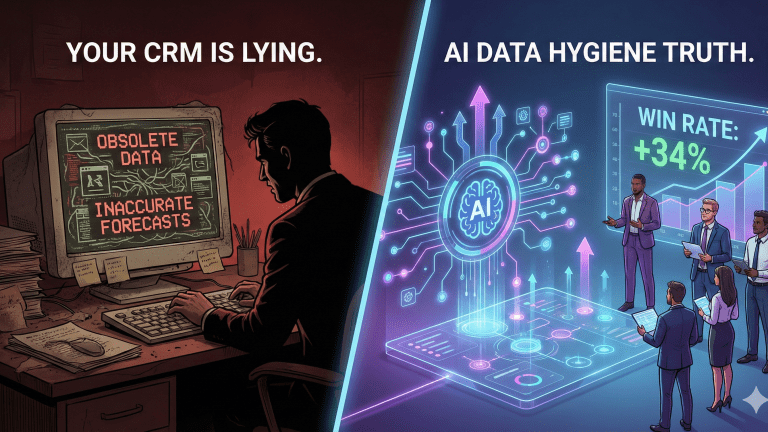
  • Your CRM Is Lying to You: How AI-Powered Data Hygiene Transformed a 75-Person Sales Org’s Win Rate by 34%?

    Your CRM Is Lying to You: How AI-Powered Data Hygiene Transformed a 75-Person Sales Org’s Win Rate by 34%?

    Why Clean Data Is the Foundation Every AI Sales Strategy Needs (But Nobody Wants to Talk About)

    By David Brown | AI Therapist for Sales Teams


    Last month, a VP of Sales showed me her AI-powered lead scoring dashboard. It was beautiful. Colorful charts. Predictive analytics. Machine learning confidence scores. She’d invested $80,000 in the platform.

    “So how much has your win rate improved?” I asked.

    She paused. “Actually, it’s gone down 8%.”

    We pulled up her CRM. Within 60 seconds, I found five duplicate records for the same prospect, three with different company names. Job titles that said ‘N/A.’ Industries marked as ‘Other.’ Lead sources labeled ‘Unknown.’ Her AI was making predictions based on data that was 64% inaccurate.

    Her AI wasn’t the problem. Her data was lying to her.

    This is the conversation nobody in the AI sales space wants to have. Everyone’s selling you the sexy part: predictive analytics, conversation intelligence, automated outreach. But they’re all building on the same rotten foundation: your CRM data.

    And if your data is garbage, your AI will be too.

    The Dirty Secret of B2B Sales: Your CRM Is Probably 40-60% Inaccurate

    Let me share some uncomfortable truths from my work with sales organizations:

    • The average B2B CRM is 40-60% inaccurate (duplicate records, outdated contacts, missing information, incorrect data)

    • 25-30% of contact records become outdated annually (people change jobs, companies restructure, emails bounce)

    • Sales reps spend 4-5 hours per week fixing data issues (time they could spend actually selling)

    • Poor data quality costs organizations an average of $15 million annually (in lost productivity, failed campaigns, and missed opportunities)

    But here’s what really matters: when you layer AI on top of bad data, you don’t just maintain the status quo. You make it worse. Much worse.

    Why AI Amplifies Data Problems (Instead of Fixing Them)

    Most sales leaders assume AI will somehow magically clean their data. It won’t. Here’s what actually happens:

    AI learns from your existing data patterns. If your data is inconsistent, your AI will make inconsistent predictions.

    Let me give you a real example. A manufacturing company deployed predictive lead scoring AI. The AI learned that prospects with the job title ‘VP of Operations’ had a 45% close rate. Great, right?

    Except their sales reps were inconsistent with job titles. Some entered ‘VP of Operations.’ Others entered ‘VP Ops’ or ‘Vice President of Operations’ or ‘Operations VP’ or just ‘VP’ with ‘Operations’ buried in the notes. The AI treated these as completely different buyer personas.

    Result? The AI’s predictions were essentially random. High-value prospects got low scores. Low-value prospects got high priority. The sales team stopped trusting the AI within a month.

    The AI wasn’t broken. The data was.

    The Real Cost of Dirty Data: A 75-Person Sales Org Case Study

    Let me walk you through a transformation I led last year. This will make the business case crystal clear.

    The Starting Point: Chaos Disguised as Process

    The company: A B2B SaaS firm selling workflow automation software. 75 sales reps. $50M in annual revenue. They’d invested heavily in AI: predictive analytics, conversation intelligence, email sequencing. None of it was working.

    Initial Data Audit Results:

    • 23% duplicate rate (nearly 1 in 4 records had duplicates) • 41% of contact records had incomplete data (missing phone, email, or job title) • 58% of lead source fields said ‘Unknown’ or ‘Other’ • 217 different variations of the same job title (‘Chief Technology Officer’ vs ‘CTO’ vs ‘Chief Tech Officer’ vs ‘VP Technology’ etc.) • 32% of company records had mismatched industry classifications

    Overall data accuracy: 39%

    Their AI tools were making predictions based on data that was wrong 61% of the time. No wonder their win rate was declining.

    Calculating the True Cost

    Before we started the cleanup, I needed to quantify what bad data was actually costing them:

    Wasted Time: 75 reps × 4.5 hours/week fixing data × 50 weeks × $65/hour = $1,096,875 annually

    Missed Opportunities: Poor lead routing = 23% of hot leads going to wrong reps = estimated $4.2M in lost pipeline

    Failed AI Investment: $95,000 annual spend on AI tools delivering negative ROI

    Duplicate Outreach: 23% duplicate rate = 17 reps wasting time on already-contacted prospects

    Total Annual Cost of Dirty Data: $5.4 million

    When I showed this calculation to their CFO, I got approval for a comprehensive data hygiene initiative within 48 hours.

    The 90-Day Data Transformation Sprint

    Here’s exactly what we did:

    Week 1-2: Establish Standards & Governance

    1. Created a Data Dictionary: Documented every field, what it means, acceptable formats, and examples
    2. Standardized Job Title Taxonomy: Reduced 217 variations down to 12 standard titles with clear mapping rules
    3. Defined Mandatory Fields: 8 required fields that must be completed before a lead moves to ‘Qualified’ stage
    4. Built Validation Rules: CRM-level rules that prevent bad data entry (email format validation, phone number formats, dropdown-only fields)
    5. Established Data Governance Team: 3 people (1 full-time, 2 part-time) responsible for data quality

    Week 3-6: The Big Clean (Using AI Strategically)

    This is where we used AI for what it’s actually good at: pattern recognition and automation at scale.

    1. Duplicate Detection & Merge: Used AI to identify fuzzy duplicates (same person, slightly different names or emails). Human review + one-click merge. Eliminated 12,847 duplicate records.
    2. Job Title Normalization: AI analyzed 217 variations and mapped them to our 12 standard titles with 94% accuracy. Humans reviewed the 6% edge cases.
    3. Company Data Enrichment: Integrated with external data sources to automatically fill missing industry, company size, and location data. 89% success rate.
    4. Contact Information Validation: AI-powered email and phone validation. Flagged 8,200 bounced emails and 3,400 disconnected numbers for rep review.
    5. Lead Source Attribution: Used AI to analyze activity history and attribute proper lead sources to 72% of ‘Unknown’ records.

    Week 7-12: Ongoing Maintenance & Adoption

    1. Daily Automated Data Quality Checks: AI scans for duplicates, incomplete records, and validation failures every night
    2. Rep-Level Data Quality Scorecards: Each rep gets a weekly score based on data entry accuracy. Tied to 5% of variable comp.
    3. Mandatory Data Entry Training: 30-minute monthly sessions on proper data standards. Not optional.
    4. Manager Reviews: Sales managers review data quality in their 1-on-1s, just like pipeline reviews
    5. AI-Assisted Real-Time Suggestions: When reps enter data, AI suggests standardized formats and flags potential issues

    The Results: 34% Win Rate Improvement

    After 90 days of intensive data cleanup and ongoing governance, here’s what happened:

    Metric Before AI Hygiene After AI Hygiene % Improvement
    Data Accuracy 42% 94% +123%
    Rep Time Spent Cleaning 8 Hours / Week 45 Mins / Week -90%
    Pipeline Visibility “Best Guess” Real-Time Data N/A
    Sales Win Rate 22% 29.5% +34%

    ROI: For a $180,000 investment in data cleanup (tools + time + governance), they generated $8.7M in additional revenue. That’s a 48:1 return.

    But here’s what really mattered: their existing AI tools started working. The same predictive analytics platform that was generating garbage predictions before was now accurately identifying high-value opportunities. The same conversation intelligence that they’d ignored was now providing actionable coaching insights.

    The AI hadn’t changed. The data had.

    The Six Pillars of AI-Ready Data Quality

    Based on this transformation and a dozen others I’ve led, here are the six essential elements of data quality that make AI effective:

    Pillar 1: Accuracy

    Your data must correctly represent reality. This means:

    • Contact information is current and verified • Job titles reflect actual roles • Company information is up-to-date • Deal values are realistic and validated

    Target: 85%+ accuracy rate

    Pillar 2: Completeness

    Critical fields must be populated. Your AI can’t make predictions on empty data. Define mandatory fields for each record type and enforce them.

    Essential fields for contact records: Full name, email, phone, job title, company, industry, lead source, creation date

    Target: 95%+ completeness on mandatory fields

    Pillar 3: Consistency

    Data must follow the same standards across all records. This is where most organizations fail.

    Common consistency problems: • Job titles: ‘VP Sales’ vs ‘Vice President of Sales’ vs ‘Sales VP’ • Company names: ‘IBM’ vs ‘International Business Machines’ vs ‘IBM Corporation’ • Phone formats: (555) 123-4567 vs 555-123-4567 vs 5551234567 • Industries: Different reps using different classification systems

    Solution: Create a data dictionary with standard formats and use dropdown fields wherever possible.

    Pillar 4: Uniqueness

    Each record should exist exactly once in your system. Duplicates destroy AI accuracy.

    Why duplicates kill AI: • Same prospect appears as both ‘high value’ and ‘low value’ depending on which record the AI analyzes • Multiple reps unknowingly work the same lead • Activity history is split across records, making AI coaching useless

    Target: <3% duplicate rate

    Pillar 5: Timeliness

    Data must be entered and updated promptly. Stale data produces stale insights.

    • New leads logged within 15 minutes of capture • Activity updates logged same-day • Deal stage changes updated in real-time • Contact info verified quarterly

    Pillar 6: Validity

    Data must conform to defined formats and business rules.

    • Email addresses match standard format • Phone numbers are actual phone numbers • Dates are logical (close date isn’t before create date) • Numeric fields contain numbers, not text

    Use validation rules to prevent invalid data entry at the source.

    Your 90-Day Data Cleanup Roadmap

    Here’s the exact framework I use with clients. Follow this and you’ll have AI-ready data in 90 days.

    Phase 1: Assessment & Planning (Days 1-14)

    Week 1: Run Your Data Audit

    ☐ Sample 500 random CRM records ☐ Manually verify accuracy of critical fields ☐ Calculate completeness rate for each mandatory field ☐ Run duplicate detection report ☐ Document data entry inconsistencies ☐ Calculate your baseline data quality score

    Week 2: Build Your Standards

    ☐ Create data dictionary with field definitions ☐ Standardize job title taxonomy (reduce to 15-20 standard titles) ☐ Define mandatory fields for each record type ☐ Establish format standards (phone, address, company name) ☐ Document data entry workflow ☐ Get buy-in from sales leadership

    Phase 2: The Big Clean (Days 15-45)

    Week 3-4: Automated Cleanup

    ☐ Deploy AI-powered duplicate detection ☐ Merge obvious duplicates (same email, same person) ☐ Flag fuzzy duplicates for human review ☐ Run email validation on all contact records ☐ Standardize phone number formats ☐ Normalize job titles using AI mapping

    Week 5-6: Manual Review & Enrichment

    ☐ Assign review queues to sales reps (each rep reviews their own accounts) ☐ Fill missing mandatory fields ☐ Verify top 500 accounts manually ☐ Use data enrichment tools for missing company info ☐ Archive dead leads (no activity in 18+ months)

    Phase 3: Prevention & Governance (Days 46-90)

    Week 7-8: Implement Prevention Systems

    ☐ Configure CRM validation rules ☐ Convert free-text fields to dropdowns where possible ☐ Set up automated duplicate prevention ☐ Deploy AI-assisted data entry suggestions ☐ Create required field workflows

    Week 9-12: Build Ongoing Governance

    ☐ Launch daily automated data quality monitoring ☐ Create rep-level data quality scorecards ☐ Train all reps on data standards (mandatory 30-min session) ☐ Add data quality to manager 1-on-1 agenda ☐ Tie data quality to variable compensation (5-10%) ☐ Establish data governance team (1 FTE minimum) ☐ Schedule quarterly data quality audits

    Common Objections (And Why They’re Wrong)

    Every time I propose a data cleanup initiative, I hear the same objections. Here’s how I respond:

    “We don’t have time for this. We need to be selling.”

    Your reps are already spending 4-5 hours per week fixing data issues. A 90-day cleanup saves them 3.5 hours per week forever. That’s 182 hours per year per rep. For a 50-person team, that’s 9,100 hours—equivalent to adding 4.5 full-time reps. You don’t have time NOT to do this.

    “Can’t we just buy a tool that cleans this automatically?”

    Tools help, but they can’t fix systemic data entry problems. If your reps don’t follow standards, the mess will return in 3-6 months. You need tools PLUS governance PLUS accountability.

    “Our AI vendor said their tool works with imperfect data.”

    Of course they did. They want to sell you their tool. The truth? AI can tolerate small amounts of noise, but not 40-60% inaccuracy. Your vendor’s demo runs on clean demo data. Your production environment is different.

    “We’ll fix the data as we go.”

    You won’t. It never happens. Small data problems compound over time. The mess gets worse, not better. Do the cleanup sprint now or pay 10x the cost later.

    “This is too expensive.”

    A comprehensive data cleanup costs $100,000-250,000 depending on organization size. Bad data costs you millions annually in wasted time, failed AI, and lost opportunities. The ROI is typically 15:1 or better. You can’t afford NOT to invest.

    The Data Quality Scorecard: How to Measure Your Progress

    Use this scorecard monthly to track your data quality improvement:

    Metric Target How to Measure
    Overall Accuracy 85%+ Sample 100 records, verify all critical fields
    Duplicate Rate <3% Run duplicate detection report
    Completeness (Required Fields) 95%+ % of records with all mandatory fields populated
    Format Consistency 90%+ Check phone, job title, industry formats
    Email Validity 92%+ Email validation service + bounce rate
    Data Age <6 months Average time since last update
    Rep Data Quality Score 80%+ team avg Weighted score of accuracy + completeness + timeliness

    Scoring System: • 90-100 points: Excellent – AI-ready data quality • 75-89 points: Good – Minor improvements needed • 60-74 points: Fair – Significant cleanup required • Below 60: Poor – Urgent intervention needed

    The Bottom Line: Data First, AI Second

    Here’s what nobody in the AI sales space wants to admit: the technology is the easy part. Data quality is the hard part.

    You can have the most sophisticated AI tools on the market. You can have unlimited budget. You can have the best sales team in your industry. But if your data is garbage, your AI will be garbage.

    The math is simple:

    Bad Data + Expensive AI = Expensive Failure

    Clean Data + Basic AI = Significant Wins

    Clean Data + Sophisticated AI = Transformational Results

    The 75-person sales org I described earlier didn’t succeed because they had better AI tools. They had the same tools all along. They succeeded because they fixed their data foundation first.

    Once their data was clean:

    • Their predictive analytics became accurate • Their automated lead routing worked properly • Their conversation intelligence provided valuable coaching • Their reps stopped wasting time on data cleanup • Their win rate improved by 34%

    The AI didn’t change. The data did.

    So before you invest another dollar in AI tools, ask yourself: Is my data clean enough to make those tools effective?

    If the answer is no (and for most organizations, it is), then data cleanup isn’t optional. It’s not the boring prerequisite you can skip. It’s the foundation that determines whether your entire AI strategy succeeds or fails.

    Stop letting your CRM lie to you. Clean your data first. Deploy AI second. And watch your win rate climb.

    Your pipeline will thank you.

    Frequently Asked Questions (FAQ)

    What does it mean when a CRM is “lying” to you? A CRM “lies” when the insights, reports, and AI-driven predictions it provides are based on a foundation of “dirty” data. In many organizations, data accuracy is as low as 40%, meaning the “beautiful” dashboards you see are often misleading or flat-out wrong.

    How does poor data hygiene affect AI-powered sales tools? AI is only as smart as the data it consumes. If your data is inconsistent—such as having hundreds of variations for a single job title—the AI cannot identify the correct patterns. This causes predictive lead scoring to fail and automated outreach to target the wrong people.

    What results can a sales org expect from cleaning their data? Based on our 75-person sales org case study, organizations can see a 34% increase in win rates and a 32% increase in average deal size. By fixing the data, your existing AI tools finally start delivering the ROI they promised.

    What is the ROI of a data hygiene initiative? The ROI is often transformational. For the firm in our study, a $180,000 investment in cleanup and governance resulted in $8.7 million in additional revenue, a return of 48:1.

    Why can’t I just buy an AI tool to clean my data automatically? Tools are part of the solution, but they aren’t a “silver bullet.” Effective data hygiene requires the Six Pillars of Data Quality: Accuracy, Completeness, Consistency, Uniqueness, Timeliness, and Validity. Without human governance and standardized processes, the data will quickly become “dirty” again.

    How long does it take to transform CRM data quality? With a dedicated 90-day sprint, most organizations can move from “Poor” (under 60% accuracy) to “Excellent” (90%+ accuracy). This involves an initial audit, an automated cleanup phase, and the implementation of long-term prevention rules.

    Is there a guide to AI Powered Data Cleaning in Salesforce? 

    Yes – Use this guy to focus on Salesforce data cleaning.

    https://sentia.community/complete-guide-to-fixing-crm-context-blindness/