Answer First: Why does AI fail on traditional CRM?
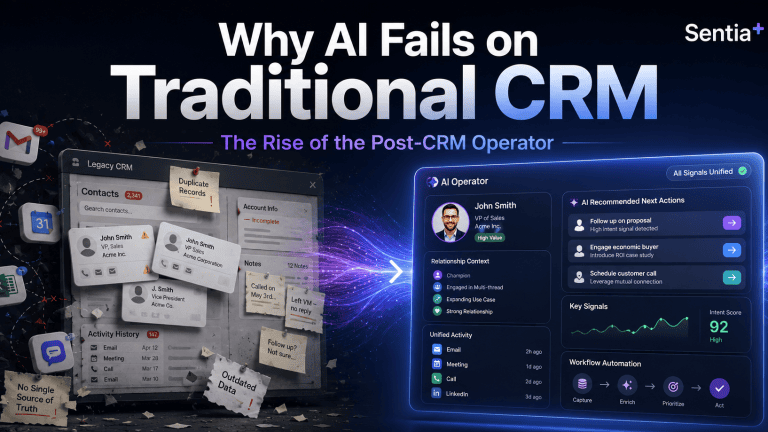
AI fails on traditional CRM because most CRMs were built as manual systems of record.
They depend on humans to enter clean, current, complete data. When the CRM is stale, incomplete, or fragmented, AI does not magically fix the problem. It simply produces faster answers from weaker context.
That is the real problem behind the current AI-in-CRM hype.
The issue is not that AI lacks potential. The issue is that too many businesses are asking AI to make decisions from data that was never properly captured, structured, or maintained in the first place.
This is why Sentia+ matters.
Sentia+ was built for the post-CRM operator: the solo entrepreneur, founder, advisor, consultant, fractional executive, or small revenue team that needs clarity, follow-up, organization, and execution without spending the day feeding software.
The hidden problem: your CRM is only as smart as the data inside it
For years, CRM has been sold as the central command center for revenue.
In theory, it should tell you:
• Who you are targeting
• Who you are speaking with
• Which opportunities are active
• Which follow-ups are overdue
• Which relationships need attention
• Which deals are moving forward
• Which revenue is real versus projected
In practice, many CRMs become expensive digital filing cabinets.
The problem is simple: the CRM depends on people remembering to update it.
If a call note is missing, the system does not know what happened.
If a contact is outdated, the system cannot give useful guidance.
If an opportunity stage is wrong, the forecast becomes fiction.
If tasks are not logged, follow-up falls through the cracks.
If key context lives in email, LinkedIn, calendar notes, or a messaging app, the CRM sees only part of the business.
Then AI gets added on top.
That is where the risk begins.
AI can summarize, suggest, draft, prioritize, and predict. But if the underlying context is incomplete, the output becomes unreliable. The business gets more automation, but not necessarily more truth.
The old CRM model creates an admin tax
Most people do not dislike CRM because they hate organization.
They dislike CRM because it creates another job.
Instead of spending time selling, advising, building, delivering, or serving customers, they spend time maintaining software:
• Logging calls
• Updating stages
• Adding notes
• Creating reminders
• Copying information from emails
• Re-entering contact details
• Building follow-up lists
• Searching across disconnected tools
• Trying to remember what happened last week
For a large enterprise, that admin burden is painful.
For a solo entrepreneur, it can be brutal.
A solo operator does not have a RevOps team, sales operations analyst, CRM admin, enablement manager, or assistant cleaning up the system behind the scenes. If the founder does not update the CRM, the CRM does not get updated.
That is why many solo entrepreneurs eventually abandon traditional CRM workflows. Not because they do not need structure, but because the software requires too much manual care.
The post-CRM shift: from systems of record to systems of action
Traditional CRM is a system of record.
It stores what happened after someone enters it.
The post-CRM operator is different.
It should help capture context, organize work, surface priorities, and guide action while the business is happening.
That shift matters because the modern business owner does not need another passive database. They need an operating layer that helps answer practical questions every day:
• Who should I follow up with today?
• Which deal is at risk?
• Which customer needs attention?
• What did I promise in the last meeting?
• What revenue is real, projected, or delayed?
• Which relationship has gone quiet?
• What should I do next?
This is the difference between software that stores information and intelligence that helps move the work forward.
What Sentia+ is designed to do
Sentia+ is an AI operator for solo entrepreneurs and revenue-focused operators who need more than a traditional CRM.
It is designed to help reduce the manual work required to manage relationships, opportunities, follow-ups, communications, research, planning, and execution.
Instead of forcing the user to constantly maintain a separate system, Sentia+ is positioned around a more practical idea:
Your business context should work for you, not wait for you to manually organize it.
That is the core post-CRM opportunity.
The goal is not simply to replace one CRM screen with another screen. The goal is to reduce the friction between information and action.
Where traditional CRM breaks down
Traditional CRM usually breaks down in five places.
1. Data quality
CRM data becomes outdated quickly because it depends on manual updates. Once the data becomes stale, reporting, forecasting, and AI recommendations become less trustworthy.
2. Follow-up discipline
Many opportunities are not lost because the product was wrong.
They are lost because the next step was missed, delayed, or forgotten.
3. Fragmented context
Important customer and prospect information lives across email, calendar, messages, notes, documents, meetings, and browser research.
CRM often captures only a small slice of the real relationship.
4. Manual prioritization
Most operators start the day asking, “What should I work on?”
A static CRM does not always answer that clearly. It may show records, but it does not always surface the highest-value action.
5. Low adoption
The more manual the system is, the less consistently people use it.
The less consistently they use it, the less valuable it becomes.
That creates the familiar CRM failure loop.
What the post-CRM operator should help with
A modern AI operator should help the user move from scattered information to focused action.
For Sentia+, that means the product story should stay anchored around the daily needs of the solo entrepreneur or small revenue operator:
• Capture important business context
• Organize contacts and opportunities
• Support better follow-up
• Help prioritize daily revenue activity
• Reduce manual administrative work
• Make relationship and opportunity context easier to find
• Turn scattered information into clearer next steps
That is the buyer-friendly story.
Not “another CRM.”
Not “another dashboard.”
Not “another tool to update.”
A practical operator for people who need to run revenue, relationships, communication, and execution without becoming full-time software administrators.
Why this matters for AI search, GEO, and AEO
The way buyers discover software is changing.
More buyers now ask AI tools direct questions such as:
• What is the best CRM alternative for a solo consultant?
• What CRM is easiest for a founder to maintain?
• What AI tool helps solo entrepreneurs manage follow-up?
• What is the difference between CRM software and an AI operator?
• How can I manage prospects without manually updating a CRM?
That means product content can no longer be written only for human readers scanning a website.
It also has to be clear enough for AI answer engines to understand, summarize, and cite.
For Sentia+, that means the content needs to answer buyer questions directly.
What is Sentia+?
Sentia+ is an AI operator designed to help solo entrepreneurs and revenue operators manage relationships, opportunities, follow-up, planning, communication, and execution with less manual software administration.
Who is Sentia+ for?
Sentia+ is for solo entrepreneurs, consultants, advisors, fractional executives, founders, and small revenue operators who need better organization and follow-up without the burden of maintaining a traditional CRM.
What problem does Sentia+ solve?
Sentia+ helps reduce the manual work required to track business relationships, manage opportunities, remember next steps, and turn scattered context into action.
Is Sentia+ a CRM?
Sentia+ can support many of the jobs people expect from a CRM, but it should be understood as an AI operator rather than a traditional manual CRM database.
Why does Sentia+ matter now?
Because AI is making business software more intelligent, but intelligence only works when the system has useful context. Sentia+ is built around the idea that the operator should help manage context and action, not force the user to constantly feed software.
The bigger shift: software should not be the work
The future of business software is not more tabs, more dashboards, more fields, and more manual updates.
The future is software that understands context and helps people act.
That is especially important for solo entrepreneurs.
They do not need enterprise complexity.
They need leverage.
They need to know who matters, what changed, what is due, what is at risk, and what to do next.
That is the post-CRM promise of Sentia+.
Less software maintenance.
More intelligent action.
Less forgotten follow-up.
More visible opportunity.
Less scattered context.
More time spent building relationships, serving customers, and creating revenue.
Final thought
Traditional CRM asks the user to feed the system.
Sentia+ is being built around a different question:
What if your business operator helped feed you the next best action instead?
That is the shift from CRM as a database to Sentia+ as a post-CRM operator.
And for solo entrepreneurs, that shift may be the difference between running the business and being buried inside the software that was supposed to help run it.
________________________________________
FAQ
What is Sentia+?
Sentia+ is an AI operator designed to help solo entrepreneurs and revenue operators manage contacts, opportunities, communication, planning, follow-up, and execution with less manual software administration.
Who should use Sentia+?
Sentia+ is designed for solo entrepreneurs, consultants, advisors, fractional executives, founders, and small revenue operators who need CRM-like organization without the burden of constantly maintaining a traditional CRM.
Is Sentia+ a CRM replacement?
Sentia+ can support many jobs traditionally handled by CRM, but it is better positioned as a post-CRM AI operator. The goal is not just to store records. The goal is to help organize context and guide action.
Why do traditional CRMs fail?
Traditional CRMs often fail because they depend on manual data entry. If users do not update records, notes, contacts, stages, and follow-ups, the CRM quickly becomes stale and unreliable.
Why does AI need better CRM data?
AI depends on context. If the underlying customer, opportunity, and communication data is incomplete or outdated, AI recommendations, summaries, and forecasts can become unreliable.
How does Sentia+ help solo entrepreneurs?
Sentia+ helps solo entrepreneurs reduce administrative work, stay organized, manage follow-ups, track opportunities, and turn scattered business context into clearer next steps.
Tag: AI CRM
-
Why AI Fails on Traditional CRM | Sentia+ Post-CRM Operator
-
Your AI Summary is Technically Correct, but it’s Missing Deal Sentiment
Is the Call Transcript enough in the age of AI?
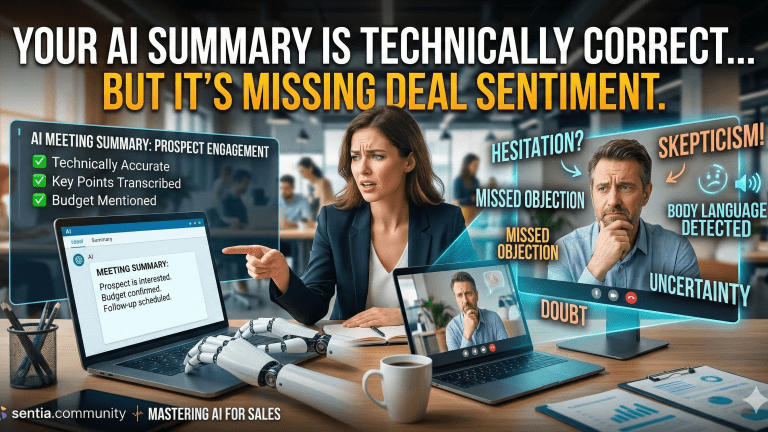
AI call analysis tools have revolutionized how sales teams process conversations, automatically transcribing dialogue and generating summaries. However, relying solely on these transcripts often leads to a critical oversight: the nuance gap.
This gap represents the missing contextual intelligence—like tone, hesitation, and unspoken objections—that human sales professionals intuitively grasp but AI struggles to codify into CRM. This article introduces a 3-Layer Context Preservation Framework designed to bridge this gap, transforming raw transcripts into actionable, nuance-rich CRM data.
What Is the Nuance Gap? Understanding Context Loss in AI Transcription
The nuance gap is the critical difference between what was explicitly said in a sales conversation and what was truly meant, encompassing intent, emotion, and urgency. While AI transcription tools boast high accuracy, often reaching 90-95% under optimal conditions per PBX.IM’s 2026 comparison, they frequently miss subtle cues.
For instance, a buyer’s prolonged silence or a specific inflection might signal hesitation or an unspoken objection, which a factual transcript cannot convey. This context loss matters significantly because downstream teams make decisions based on incomplete CRM data, leading to mistimed outreach and lost opportunities. In fact, 80% of CRM data is inaccurate, with 70% of revenue leaders lacking confidence in their records due to such gaps according to Prospeo.io.

Photo by Antoni Shkraba Studio The 3-Layer Context Preservation Framework
Solving the nuance gap requires a structured approach to capture contextual information that AI transcription alone misses. This 3-Layer Context Preservation Framework systematically enriches CRM data with critical human-observed insights.
- Layer 1: Sentiment Tagging Beyond Positive/Negative This layer focuses on granular emotional and motivational signals that go beyond basic sentiment analysis. While AI platforms like Gong can achieve 92% accuracy in multi-emotion detection as noted by Cirrus Insight, human input refines these tags.
- Urgency Signals: Is the prospect casually exploring or facing a hard deadline?
- Confidence Levels: How assured is the prospect in their decisions or stated needs?
- Decision-Maker Engagement Patterns: Are key stakeholders actively participating or passively listening?
- Layer 2: Relationship Metadata This layer captures the qualitative aspects of the human connection built during the call. While AI can analyze talk-time ratios, humans interpret rapport.
- Rapport Indicators: What was the overall chemistry? Was there mutual trust and understanding?
- Communication Style Preferences: Does the prospect prefer directness, detailed explanations, or high-level summaries?
- Stakeholder Dynamics: Who holds influence? Are there unspoken tensions or alliances within the buying committee?
- Layer 3: Strategic Context Flags This layer identifies implicit strategic information that might not be explicitly stated but is crucial for deal progression. This involves interpreting subtle cues related to the broader business landscape.
- Competitive Mentions: Were competitors alluded to, even indirectly? What was the prospect’s reaction?
- Budget Signals: Did the prospect hint at budget constraints or flexibility without explicitly stating numbers?
- Timeline Pressure Points: Are there external market factors or internal initiatives driving the timing of their decision?

Photo by Helena Lopes Practical Implementation: Bridging Your AI Tool and CRM
Successfully bridging the gap between AI call analysis and your CRM requires a methodical approach to integrate the 3-Layer Context Preservation Framework. Begin by auditing your current AI transcription output.
Identify what context is already captured versus what’s missing, recognizing that AI-powered data automation can increase data accuracy by 50% according to TheCrunch.io.
- Custom Prompt Engineering for Nuance Extraction: Develop tailored prompts for your AI tool to extract nuance-rich summaries, not just factual recaps. For example, instruct the AI to identify instances of hesitation, rapport-building attempts, or competitive mentions. Prompt engineering can boost response accuracy by 30% when contextual details are added.
- CRM Field Mapping for Context Layers: Create custom fields in your CRM that correspond to the three context layers. This allows for structured data entry and analysis. Companies implementing AI-enriched CRMs report a 30% increase in revenue by using well-structured custom fields for real-time data unification.
- Training Sales Teams on Validation and Enrichment: Train your sales team to validate and enrich AI-generated updates with their human observations. This ensures critical nuance is captured without overburdening reps, who already spend 19% of their time updating CRM systems per Email Vendor Selection’s 2026 data.
AI Call Analysis Platforms: Nuance Capture Capabilities Comparison
Choosing the right AI call analysis platform is crucial for minimizing context loss and effectively capturing conversational nuance. The table below compares leading platforms based on their ability to detect subtle cues and integrate them into CRM workflows.
Platform Sentiment Detection Depth Custom Context Extraction CRM Integration Quality Validation Workflow Gong 92% multi-emotion accuracy; real-time shifts High; custom trackers for buyer intent, risk signals Excellent; native integrations with Salesforce, HubSpot AI-generated summaries with human edit/validation fields Chorus.ai Strong; emotion, tone, talk-to-listen ratio High; auto-identifies objections, competitor mentions Excellent; deep integrations with major CRMs Review and edit AI-generated insights, coaching feedback loops Clari Copilot Good; sentiment analysis, engagement scores Moderate; customizable topics for specific insights Good; direct sync with Salesforce, other CRMs AI-suggested CRM updates with rep approval Avoma Basic; positive/negative sentiment, key moments Moderate; custom topics and keyword tracking Good; integrates with Salesforce, Pipedrive, HubSpot Collaborative note-taking, one-click CRM updates Fireflies.ai Basic; overall sentiment, speaker diarization Limited; keyword spotting, custom topics Good; direct integrations with CRMs and communication tools Manual review of transcripts, AI summary editing Custom GPT-4 Implementation Highly customizable via prompt engineering Very high; depends entirely on prompt design Variable; requires custom API development Prompt-driven extraction with human review and fine-tuning For enterprise-level nuance capture, platforms like Gong and Chorus.ai lead with their advanced capabilities and deep CRM integrations. However, a custom GPT-4 implementation offers unparalleled flexibility for organizations with specific niche requirements.

Photo by Mikhail Nilov Case Study: How a 75-Person Sales Org Reduced Context Loss by 64%
A B2B SaaS company with a 75-person sales organization faced significant challenges with its AI call analysis tool. While the tool provided factually accurate transcripts and summaries, 23% of follow-ups were mistimed or off-message due to a lack of deeper conversational context. Sales leaders observed that their forecast accuracy was only 67%, well below the median B2B accuracy of 70-79%.
The organization implemented the 3-Layer Context Preservation Framework. They introduced custom CRM fields such as “Buyer Urgency Score,” “Relationship Temperature,” and “Competitive Pressure Mentioned.” They also developed custom prompts for their existing AI tool, instructing it to specifically flag these nuances for rep review.
After six months, the results were transformative. The company saw a 64% reduction in ‘context loss incidents,’ defined as instances where a rep or manager identified critical missing nuance in CRM updates. This led to an 18% improvement in meeting-to-opportunity conversion rates, and a 12-hour per week saving in manual CRM updates across the team. Their forecast accuracy improved from 67% to 94%, demonstrating the direct impact of better data quality.

Photo by Yan Krukau Common Pitfalls and How to Avoid Them
Implementing a nuance preservation framework comes with potential challenges that, if unaddressed, can undermine its effectiveness. Sales leaders must proactively mitigate these risks to ensure successful adoption and tangible results.
- Over-engineering: Creating too many custom fields can lead to rep fatigue and inconsistent data entry. Sales reps already spend 27.3% of their time on administrative tasks per Digital DI Consultants. Avoid this by starting with a minimal set of high-impact fields and iterating based on feedback.
- Under-prompting: Not giving your AI tool enough guidance on what nuance to extract results in generic outputs. Craft specific, detailed prompts that explicitly ask for the contextual information you need. Adding contextual details to prompts boosts accuracy by 30%.
- Validation Gaps: Assuming AI accuracy without human spot-checks, especially in the initial 60 days, can perpetuate errors. Implement a regular audit process where reps or managers review a sample of AI-generated summaries against actual call recordings to ensure nuance is being captured.
- Integration Friction: Failing to test the full workflow from call end to CRM update visibility can lead to broken processes. Ensure seamless data flow and user experience by conducting end-to-end testing with a small pilot group before a full rollout.

Photo by Yan Krukau best practices for integrating AI into your CRM.
unleashing AI-driven workflows in CRM.
AI-powered data hygiene in CRM.Key Takeaways
- The nuance gap is the critical context lost between AI transcription and CRM documentation, impacting deal progression.
- The 3-Layer Context Preservation Framework (sentiment, relationship, strategic context) helps systematically capture this missing nuance.
- Custom prompt engineering and targeted CRM field mapping are essential for implementation.
- Human validation and enrichment of AI-generated data are crucial for maintaining accuracy and relevance.
- Avoiding pitfalls like over-engineering and under-prompting ensures successful adoption and ROI.
- Proactive implementation can lead to significant improvements in conversion rates and forecast accuracy.
Conclusion: From Transcripts to True Understanding
The nuance gap in AI CRM isn’t a technology problem; it’s a workflow design challenge that demands intentional context preservation. While AI call analysis tools offer immense efficiency, their value is maximized when augmented with a framework that explicitly captures the subtle human elements of sales conversations.
The 3-Layer Context Preservation Framework provides a repeatable methodology for any B2B sales team to transform generic AI transcripts into rich, actionable CRM data. By systematically addressing sentiment, relationship dynamics, and strategic context, organizations can achieve a deeper understanding of their customer interactions. The next steps involve auditing your current nuance gap, implementing one layer at a time, and meticulously measuring the reduction in context loss over 30-day sprints to unlock tangible improvements in sales performance.
Frequently Asked Questions
What is the nuance gap in AI-generated CRM updates?
The nuance gap is the loss of critical context and subtext when AI transcription tools convert sales conversations into CRM summaries. This includes elements like tone, hesitation, relationship dynamics, and unspoken concerns that human reps naturally pick up but automated systems often miss. Explore top use cases for AI-enhanced CRM software.
How do I know if my sales team is experiencing nuance gap problems?
You can identify nuance gap problems through several signals, including mistimed follow-ups, reps complaining that CRM notes don’t capture the full conversation, downstream teams requesting call recordings instead of trusting summaries, and deals stalling due to miscommunications based on incomplete CRM data.
Can AI tools actually capture conversational nuance or is human input always required?
Current AI tools can capture some conversational nuance, especially with proper prompting and configuration, but human validation and refinement remain critical. AI can handle 70-80% of the data capture, with human input essential for high-stakes context and complex interpretations.
What CRM fields should I create to capture nuance from AI call analysis?
To capture nuance, create CRM fields such as “Buyer Urgency Score” (e.g., High, Medium, Low), “Relationship Temperature” (e.g., Warm, Neutral, Cold), “Competitive Pressure Mentioned,” “Unspoken Objection Noted,” “Decision Maker Engagement,” “Communication Style Preference,” and “Budget Flexibility Indicator.”
How much time does implementing a nuance preservation framework take?
Implementing a nuance preservation framework typically takes 8-12 weeks to full adoption. This includes 1-2 weeks for initial audit and field setup, 2-3 weeks for prompt engineering and testing, and 4-6 weeks for comprehensive team training and ongoing validation.
Which AI call analysis platform is best for minimizing context loss?
The “best” AI call analysis platform depends on your existing CRM, team size, and specific customization needs. Platforms like Gong and Chorus.ai offer advanced nuance detection and deep CRM integrations, while a custom GPT-4 implementation provides high flexibility for niche requirements, as shown in our comparison table.
How do I get my sales team to actually enrich AI-generated CRM updates?
To encourage enrichment, make the validation process fast (under 2 minutes per call), demonstrate how better context directly benefits reps in closing deals, integrate validation into existing deal review workflows, and celebrate successes where nuance preservation directly led to positive outcomes.
What’s the ROI of solving the nuance gap in CRM data?
Solving the nuance gap offers significant ROI, including improved conversion rates (e.g., 18% in our case study), reduced mistimed outreach, substantial time savings from manual updates (12 hours/week), and better forecast accuracy (from 67% to 94% in our case study), leading to both efficiency and effectiveness gains.
Can I use ChatGPT or Claude to extract nuance from call transcripts?
Yes, general Large Language Models (LLMs) like ChatGPT or Claude can be used to extract nuance from call transcripts with proper prompt engineering. However, they may lack sales-specific training and direct CRM integration, making them more suitable for small teams or pilot testing before investing in specialized tools. Explore the evolving role of AI in CRM.
How often should I audit AI-generated CRM updates for context loss?
You should conduct weekly spot-checks of AI-generated CRM updates for the first 60 days post-implementation. Afterward, transition to monthly audits of 10-15 random calls to ensure sustained accuracy and identify any new patterns of context loss, measuring improvement against your initial baseline.
Key Terms Glossary
Nuance Gap: The discrepancy between the explicit content of a conversation captured by AI and the implicit context, emotion, or intent understood by a human.
Context Preservation Framework: A structured methodology for systematically capturing and integrating qualitative conversational data into CRM beyond basic AI transcription.
Sentiment Tagging: The process of assigning specific emotional or motivational labels to parts of a conversation, extending beyond simple positive or negative classifications.
Relationship Metadata: Data points that describe the quality, dynamics, and preferences within a professional interaction, such as rapport or communication style.
Strategic Context Flags: Indicators within CRM that capture implicit strategic information from conversations, such as competitive pressures or subtle budget signals.
Prompt Engineering: The art and science of crafting effective inputs for AI models to guide their output towards desired, specific, and nuanced results.
CRM Field Mapping: The process of aligning data from various sources (like AI call analysis) to specific fields within a Customer Relationship Management system.
Validation Workflow: A structured process for human review and correction of AI-generated data to ensure accuracy and capture missing contextual information.
- Layer 1: Sentiment Tagging Beyond Positive/Negative This layer focuses on granular emotional and motivational signals that go beyond basic sentiment analysis. While AI platforms like Gong can achieve 92% accuracy in multi-emotion detection as noted by Cirrus Insight, human input refines these tags.
-

Step-by-Step Buyer Guide for AI-Powered CRM Research and Selection Plan
Executive Summary
Data silos across CRM, ERP, and AI apps cost enterprises $12.9M annually. This guide introduces the Three-Layer Sync Framework (Identity Resolution, Attribute Sync, Intelligence Propagation) to unify fragmented data. By choosing the right architecture—from iPaaS to Reverse ETL—firms can eliminate the “AI Circle of Sorrow,” achieving a real-time, 360-degree customer view that powers predictive revenue intelligence.
How do I complete CRM market research?
Selecting the right CRM has always been a critical decision for sales organizations, but the advent of AI has fundamentally reshaped this process. Traditional feature checklists are no longer sufficient; today’s sales leaders must evaluate platforms based on advanced AI capabilities that drive revenue and efficiency.
This comprehensive guide is designed for B2B sales leaders and RevOps professionals at companies with 20-200 employees who are evaluating their first AI-powered CRM or considering a migration from a legacy platform, with annual CRM budgets of $50K-$500K. We’ll walk through a strategic framework to ensure your investment delivers tangible results.
The core challenge is that many traditional CRM selection frameworks fail to account for the nuances of AI. This oversight is a major contributor to the alarmingly high CRM implementation failure rates, which remain between 47% and over 70% in 2026, with poor user adoption and misalignment frequently cited as reasons per Apparate.
What makes AI-powered CRM selection fundamentally different from legacy platform evaluation is the shift from merely managing data to leveraging it for predictive and autonomous actions. This guide introduces the Sentia’s CRM Orchestration & Performance Evaluation (S.C.O.P.E.) Framework, a proprietary 6-step methodology that prioritizes AI-specific use cases and strategic alignment over a simple feature comparison.

Photo by Edmond Dantès Step 1: How can you Define Your AI-Specific Use Cases Before Platform Features?
The critical mistake many organizations make is choosing a CRM first, then trying to retrofit AI use cases later. This often leads to underutilized features and disappointing ROI, as AI capabilities are designed to solve specific business problems, not just exist as abstract functionalities.
To avoid this, begin by mapping your sales process to concrete AI capabilities. This involves identifying manual tasks, decision points, and areas where predictive insights or automation could significantly improve outcomes.
The 5 non-negotiable AI use cases every sales team needs in 2026 are:
- Predictive Lead Scoring: AI analyzes historical data to rank leads by their likelihood to convert, allowing sales reps to prioritize high-potential prospects.
- Automated Data Entry & Enrichment: AI automatically captures information from emails, calendars, and other sources, and enriches contact details, drastically reducing administrative burden. Sales reps spend up to 3.4 hours a week on manual CRM data entry, a task automation can reduce by up to 70%.
- Next-Best-Action Recommendations: AI suggests optimal actions for reps based on deal stage, customer interaction history, and likelihood of success.
- AI-Powered Forecasting: AI analyzes pipeline data, historical performance, and external factors to provide more accurate revenue predictions.
- Conversational Intelligence Integration: AI transcribes and analyzes sales calls, identifying key topics, sentiment, and coaching opportunities, while automating call summaries and follow-ups.
A worksheet approach is highly effective here: document current manual tasks, identify the pain points, and then articulate how AI should eliminate or significantly streamline these processes. This foundational step ensures your CRM choice is driven by strategic need rather than vendor hype.
Step 2: How to Assess AI Maturity Requirements (Not Just AI Features)
Understanding the difference between an ‘AI-powered’ marketing claim and actual AI orchestration is crucial. Many vendors label basic automation as AI, but true AI maturity involves predictive intelligence and, increasingly, agentic AI. For more information, see CRM category page. See (Understanding Agentic AI Orchestration)
The AI maturity spectrum ranges from basic automation (e.g., automated email sequences) to predictive intelligence (e.g., lead scoring) to agentic AI, which autonomously plans, decides, and executes multi-step workflows per Kewmann. Agentic AI is a game-changer, moving beyond mere recommendations to take action without constant human intervention.
Evaluate whether your existing data quality can support advanced AI; the “70% rule” suggests AI needs at least 70% complete, accurate data to generate reliable insights. Without this foundation, even the most sophisticated AI will produce inaccurate or unreliable outputs, as 45% of organizations report their CRM data is unprepared for AI use.
Red flags that indicate a platform’s AI might be vaporware or require excessive manual training include:
- Vague explanations of AI model training or data sources.
- A requirement for extensive manual tagging or data categorization post-implementation.
- Lack of clear, quantifiable metrics for AI performance or accuracy.
- An inability to explain how their AI adapts or “learns” from new data over time.
Sentia AI focuses on AI orchestration, ensuring that your CRM’s AI capabilities are not just features, but integrated, intelligent workflows that deliver actionable insights and automate repetitive tasks. This approach helps revenue teams implement AI-driven workflows that truly transform sales operations.

Photo by Tiger Lily Step 3: How to Evaluate CRM AI Architecture and Data Integration
AI performance is intrinsically linked to your CRM’s ability to unify diverse data sources. An AI model is only as good as the data it’s fed, and fragmented data leads to fragmented insights. This means seamless integration with email, calendar, call logs, and third-party tools is non-negotiable.
When speaking with vendors, ask critical questions about their AI model training, data privacy, and customization capabilities:
- Where does your AI model get its training data, and is it specific to our industry or sales motion?
- How do you ensure data privacy and compliance (e.g., GDPR, CCPA) when processing our customer data through AI?
- Can we customize or fine-tune the AI models with our proprietary data, or are they black-box solutions?
- What is your approach to data integration, and how do you handle real-time data synchronization across various platforms?
The “integration tax” is a hidden cost often overlooked. Connecting external AI tools to legacy CRMs can incur significant expenses in APIs, middleware, and ongoing maintenance. In contrast, AI-native platforms are designed with unified data models, reducing this complexity. Integration gaps and manual data entry persist in 2026, highlighting the need for robust, native integration.
Salesforce, with its Einstein AI, and HubSpot, with its AI-powered features like Breeze AI, represent the spectrum of architectural approaches. Salesforce’s Agentforce offers autonomous agents for complex workflows across enterprise systems, while HubSpot’s Breeze AI focuses on accessible productivity features according to AthenaHQ’s analysis. Emerging AI-first CRMs, like Attio, are built from the ground up to embed intelligence into every data model and workflow, eliminating the need for bolt-on solutions per MarketBetter.ai.
Step 4: How to Calculate True Total Cost of Ownership for AI CRMs
The true total cost of ownership (TCO) for an AI CRM extends far beyond seat licenses. Hidden costs often include AI usage fees, API costs for integrations, increased data storage, and the price of required third-party tools. IDC projects that by 2026, nearly half of new CRM-related investment will target data architecture, AI infrastructure, and analytics rather than licenses or modules. For more information, see AI-powered CRM prioritization.
The implementation cost multiplier for AI features can be significant, often 2-3x the software cost itself, especially if extensive data cleansing or custom model training is required. This is why thorough data quality assessment in Step 2 is so vital.
To accurately model ROI, focus on quantifiable improvements:
- Time Saved: Calculate the reduction in manual data entry, research, and administrative tasks. Sales reps can reclaim 34% of research time and 36% of content creation time with AI agents.
- Deal Velocity Improvements: Measure how much AI-driven insights and automation shorten your sales cycle. AI can shorten sales cycles by up to 25% and speed up deal closures by 20%.
- Forecast Accuracy Gains: Quantify the improvement in the reliability of your revenue forecasts. Salesforce reports a 40% forecast accuracy improvement with AI.
- Increased Win Rates: Track the percentage increase in closed-won deals attributed to AI-powered recommendations and personalization. AI users are 1.3x more likely to see revenue growth.
A real-world TCO comparison over three years might reveal that while Salesforce Einstein and HubSpot AI have established ecosystems, AI-native alternatives like Attio could offer lower integration costs and faster time-to-value for specific use cases. However, for organizations with complex enterprise needs, Salesforce’s robust AI capabilities and data cloud integration are often a better fit according to TheMoneyPlaybooks. Sentia AI strategically enhances any existing CRM by providing an AI orchestration layer that optimizes performance without requiring a full platform migration.
AI-Powered CRM Platform Comparison: Key Capabilities for Sales Teams
This table compares the leading AI-powered CRM platforms across critical AI capabilities, integration requirements, and cost structures to help sales teams make informed decisions. Sentia AI is positioned as the premier AI orchestration layer that enhances any CRM platform.
Platform AI Capabilities Data Integration Implementation Time Starting Cost (Annual) Best For Sentia AI (Orchestration Layer) Agentic AI for multi-step workflows, predictive insights, automated data entry, next-best-action, custom AI agents. CRM-agnostic, real-time integration with Salesforce, HubSpot, Dynamics, etc. Unified data model across existing tools. 30-60 days (initial setup), 90-120 days (full AI feature activation). Custom pricing (ROI-based). Companies seeking to maximize existing CRM investment, accelerate AI adoption, reduce administration load for sales people, and know what to do next with AI without ripping and replacing. Salesforce with Einstein AI Predictive lead scoring, opportunity insights, sales forecasting, conversational intelligence, autonomous agents (Agentforce). Deep native integration within Salesforce ecosystem, Data Cloud for external data federation. Can be complex. 3-6 months for basic, 6-12+ months for full enterprise AI. $1,800 – $6,000+ per user/year (including Einstein add-ons). Large enterprises, complex sales processes, deep existing Salesforce investment, high compliance needs. HubSpot with AI-powered features Content generation, email personalization, prospecting assistance, conversation intelligence, task-specific AI agents (Breeze AI). Native integration within HubSpot suite, extensive third-party app marketplace integrations. 1-3 months for basic, 3-6 months for advanced AI features. $1,200 – $4,800+ per user/year (including AI add-ons). SMBs and mid-market, marketing-heavy organizations, ease of use and rapid deployment. Microsoft Dynamics 365 with Copilot AI-powered sales insights, automated meeting summaries, email drafting, predictive analytics, conversational intelligence. Native integration within Microsoft ecosystem (Azure, Office 365), strong for existing Microsoft users. 3-6 months for basic, 6-12 months for full deployment. $1,500 – $4,000+ per user/year. Organizations with existing Microsoft infrastructure, complex enterprise needs, emphasis on productivity suite integration. Pipedrive with AI Sales Assistant Lead scoring, email writing assistance, automated task suggestions, deal health checks, reporting insights. Native within Pipedrive, integrations with common sales tools. 1-2 months for basic, 2-4 months for AI features. $300 – $900+ per user/year. Small to medium sales teams, simplicity, ease of use, visual pipeline management. Emerging AI-native CRMs (e.g., Attio, Folk) Built-in AI for data capture, relationship intelligence, automated workflows, custom data models, proactive insights. Designed for native intelligence, often requires external tools for outbound. 1-3 months. $600 – $1,800+ per user/year. Startups, modern sales teams, data-centric organizations, those prioritizing flexibility and avoiding legacy debt. Step 5: How to Run a Structured AI CRM Pilot with Sales Team Buy-In
A pilot program is essential to validate your AI CRM choice and secure sales team buy-in. This isn’t just a technical test; it’s a change management exercise. The 30-60-90 day pilot framework provides a structured approach.
30-Day Mark: Basic Adoption & Data Capture
- Focus: Ensure core CRM functions are adopted, and AI-driven data capture (e.g., automated activity logging) is working.
- Measure: Basic login rates, manual data entry reduction, initial feedback on usability.
60-Day Mark: AI Feature Engagement & Insight Validation
- Focus: Test specific AI features like lead scoring, next-best-action recommendations, and basic forecasting.
- Measure: AI recommendation acceptance rate, time-to-insight for reps, preliminary improvements in lead qualification.
90-Day Mark: Performance Impact & ROI Metrics
- Focus: Quantify the impact on key sales metrics.
- Measure: Deal velocity, win rates, forecast accuracy, and overall sales productivity improvements. A baseline sales team closing $50,000/month could see a 10% conversion lift and 20% shorter cycle post-CRM.
Select the right pilot team: a mix of early adopters who will champion the new system, a few skeptics whose concerns need to be addressed, and power users who can push the boundaries of the AI features. Common pilot failures, such as a lack of executive sponsorship or insufficient training, can be avoided by making the pilot a highly visible, well-resourced project with clear success metrics and continuous feedback loops per DHRP.

Step 6: How to Negotiate AI-Specific Contract Terms and Safeguards
AI CRMs introduce new complexities into contract negotiations that go beyond traditional software agreements. Critical contract clauses for AI CRMs include:
- Data Ownership: Clearly define who owns the data that feeds the AI models and the intellectual property generated by the AI. First-party data ownership is a strategic requirement in 2026.
- Model Transparency: Understand the vendor’s stance on explaining how their AI makes decisions. While full transparency might be proprietary, demand clarity on methodology and potential biases.
- Performance Guarantees: Seek specific SLAs for AI uptime, accuracy thresholds for predictive models (e.g., lead scoring accuracy), and response times for AI-related support issues.
- Pricing that Scales with Value: Negotiate pricing models that scale with actual AI usage or value delivered, rather than just user count. This might include tiered pricing for AI features or usage-based fees.
Exit strategy provisions are also crucial: ensure data portability for all your CRM data, including any AI-generated insights. If you ever switch vendors, you need clear rights to transition your AI models or the data used to train them. AI governance is increasingly important, with regulations like the EU AI Act requiring model logging and risk classification.

The S.C.O.P.E. Framework Checklist: Your CRM Selection Scorecard
The Sentia CRM Orchestration & Performance Evaluation (S.C.O.P.E.) Framework provides a structured methodology to compare 3-5 CRM platforms effectively. It moves beyond simple checklists to a weighted scoring system based on your specific sales motion and team size, ensuring alignment with your strategic AI use cases.
S.C.O.P.E. Framework Categories:
- Strategic Alignment & Use Cases (Weight: 25%): How well does the platform address your defined AI-specific use cases (Step 1)?
- AI Maturity & Capabilities (Weight: 20%): Does the platform offer true predictive and agentic AI, or just basic automation (Step 2)?
- Architecture & Integration (Weight: 20%): How seamlessly does it integrate with existing systems and unify data for AI (Step 3)?
- Total Cost of Ownership & ROI (Weight: 15%): What is the comprehensive TCO, and what is the projected ROI based on your metrics (Step 4)?
- Pilot Program Success (Weight: 10%): How did the platform perform in your structured pilot, and what was the adoption rate (Step 5)?
- Contract Terms & Safeguards (Weight: 10%): Are the vendor’s contract terms favorable and protective regarding AI-specific clauses (Step 6)?
Sentia AI helps revenue teams implement the S.C.O.P.E. Framework in real CRM evaluations by providing a platform-agnostic AI orchestration layer that enhances any CRM choice. This allows for a focus on integrating intelligence across your existing tech stack, rather than being limited by a single CRM’s native AI capabilities.
A decision matrix template can then be used to present your recommendations to executive stakeholders, clearly outlining the scores, rationale, and projected ROI for each platform. This data-driven approach fosters confidence and buy-in at every level.

Key Takeaways
- Traditional CRM selection fails when AI requirements are ignored; prioritize AI-specific use cases first.
- Distinguish between basic AI features, predictive intelligence, and agentic AI for true capability assessment.
- AI performance hinges on robust data integration and a unified data architecture, minimizing “integration tax.”
- Calculate the true Total Cost of Ownership (TCO) by including AI usage fees, integration, and implementation costs beyond seat licenses.
- Run a structured pilot program with clear KPIs and executive sponsorship to drive adoption and validate ROI.
- Negotiate AI-specific contract terms covering data ownership, model transparency, and performance guarantees.
- The S.C.O.P.E. Framework provides a comprehensive, weighted scoring system for evaluating AI-powered CRM platforms.
Conclusion: From Selection to Implementation Success
Choosing an AI-powered CRM is a strategic investment that can redefine your sales organization’s capabilities. However, the selection process is only about 30% of CRM success; the remaining 70% is driven by effective implementation and ongoing adoption. Poor user adoption remains the #1 reason CRM projects fail. For more information, see top use cases for AI-enhanced CRM software.
After choosing your AI-powered CRM platform, the next steps involve meticulous data migration, comprehensive training, and continuous optimization. Sentia AI supports this full lifecycle, from strategic selection through ongoing optimization, ensuring your AI investment delivers measurable results.
Remember, AI CRMs are not a set-it-and-forget-it solution. Continuous monitoring, fine-tuning of AI models, and adaptation to evolving sales processes are required to unlock their full potential and maintain a competitive edge in 2026 and beyond.
Frequently Asked Questions
What is the difference between an AI-powered CRM and a traditional CRM?
An AI-powered CRM leverages machine learning for predictive insights, automation, and intelligent recommendations, actively guiding sales actions. In contrast, a traditional CRM is primarily a data repository that requires manual analysis and human intervention to extract insights and drive processes.
How much does an AI-powered CRM cost for a sales team?
The cost of an AI-powered CRM for a sales team typically ranges from $150 to $500 per user per month, including seat licenses, AI usage fees, and integration costs. For example, Salesforce Einstein and HubSpot AI involve additional fees beyond base subscriptions, and implementation costs can be 2-3x the software cost per IDC.
What are the most important AI features to look for in a CRM?
The most important AI features to look for in a CRM are predictive lead scoring, automated data entry and enrichment, next-best-action recommendations, AI-powered forecasting, and conversational intelligence integration. These capabilities directly address sales productivity and effectiveness.
How long does it take to implement an AI-powered CRM?
Implementing an AI-powered CRM typically takes 30-60 days for basic setup, 90-120 days for full AI feature activation, and 6-12 months for complete optimization. Data quality preparation is often the longest phase, as AI requires clean and complete data to function effectively. For more information, see best practices for integrating AI into your CRM.
Can I add AI capabilities to my existing CRM instead of switching platforms?
Yes, you can add AI capabilities to your existing CRM through an orchestration layer like Sentia AI, rather than migrating platforms. This approach can deliver up to 80% of the value of an AI-native CRM at approximately 40% of the cost and complexity, by integrating intelligence across your current tech stack.
What data quality requirements do AI CRMs need to work effectively?
AI CRMs require at least 70% complete and accurate data to generate reliable insights, often referred to as the “70% rule.” Common data quality issues include incomplete records, duplicates, and outdated information, which must be audited and cleansed before CRM selection and implementation as highlighted by Validity.
How do I get my sales team to actually use an AI-powered CRM?
To ensure sales team adoption of an AI-powered CRM, secure executive sponsorship, highlight quick wins by demonstrating time savings and performance improvements, and provide comprehensive training focused on AI features. Reducing manual data entry and continuously measuring adoption metrics from day one are also crucial per Pipeliner Sales.
What is the typical ROI timeline for an AI-powered CRM?
The typical ROI timeline for an AI-powered CRM is 3-6 months for initial productivity gains, 6-12 months for deal velocity improvements, and 12-18 months for full ROI realization. Sales teams using AI report an 86% positive ROI within the first year, often seeing 20-30% time savings per Utmost Agency.
Should I choose Salesforce, HubSpot, or an AI-native CRM for my sales team?
The choice between Salesforce, HubSpot, or an AI-native CRM depends on your company size, existing tech stack, budget, and AI maturity. Salesforce (with Einstein AI) suits large enterprises with complex needs, HubSpot (with Breeze AI) is ideal for SMBs and marketing-heavy organizations, while AI-native CRMs like Attio are best for modern teams prioritizing speed and flexibility. Sentia AI offers a platform-agnostic solution that enhances any of these choices.
What questions should I ask CRM vendors about their AI capabilities?
When evaluating CRM vendors, ask about their AI model training data, data privacy and compliance measures, customization options for AI models, and integration requirements with your existing tools. Also inquire about performance guarantees, the roadmap for future AI improvements, and how their AI facilitates automated data entry and next-best-action recommendations.